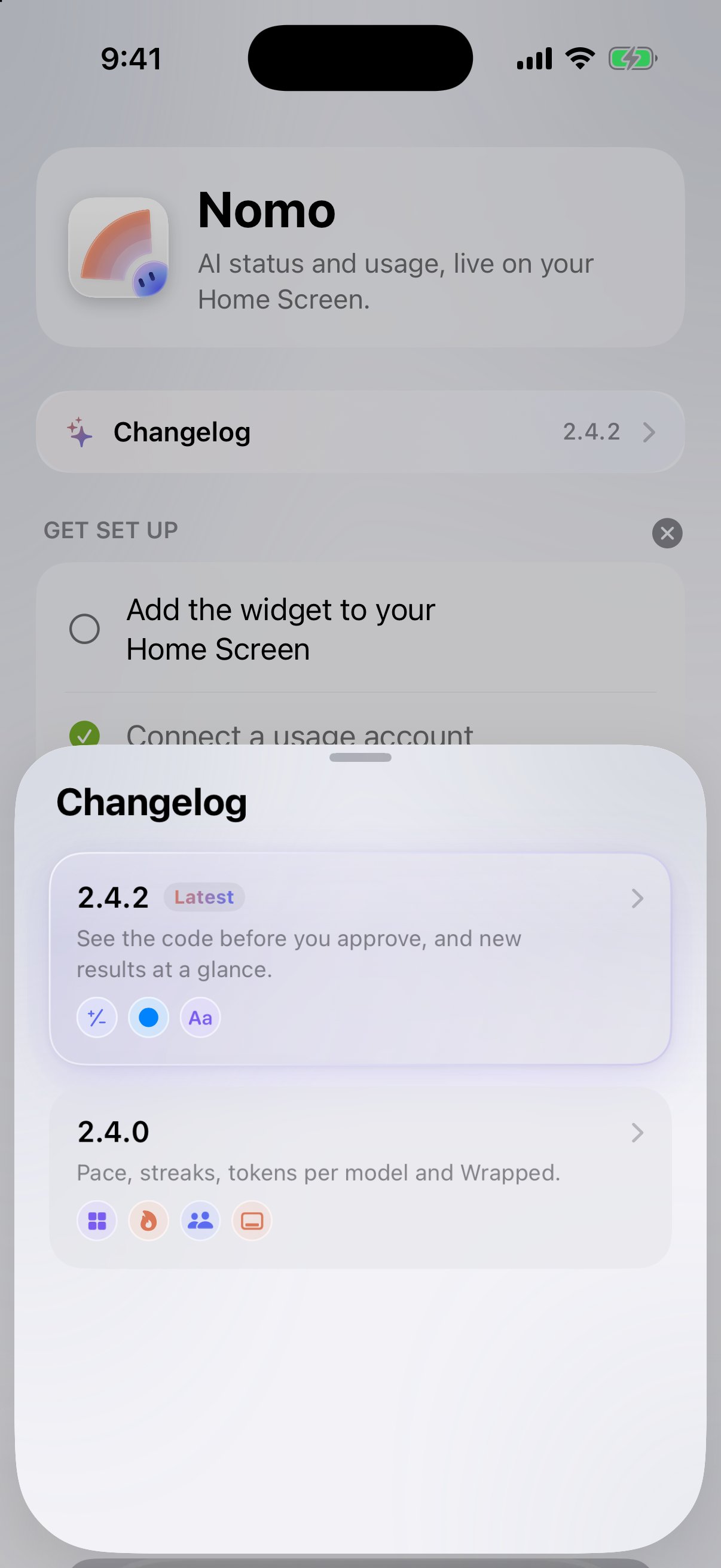
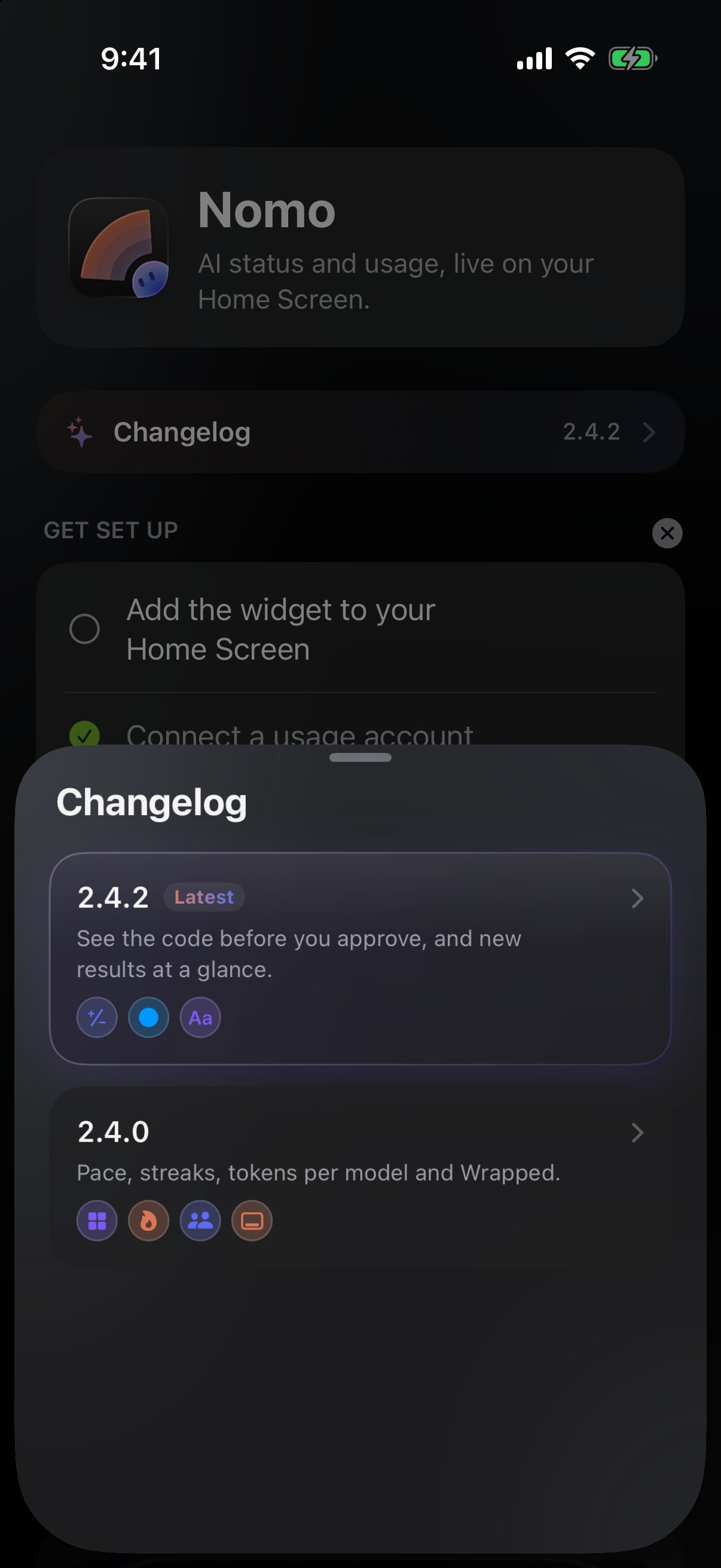
The Changelog sheet, opened from the Changelog row on Home. Tap a release to see its card again.
OpenCode 2.x
No app update needed: the app stays 2.5.1. Update the plugin on your computer, then restart OpenCode.- OpenCode 2.x: Nomo now works with OpenCode 2.x, as well as 1.x. Sessions, live status, the title and the model reach your phone, and you can allow or deny requests from it, shell commands included. Before 2.5.2, OpenCode 2.x refused to load Nomo. What’s different on 2.x
- Thanks to @tecandrew for the OpenCode 2.x write-up and adapter
OpenCode usage, plus Devin and Antigravity in Activity
OpenCode usage and status, plus Devin and Antigravity in Activity.New- OpenCode Go usage: sign in with your OpenCode account on the Usage tab to see your 5-hour, weekly and monthly limits, in the app and on widgets. On the Small Nomo Usage widget, pick Monthly under Small widget focus. More
- OpenCode status: OpenCode’s services on the Status tab, with alerts, like the other providers. More
- Devin and Antigravity in Activity: the plugin now counts the Devin CLI and Antigravity (the desktop app and the
agycommand line) toward your streak, the calendar and your coding time. With Nomo Pro, you also see their tokens for each model, and both are in the Agents list of the Nomo Tokens widget. More
- Token charts give Devin’s SWE models their own blue, and each Gemini model its own shade
- Devin and Antigravity activity needs plugin 2.5.1 on your computer. Update it
- Reject a tool at Devin’s own prompt in the terminal, and the session clears from your phone faster
A new Home, and Devin
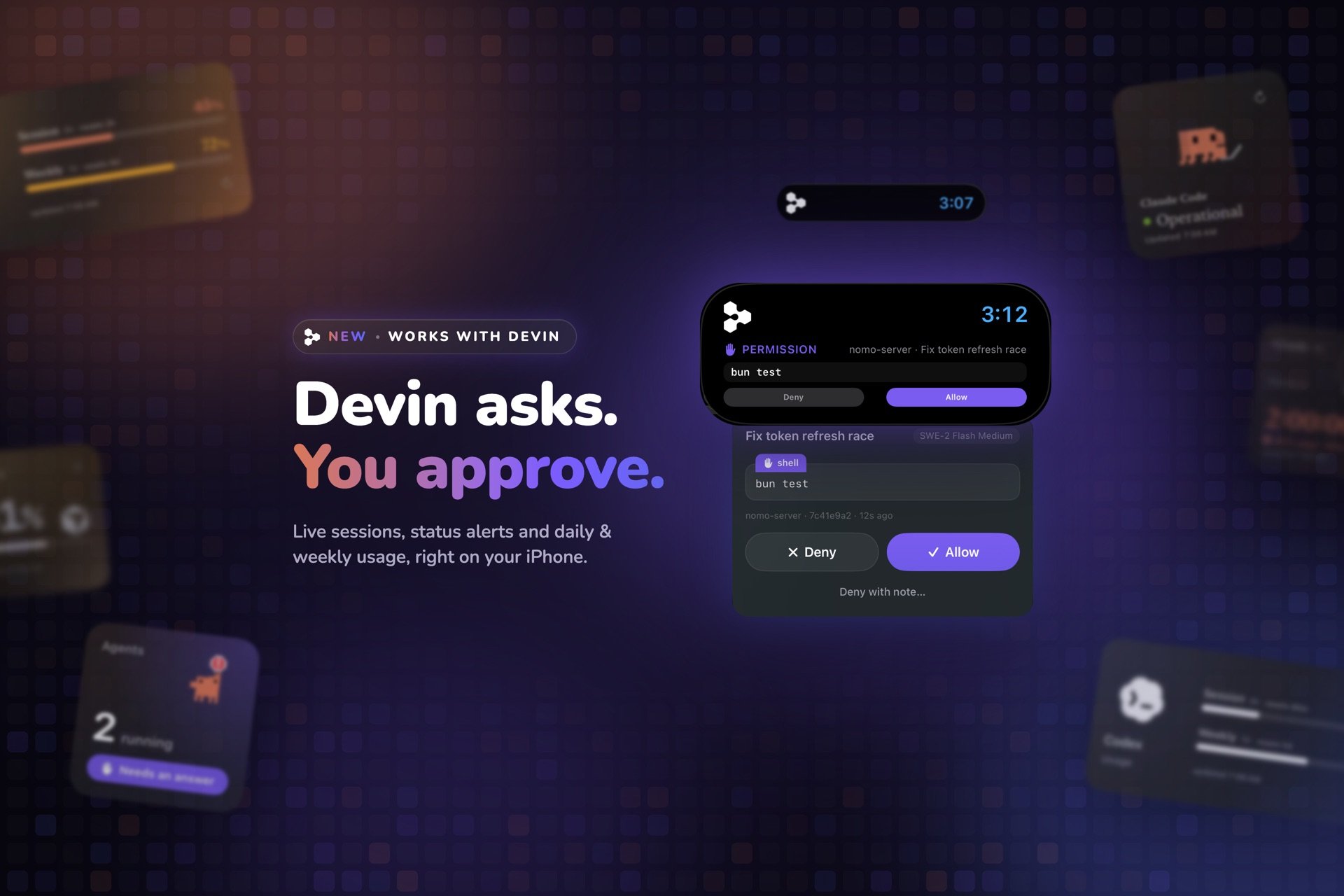
- Devin sessions on your phone, the Dynamic Island and the Lock Screen. Answer its permission requests and questions from there (Nomo Pro). More
- Devin usage and status: your daily and weekly limits, and Devin’s status with alerts. Usage · Status
- Pairing is free: Nomo Free connects one computer. Pairing
- Activity on Home: your streak, your coding time and a calendar of the days you coded, right on Home. More
- Nomo Activity widget, free: Small and Medium are free with a paired computer, and Medium shows the last 30 days. Large stays Nomo Pro. More
- Answer a request on your computer, and it clears on your phone within seconds
- Token charts show lines by default
- Always allow names what it allows, such as Always allow
bun testcommands (this session)
- Devin sessions need plugin 2.5.0 on your computer. Install it as a Devin plugin or with
bunx nomo-ai --devin
See the code before you approve
See exactly what Claude Code and Codex want to change before you allow it, and spot finished sessions at a glance.New- See the code before you approve: edit requests from Claude Code and Codex list the files that change, with
+and−line counts. Touch and hold the session, then tap Review changes to read every line before you tap Allow or Deny. How it works - New results at a glance: a blue dot marks a session that finished since you last looked, and each computer shows how many are new, like 2 new. More
- Changelog on Home: after you close the What’s New card, tap Changelog to see past releases
- Grok Bot on your streak: Nomo Activity and Nomo Tokens now count your Grok Bot days and tokens, and your Cursor days too. They come from your Cursor sign-in in Nomo, so no computer is needed. How to set it up
- Tokens by agent, in lines: on the Activity screen and the Nomo Tokens widget, split your tokens by model or by agent, as bars or lines. How
- Filter the chart: tap a name under the Tokens chart to hide it, or touch and hold the card to pick from a list. How
- Pick your character: touch and hold the streak card to choose the character and colors of the Activity screen. How
- Wrapped styles: share your Wrapped as bars, lines or a heatmap. More
- Terminal commands: the installer adds a short
nomocommand.nomo pair,nomo status,nomo resetandnomo unpairwork from any folder. More - Available resets: for Claude and Codex, the usage card and the Nomo Usage and Nomo Pace widgets show how many resets you can use, like 4 resets available. The card also shows the date to use them by, and Nomo reminds you 1 week and 1 day before one expires. More
- The Dynamic Island and Lock Screen show the size of an edit, like
+13 −16 - Clearer approval titles: Codex edits read
Edit notes.txtorEdit 2 filesinstead ofapply_patch, and MCP tools read likegithub · create issue - Works with Codex 0.167
- Opening the Activity screen fetches your latest activity, and
reseton your computer sends it right away - The streak card shows month names, how your activity splits between agents, your sessions and your busiest day
- A Codex session row no longer gets stuck on Running for up to an hour
- On iPad, the setup screens and a computer’s details no longer stretch across the whole window
- After you pair again, sessions that are already running show up on your iPhone right away instead of waiting for their next update (needs plugin 2.4.2)
- Changes, clearer titles and Codex 0.167 support need plugin 2.4.2 on your computer
- After you update the plugin, Codex asks you to trust Nomo’s hooks again. Run
/hooksand trust them, or choose Trust all and continue — why
Send feedback from the app
Send feedback without leaving Nomo, feel a tap when things happen, and see when Cursor’s third-party models are down.New- Send feedback in Settings → Help: pick a topic, write anything, and add your email if you’d like a reply
- Report a problem in a computer’s menu fills in that computer’s details for you
- Settings has tidier Help and Follow sections
- Settings is easier to use: Notifications and Usage come first, the theme picker shows icons for System, Light and Dark, and Settings → Usage has an example bar that shows what Used and Left mean
- Cursor: a new Third-party models status row, from xAI’s status page, so an outage there shows up and alerts you. If you’d turned off all of Cursor’s alerts, it starts off too
- Nomo now taps back: you feel it when an answer lands, pairing works or fails, you change a switch such as Status / Usage or Used / Left, and more. You can turn it off in Settings → Appearance → Haptics (it’s on by default)
- Tapping the refresh button (↻) on the Status, Usage, Pace or Accounts widget dims the numbers until the new data arrives
- Widgets refresh more efficiently, with fewer background refreshes and downloads, so they use less battery
Pro widgets, Activity and more than one account
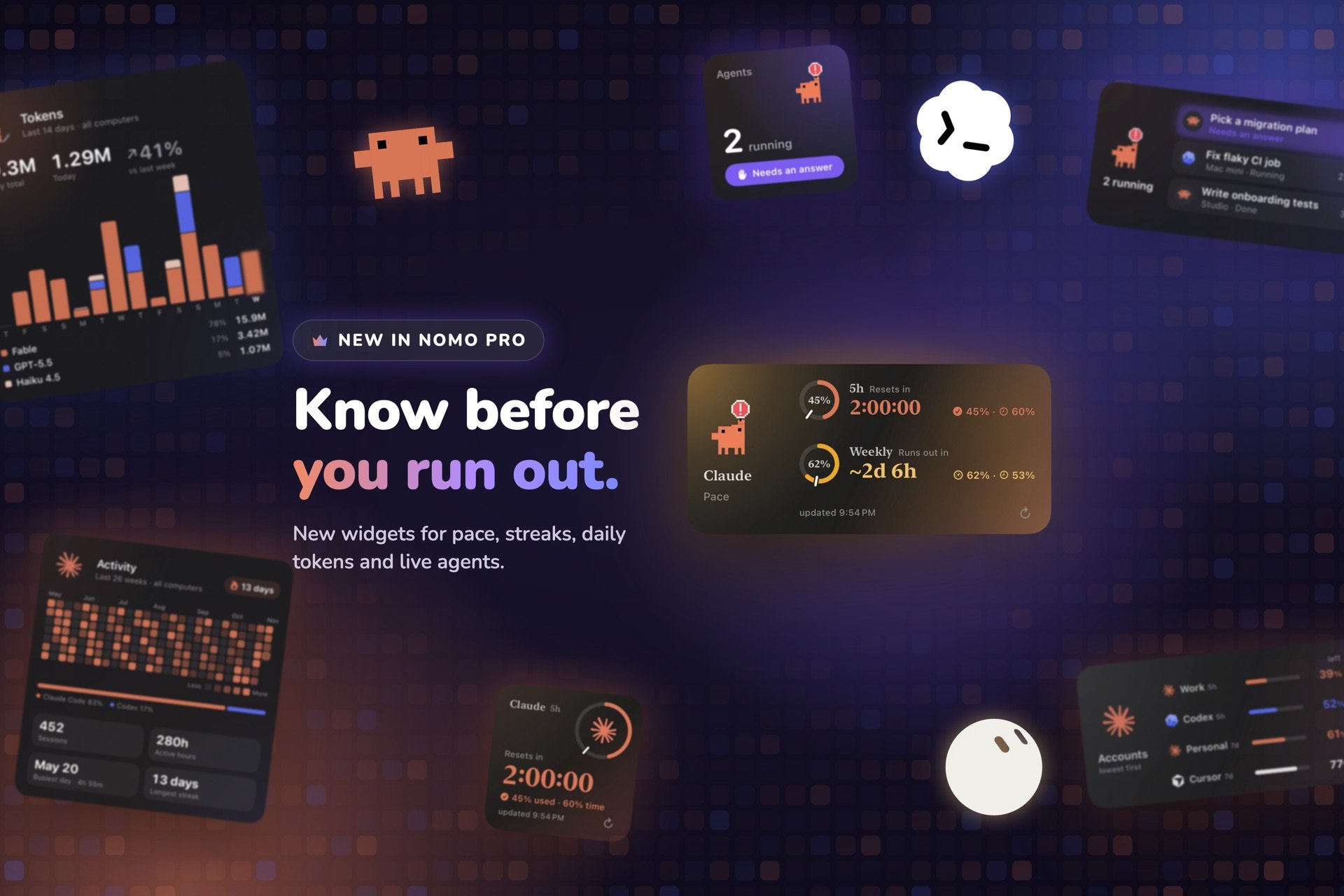
- Pro widgets: Pace, Tokens, Activity, Live Agents and Accounts for your Home Screen, with Lock Screen sizes and your pick of character. Add them like any other widget
- Activity and Wrapped: your streak, tokens per model and busiest days, across all your computers. Share your week as a Wrapped card
- More than one account: add up to five accounts per provider, tap one to see its usage, and see them all on one widget
- Streak bar: on iOS 26.1 and later, your streak rides along in the Sessions tab bar
- A Pace line under your limits on the Usage page
- Wrapped, Activity, sign-in and the computer screen open faster
- Cursor and Grok sign in through Safari, so passkeys and password managers work. Grok usage now needs a paid Grok plan
- Cursor retired its Review Agents status row, so it’s gone from alerts and the widget picker
- Activity needs plugin 2.4.0 on your computer
Update reminder, your plans and the newest limits
New- An update reminder: when a newer Nomo is on the App Store, a small bar says so — above the tab bar on iOS 26.1 and later, or as a card at the top of Home on earlier iOS. Update goes straight to the App Store. Tap anywhere else on the bar for What’s New, with the release notes, Update and Not Now. Close the bar (×) and it stays hidden until the next version. It shows only once you’ve finished the welcome guide
- Every usage card shows your plan:
- Claude: Claude Pro, Claude Max or Claude Ultra. Max 20x shows as Claude Ultra, the name Anthropic gave it on October 30, 2026
- Codex: your ChatGPT plan, such as ChatGPT Plus or ChatGPT Pro 200 — Go, Pro 100, Pro 500, Business, Enterprise and Edu included
- Cursor: the plan on your Cursor dashboard, such as Cursor Premium or Cursor Pro+
- xAI: X Ultra for The X Subscription, SuperGrok Heavy or SuperGrok
- Antigravity: Google AI Pro, Google AI Ultra or Google AI Ultra Lite
- Kimi: your Kimi Code plan, such as Kimi Allegretto. Without a Kimi Code plan, no plan shows
- With no 5-hour limit, the medium usage widget shows Weekly and your top model’s weekly limit, such as Fable, the way it already does for Antigravity
- Codex: the card shows your Credits balance and banked resets when you have them. Pro accounts with Spark get a Spark row
- Claude: with extra usage on, an Extra usage line shows what you’ve spent
- Antigravity: a new Claude & GPT 5-hour row. When one of Google’s servers returns incomplete quota data, Nomo asks the other
- Cursor: older plans keep two rows, now named Cursor Models and Other Models, as Cursor calls them today
- Kimi: on older plans with a monthly total, the card shows the monthly limit when it’s fuller than the weekly one — a used-up monthly total blocks Kimi Code
- With the small usage widget set to Session, a plan without a 5-hour limit showed an empty number — Claude Ultra, for one, since Anthropic dropped its 5-hour limit. It now shows a checkmark and No session limit, as the app already did
- Cursor: on The X Subscription, the card showed two rows, one of them an empty API row. It now shows one Weekly row — the pool Cursor shares with Grok Bot — matching Cursor’s dashboard
- Antigravity: Gemini 4 Argon was counted in the Gemini bars and could make them show 100% used. It now has its own row in the app
- Codex: the Free plan’s 30-day limit is labelled Monthly, not Weekly
- Claude: Free accounts show empty rows instead of a loading error. Limits for Claude products such as Design, Cowork and Routines never show as a model limit
Antigravity sessions
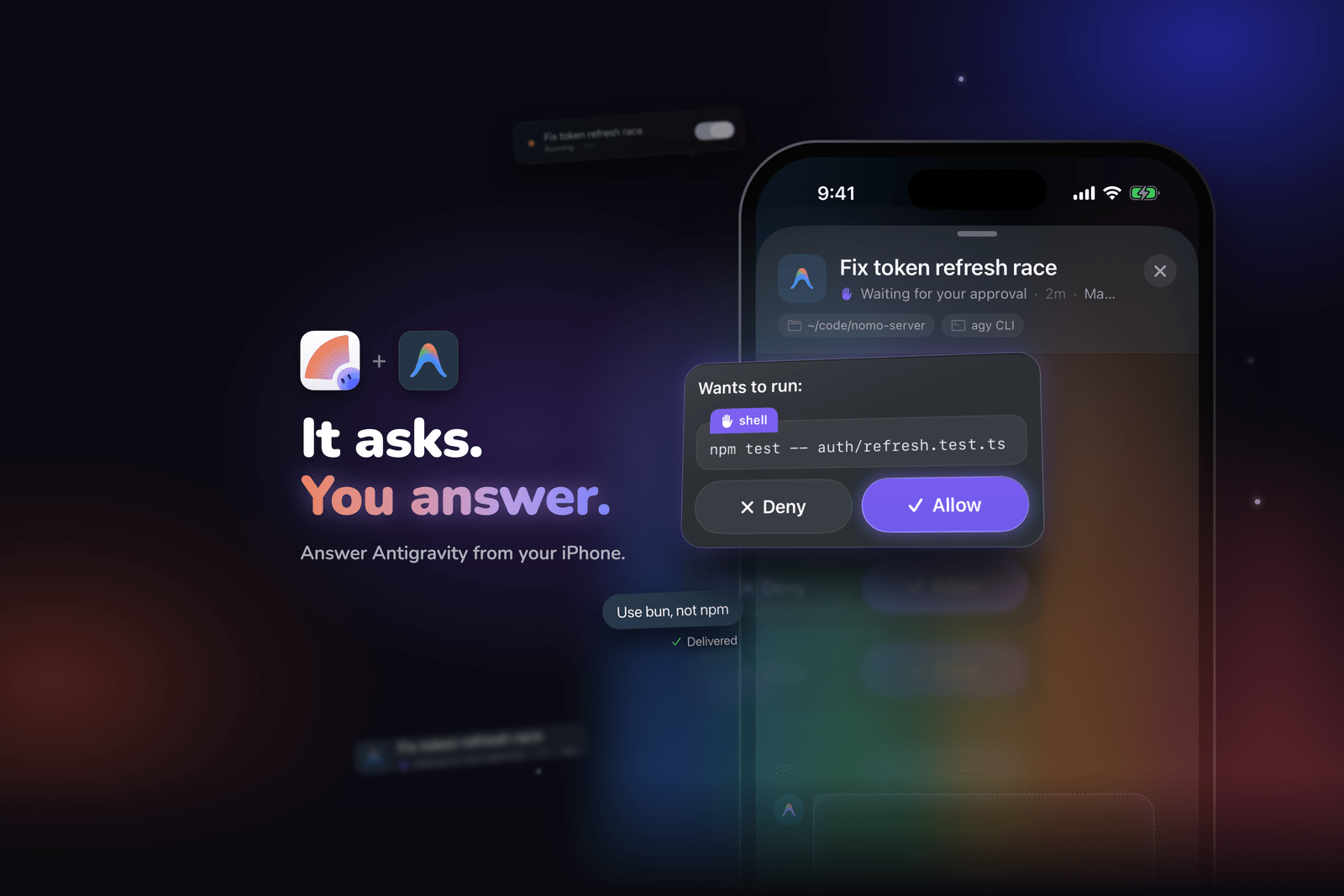
- Antigravity joins Claude Code, Codex, OpenCode and Cursor — sessions from the Google Antigravity desktop app and the
agyCLI run live in the Sessions tab and on the Dynamic Island, with Antigravity’s own conversation title and model. Install plugin 2.3.5 withbunx nomo-ai --antigravity, restart Antigravity, then type/nomo-pair - Allow or deny Antigravity’s shell commands and file writes from your phone, with Deny with note… to tell it why. Reads and searches never reach your phone, and your own deny rules always win
- Stop a running Antigravity turn from your phone — Interrupt stops it after the current step
- Reply to an Antigravity session from your phone — up to 4,000 characters, read at its next step. The reply sheet is a chat: Antigravity’s requests appear in it with Deny and Allow, and Deny & send denies a command and tells Antigravity why in one tap. A finished
agysession starts again on your Mac; a finished desktop-app session continues only on the Mac. For now, replies need your iPhone and Mac on the same Wi-Fi - Cursor’s status now covers BugBot, Cursor IDE (iOS) and Enterprise Dashboard, each with its own status alert. If you’d turned off all of Cursor’s alerts, the new ones start off too
- New buttons across Sessions: View plan, Open on Mac, Interrupt and Reply share one look, each in its own color. On question cards, Deny is no longer red, matching approval cards
- When remote approvals are paused, the banner in Sessions lists each agent with the command that turns them back on. Touch and hold a command to copy it
- The reply box sends what you type exactly as typed:
--no longer turns into a dash, and quotes stay straight, so commands arrive intact
- Cursor’s status history and uptime were empty after Cursor moved its status page. They’re back, and uptime now counts a partial outage the way Cursor’s own status page does
- Adds Antigravity support: one block named
nomoin~/.gemini/config/hooks.json, leaving your other hooks alone, plus a small Antigravity plugin,nomo, with/nomo-pair,/nomo-status,/nomo-approvals,/nomo-resetand/nomo-unpair.--uninstallremoves only those two
Security improvements
New- Approvals need Face ID: with your iPhone locked, Allow on the Lock Screen or the Dynamic Island asks for Face ID first. Deny stays one tap. It’s on by default — Settings → Sessions → Face ID
- Even When Unlocked asks for Face ID on every Allow, even with your iPhone unlocked — in the app and on the Dynamic Island. Off by default
- Turning either switch down asks for Face ID, and turning off Face ID to Allow warns you first
- You see the real command: a shell command waiting for approval shows on the island as the command itself. A long one is shortened in the middle, so you see how it starts and how it ends, with +N lines when there’s more. The agent’s description of it sits underneath as a caption
- If your phone can’t confirm that an approval card matches the request waiting on your computer, it offers Deny only
- The pairing confirm screen always pairs the computer it shows you
- Forget This Computer keeps trying to cancel the pairing on Nomo’s server until it goes through, even if you were offline when you tapped it
- A new pairing error, Couldn’t Verify This iPhone, for when Nomo’s server can’t verify your phone
- Shell approval cards keep the command: the agent’s description is kept short, and it’s the first thing dropped when space runs out
- Always allow from your phone stays in that session — it’s never saved to your project’s settings
- Nomo’s hooks no longer load your project’s
bunfig.tomlor.env statusnow warns if your Bun is affected by CVE-2026-111497 (fixed in Bun 1.4.4) — update Bun if you see it. It also warns when Node.js 22 is older than 22.23.4- OpenCode:
/nomo-updateonly ever updates Nomo’s own checkout, andbunx nomo-aiupdates only the global install. Update a project install with/nomo-updateinside that project
iPhone Duo, Kimi, DeepSeek and Antigravity
New- iPhone Duo support, and a better iPad layout: the Providers and Sessions tabs show the list and the details side by side
- Kimi and DeepSeek join the Status tab, status alerts and the widget
- Kimi Code usage, with the widget and alerts at 70%, 90% and 100%. Connect it from the Providers tab: Nomo shows a short code, and you approve it on Kimi’s sign-in page
- Gemini usage is now Antigravity: it reads your Google Antigravity quota, and the provider shows as Antigravity across the app and the widget. The small usage widget can show its Claude & GPT limit. If you’d connected Gemini, sign in again
- Each provider in Settings → Alerts has its own switch, to turn all of its status alerts off, or back on, in one go
- Usage alert rows carry the provider’s icon, like the status rows
- The welcome guide has a new Track your usage page to connect your accounts, and alerts are no longer marked Beta
- On the iPhone Duo’s narrow, vertical Dynamic Island, a session’s icons sit centered, with a short time label in place of the ticking timer
Grok Bot on your usage
New- The Cursor usage widget now shows the animated Grok bot, and its mood follows your included usage: worried from 70%, broken at 100%, asleep at 0% or while you’re signed out
- Prefer the plain logo? Edit the widget and set Cursor icon to Cursor logo
- Cursor usage no longer assumes a monthly cycle — X Subscription plans count included usage weekly, other plans monthly, and the wording fits both
Cursor, and Interrupt
New- Cursor joins Claude Code, Codex and OpenCode — sessions from the Cursor desktop app and
cursor-agentrun live in the Sessions tab and on the Dynamic Island, with Cursor’s own chat title and model. Read-only in this version: you watch from your phone and answer at your computer. Install withbunx nomo-ai --cursor - Choose which agents a computer shows — the + button (Choose agents) in its drawer picks up to three tabs
- Stop a running Claude Code or Codex turn from your phone — Interrupt, beside Open on Mac in a session row. It stops the turn and leaves the session open — Codex straight away, Claude Code at its next tool call
- Interrupt needs plugin 2.3.0 on your computer — update both the Claude Code and Codex plugins
- Interrupt needs Local network turned on and both devices on the same network: it goes over the direct link, never the relay
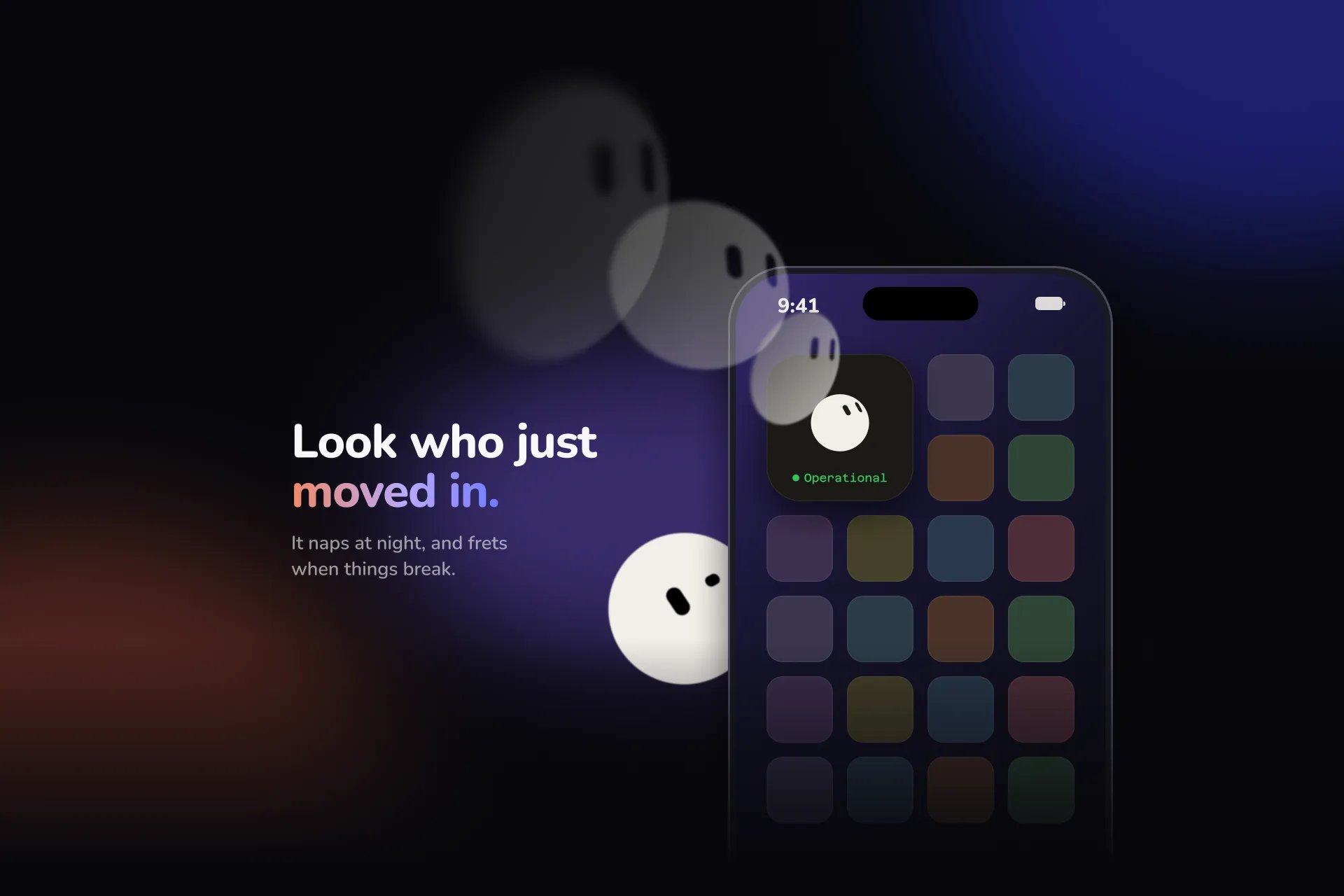
- A widget set to Cursor’s Grok Bot shows an animated Grok bot in place of the Cursor logo. It follows the status: it dozes at night, looks worried when the service slows down, and turns glum during an outage
- Pressing Esc in Codex reaches your phone straight away, instead of 20 seconds later
- The plugin registers three more Codex hooks. After updating, run
/hooksin Codex and trust the new entries — ten in all - Cursor’s status on the widget is set a little smaller, so Major outage and the other longer states fit better
- A Claude Code turn that ended on an API error read Running for up to half an hour. It now settles to Done
- A tool that failed could leave a Claude Code session asking for you after it had moved on
- A Claude Code session waiting on a background subagent keeps reading as working, instead of Done too early
- A prompt from an OpenCode subagent now shows on its session, and the session goes back to working as soon as it’s answered
- On a slow connection the Dynamic Island could go stale — Disconnected? — in the middle of a turn. The plugin now re-sends what didn’t get through, and the Sessions tab brings a stale island back once the Mac confirms the session is alive
- The Status tab, alerts and the widget follow xAI’s new status page. A widget set to one of xAI’s APIs showed the first API in the list whichever one you picked
More ways to answer
New- Approve a Claude Code plan and choose how it carries on — Approve + auto-accept edits or Approve + auto mode — rather than a plain approval only. Other Claude Code prompts get Approve + switch to auto mode
- Type your own answer to a question with Other…, and attach a note to it with Add note, instead of only picking from the list
- Codex questions that offer a free-text answer take Other… too
- An option that comes with a preview shows it under the list when you pick it
- All of the above need plugin 2.2.2 on your computer — the app keeps them hidden until it’s there
- When a limit reaches 100%, the Usage tab links to that provider’s own usage settings — Manage usage at Claude — for Claude, Codex, Cursor and xAI, in the US, EU and Japan
- On a plan, Deny with note… now reads Keep planning…, which is what it does
- A Claude Code session opened or resumed and left at an empty prompt read Running for up to half an hour. It now settles to Done in about 20 seconds
- OpenCode sessions created without a prompt — a fork, or one opened by another client — no longer sit at Running
- Usage could freeze on an old snapshot and keep presenting it as current
OpenCode
New- OpenCode joins Claude Code and Codex — its sessions run live on the Lock Screen and Dynamic Island, with its own mark, colour and typeface
- Approve or deny OpenCode’s permission requests and its questions from the Lock Screen, the same as the other two. The card tells you what denying will do, because a refusal in OpenCode ends the turn
- An OpenCode session reads Planning while its plan agent is working, and View plan opens its todo list
- One command —
bunx nomo-ai(ornpx nomo-ai) finds Claude Code, Codex and OpenCode on your computer and installs Nomo into the ones you pick
- The paywall names all three agents, and describes approvals for what they are — you answer from the Lock Screen, rather than only being notified
- A session whose provider is retrying reads Reconnecting… instead of a raw error
- A
nomo://link can no longer pair a computer on its own — it names the pairing and the server it would connect to, and waits for you to confirm - Your subscription is reported to each paired computer separately, so no computer learns about the others
- Disconnecting Cursor clears its cookies, instead of leaving a session behind that could quietly sign you back in
- The Local chip on a paired computer no longer truncates to “L…”
Fixes and polish
New- Usage alerts now cover xAI/Grok and Gemini, alongside Claude’s per-model weekly cap
- Read a full plan from your phone, instead of only the first part of it
- Translations corrected across every language — a number of labels said the wrong thing, or used two different words for the same idea
- Permission cards lead with what the agent wants to do, rather than the raw shell command
- Dynamic Island: session titles and the timer no longer get squeezed or cut off
- iPad: pages are capped to a readable width instead of stretching edge to edge
- Smaller download
- The paywall showed only free trials when a paid introductory offer was available
- Open on Mac didn’t work for Codex sessions
- Cursor’s two usage pools are reachable again on the small widget
- A crash in the first-launch guide
Answer your agent from the Lock Screen
New- Permission requests appear on the Lock Screen and in the Dynamic Island — approve or deny without going back to your desk
- Current plan and remaining usage visible at a glance on the session
- LAN mode — when your iPhone and computer share a Wi-Fi network, updates travel directly between them, still end-to-end encrypted
- Grok (xAI) and Gemini (Google) join Claude, OpenAI, and Cursor
- Japanese and other non-Latin text getting cut off in widgets
- Layout and stability across widgets, notifications, and Live Activities
Sessions
New- Sessions tab — pair your computer by QR scan and watch Claude Code and Codex sessions run live on the Lock Screen and Dynamic Island
- Working, done, and needs-you states, plus the active model and session title
- End-to-end encrypted with AES-256-GCM; the key never leaves your devices and the relay only sees ciphertext
- Nomo Pro unlocks live Sessions
- Usage shows both Used and Left
- OpenAI weekly usage counting