devin command in Terminal, and with
Devin Desktop.
Live sessions are part of Nomo Pro. You need Nomo 2.5.0 or later on your phone
and plugin 2.5.0 or later on your Mac.
What works the same
Sessions, folders and the Dynamic Island work as they do for the other agents. Everything that’s shared has one home:- Install → Install by hand, Devin tab. It has the steps for both ways to install.
- Pair → Pairing. One pairing covers every agent on the computer.
- Commands, update and uninstall → Commands, with update and uninstall.
- Answering prompts → Answering from your phone.
- What each agent can do → What you can do.
- Something’s wrong → Troubleshooting.
Two ways to install
There are two ways to add Nomo to Devin: the Devin plugin, or the Nomo installer. Install one of them. If you install both, Nomo uses the installer one, and the plugin stays quiet. The steps for both are on the Devin tab of Install by hand. With the Devin plugin, Nomo’s commands start with/nomo: instead of /nomo-
— for example /nomo:pair.
Nomo’s commands
Once this computer is connected, Devin runs Nomo’s own commands without asking./nomo-approvals off, /nomo-unpair and /nomo-pair code still ask first — on
your phone while approvals are on. If Devin asks to run a Nomo command, allow
it.
Also use Nomo with Cursor? Devin shows these as
/devin:nomo-pair,
/devin:nomo-status and so on — type that instead. /nomo-approvals keeps
its name.What you see
- A session appears when you send your first message.
- Its name is Devin’s own session title. Until Devin has made one, it uses your first message.
- The badge shows the model Devin is using. It can be missing on short sessions: Devin saves the model only when a session ends.
Answering from your phone
When Devin asks for permission — to run a command, for example — your phone asks you. Touch and hold the session, or use the island.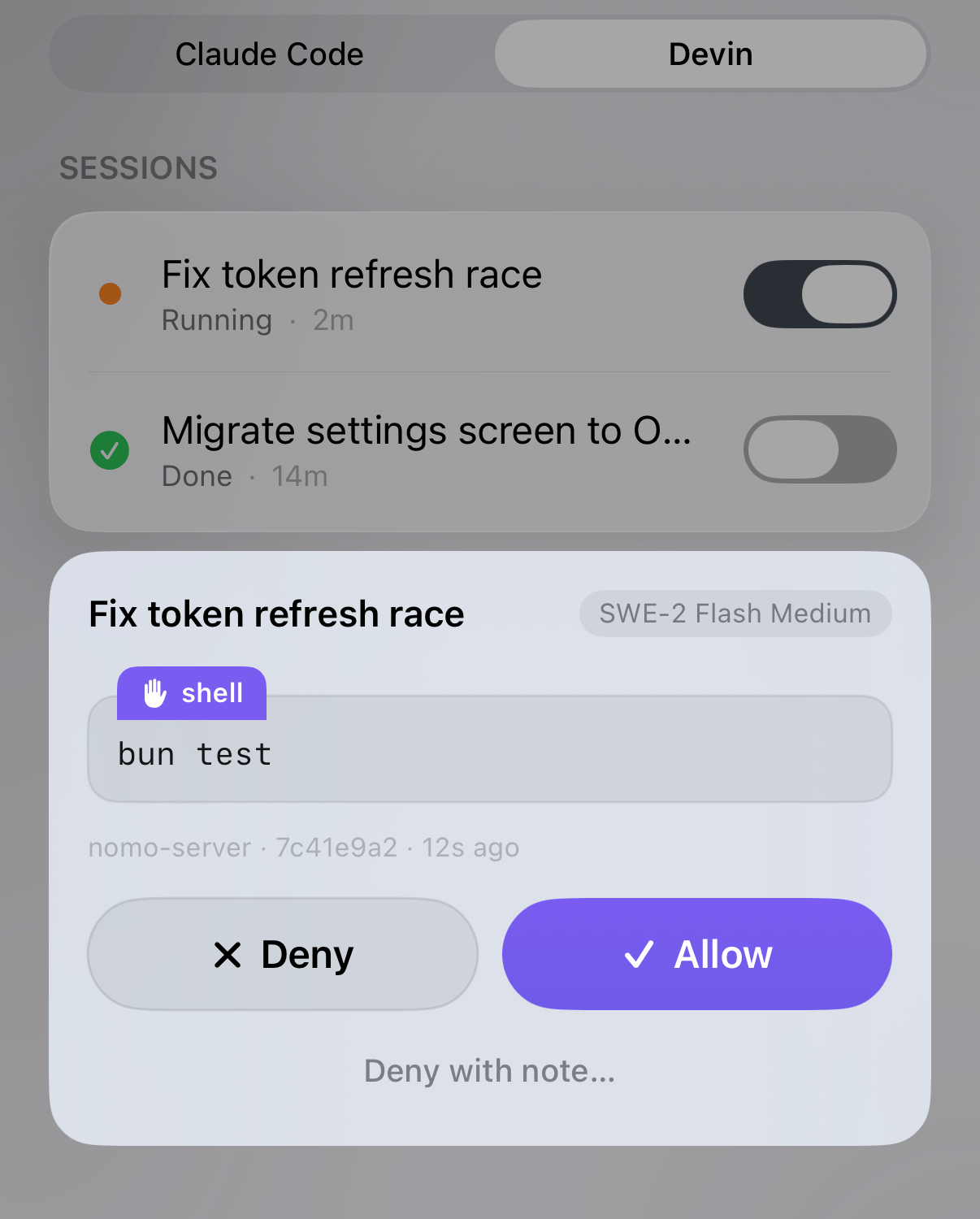
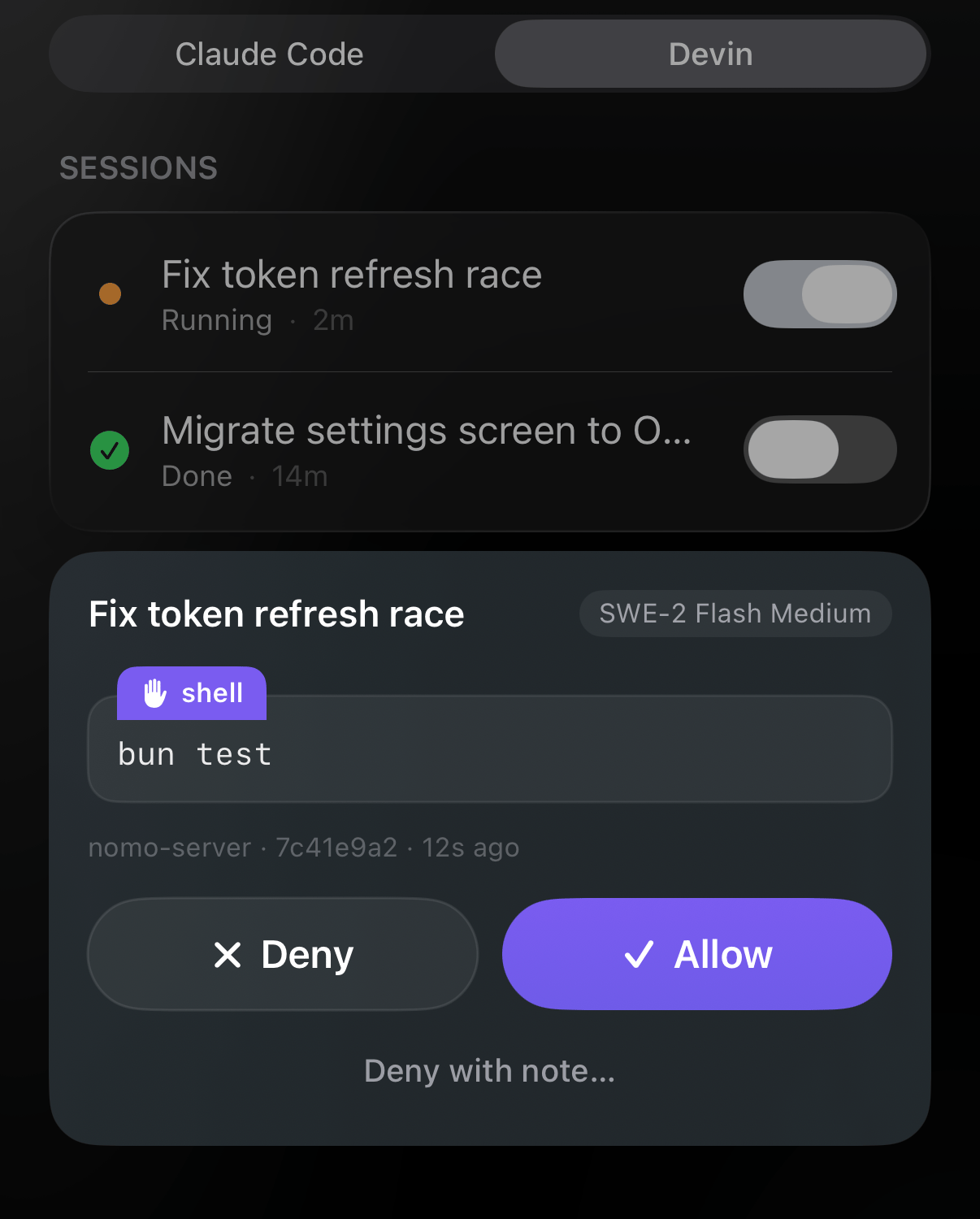
A Devin session asking to run a command.
Always allow
Always allow lasts for this session only. When the session ends, Nomo forgets it, and the next session asks again.- A simple command is remembered by its name. Allow
touch b.txtalways, and Nomo also allowstouch c.txt— but not a different command. - A chained command — one with
&&,;,|or>in it — still comes to your phone every time, unless it’s exactly the same command you already allowed. Sotouch x && rm -rf ~still asks you. - Anything else, like writing a file, is allowed for the rest of the session.
Answering Devin’s questions
When Devin asks you a question, the session readsNeeds an answer. Touch and
hold it, and choose Answer…:
- Tap an option. Where Devin allows it, you can pick more than one.
- None fits? Tap Other… and type your own answer.
- Tap Submit.
On your Mac, the question shows as rejected. That’s expected. Devin has
no way to take an answer from Nomo directly, so Nomo sends your answer as the
reason for closing Devin’s question. You’ll see the question marked
rejected, with your answer written next to it. Devin reads your answer
and carries on.
Interrupt
Tap Interrupt on a Running Devin session to stop it. It needs the green ⚡ Local chip — your iPhone and your Mac on the same network. Devin finishes the step it’s on, then stops. It can’t cut off a command or a reply halfway. The session shows Done, and Devin stays open — send a new message to carry on.Devin Desktop
Devin’s docs say Devin Desktop’s Devin Local agent runs on the same engine as the Devin CLI, so Nomo works there the same way. Nomo has been tested with the Devin CLI and with Devin’s ACP server.- Your phone answers first. While your phone has a permission prompt or a question, Devin Desktop doesn’t show its own buttons for it. Answer on your phone. To answer on the Mac instead, pause approvals before Devin’s next prompt.
- What reaches your phone. In Devin Desktop’s default Code mode, Devin only asks before running commands, fetching web pages, and writing outside your project. Those are the prompts you’ll see on your phone.
- Restricted Mode turns Nomo off. It turns off hooks, which Nomo needs, so your sessions don’t reach your phone until you leave it.
What this version doesn’t do
- No Devin Cloud sessions. Nomo shows Devin running on your Mac only. The same goes for Activity.
- No Reply and no “Open on Mac”. Reply and Open on Mac aren’t available for Devin.
Something’s not working
The installer says my config had comments
The installer says my config had comments
That’s fine. Devin’s settings file can’t keep comments once Nomo adds to
it, so the installer saved your original file first, next to it:All your settings are still there. Only the comments were removed.
Devin shows my answer as rejected
Devin shows my answer as rejected
That’s expected. Nomo sends your answer as the reason for closing Devin’s
question, so the Mac shows the question as rejected, with your answer
next to it. Devin reads your answer and carries on.