There is no separate Codex pairing. Every agent reads the same config on that
computer — you pair the machine once. On the wire, the only
difference is a label saying which agent it was.
What works the same
- Sessions, states, folders, and the Dynamic Island.
- Permission prompts for shell commands, patches, and MCP tools — Allow and Deny from the island or the app.
- Deny with note…, to say why or what to do instead.
- Reading plans.
No “Always allow”
Claude Code lets you allow a tool for the rest of the session. Codex rejects the whole decision when Nomo attaches that kind of rule to it, so the option isn’t shown — a Deny that got thrown away would be far worse than a missing button. Allow still works normally. You’ll just be asked again next time.Plans are read-only
Codex’s “implement this plan?” prompt lives inside its own terminal UI. It never reaches a plugin, which means there’s nothing for Nomo to hold and nothing for your tap to resolve. So Nomo shows you the plan — the whole thing, refreshed each time you open it, since Codex writes it out as it goes — and then saysChoose an option in your Mac terminal. If your phone can reach the Mac over your local network, Open
on Mac brings that terminal window to the front for you.
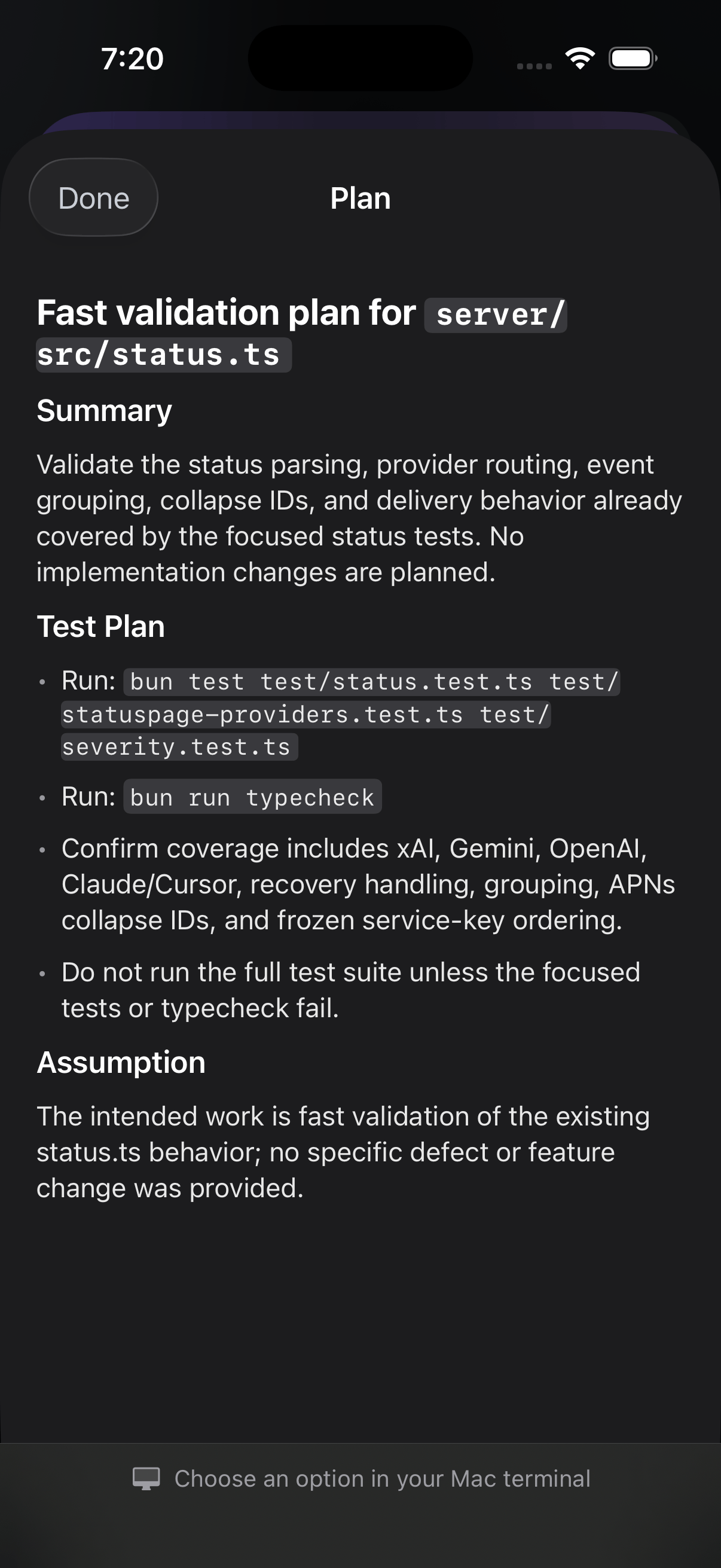
The read-only plan reader. Everything is there to read; the footer is honest about where the decision lives.
Questions in the CLI and the desktop app
Answering a Codex question from your phone needs the Codex task and Nomo’s watchdog to share one app-server process.- Codex CLI
- Codex desktop app
Start the shared app-server before you start Codex:Then confirm, in the
Plan row of Codex’s own section:questions are answerable from your phone means you’re set — questions
reach your phone with their options, and you tap one.questions can only be answered here means nothing is listening. Start the
daemon, then start Codex. Order matters: a session that opened first won’t
pick the daemon up.Need help and Answer on Mac — the question is there to read, there’s just no
picker to tap, and you answer it in Codex.
Hooks have to be trusted
Codex ships its own safety gate: plugin hooks are installed but inert until you trust them. Run/hooks and trust the seven Nomo entries, as described in
Installation.
The part that catches people: upgrading to the version that added phone-held
Codex approvals introduced a new hook, so Codex re-opens the review for it.
Until you trust it, Codex approvals quietly fall back to the terminal and
nothing reports an error. If your phone stopped getting Codex prompts after an
update, run /hooks first.
$nomo-status reports hook trust, so it’s how you check the step actually took.