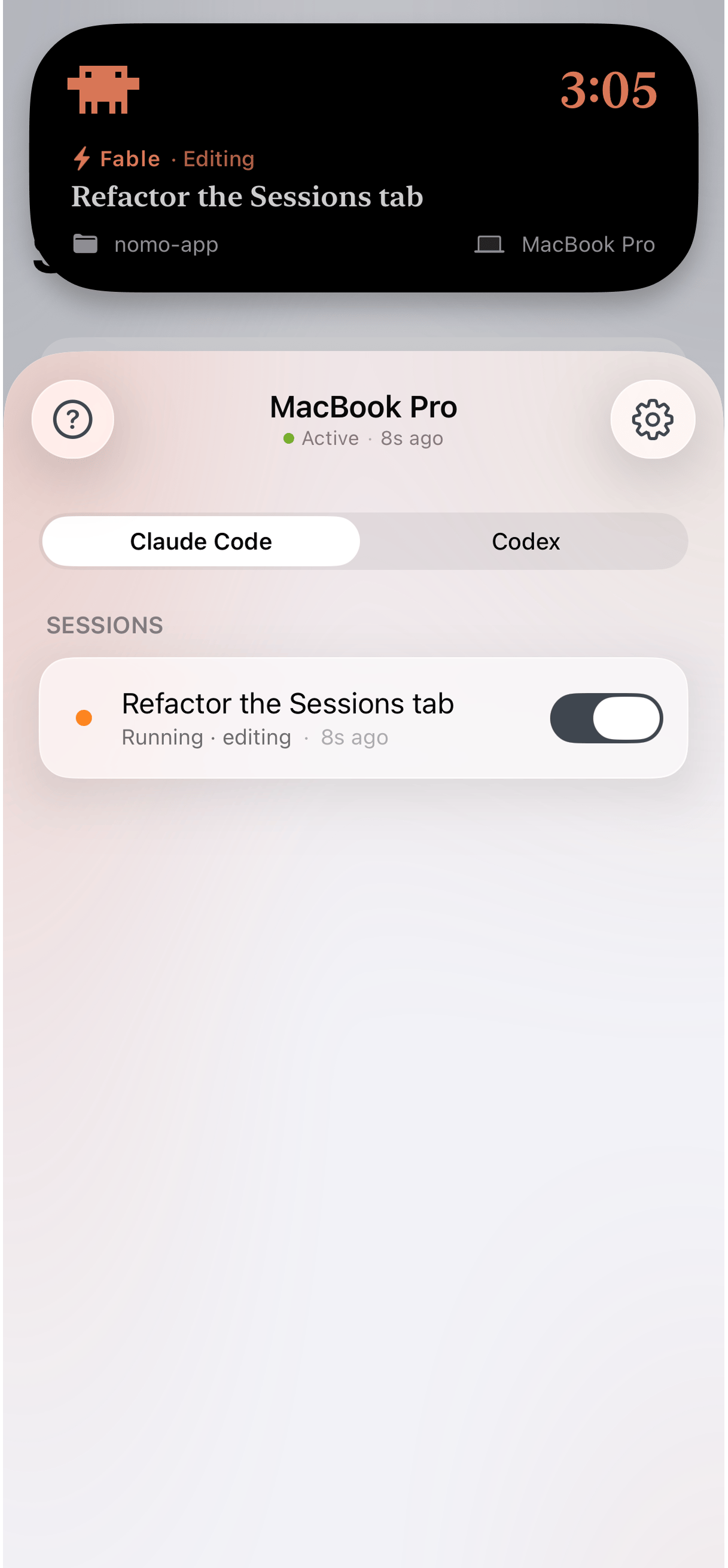
One session in two places: live at the top of the screen, and in the Sessions tab under the computer running it.
Sessions is part of Nomo Pro. Status monitoring and usage widgets are free and
work without any of the setup below.
What’s supported
Sessions follows the agent running on your computer, not the account behind it, so the list is shorter than Status and Usage. Claude Code
 Codex
Codex OpenCode
What you need
- Claude Code, Codex 0.142+, or OpenCode, on a Mac
- Either bun or node 18+ — whichever you already have
- Your phone and your computer paired — one QR scan
How it fits together
Your Mac sends session updates to your phone through Nomo’s relay. The relay can’t read them: everything is encrypted on your Mac and only decrypted on your phone. Nomo’s servers move sealed data around without ever holding the key. That matters for what you can expect — your prompts, file paths, and commands are yours. It also means pairing is a real cryptographic step rather than a login, which is why it takes a scan or a typed code. The exact scheme — key exchange, what the relay can and can’t see, what the plugin reads — is written up in the plugin’s own README, next to the code that implements it:Architecture and encryption
How pairing derives the key, and why the relay only ever holds ciphertext.
Get setup
Install the plugin
Two commands, for Claude Code, Codex or OpenCode.
Pair your computer
Scan a QR code, or type a one-time code.