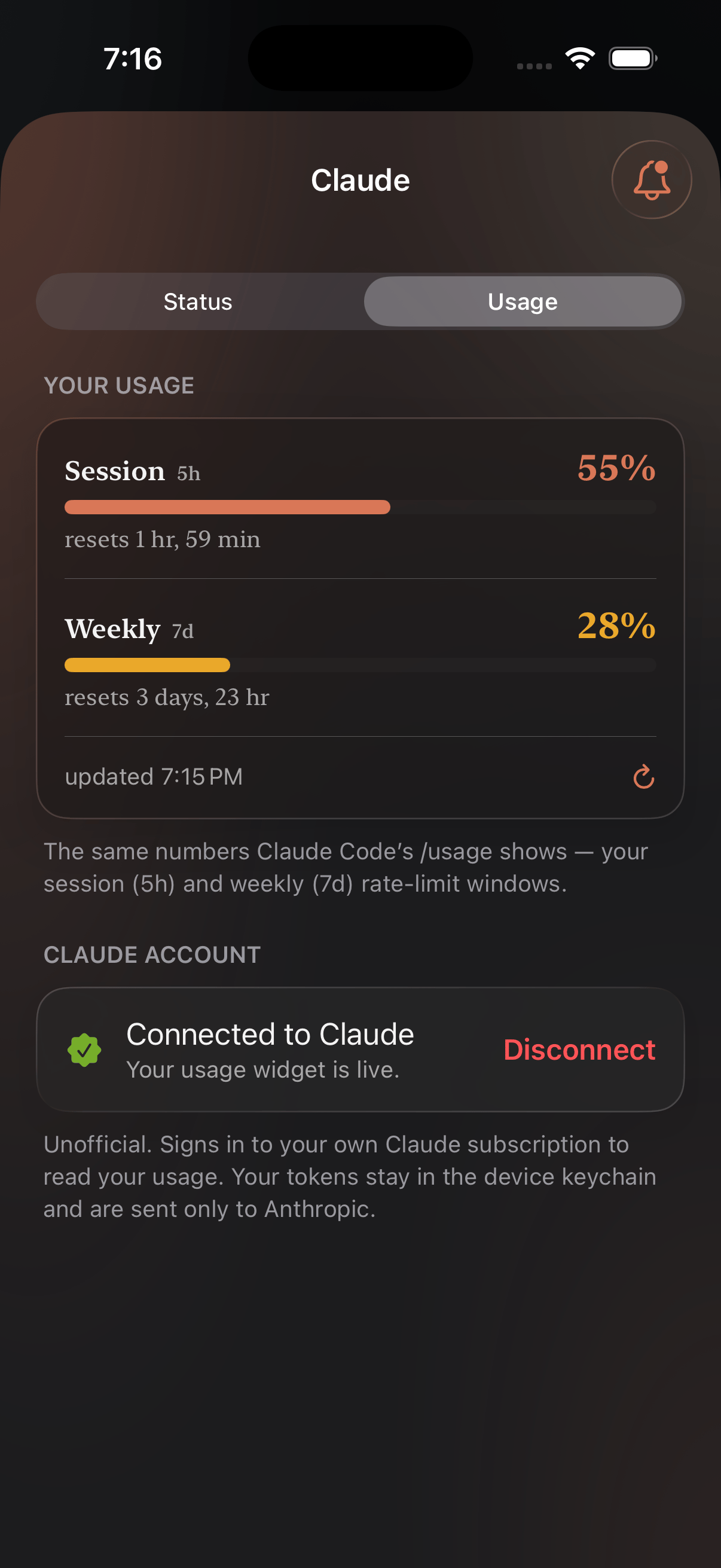
The Usage tab for Claude: the 5-hour window, the weekly one, and when each resets.
Which providers
All five that Status covers: Claude, Codex, Cursor, xAI and Gemini. All five can alert you too, at 70%, 90% and 100% of whichever window they report — see Usage alerts. One label differs between the two widgets. Usage lists Codex, where Status watches OpenAI as a whole — because the plan you’re spending is a Codex plan, while the thing that goes down is OpenAI. Gemini reads the daily quota on your Gemini Code Assist account, through Google sign-in rather than a token you paste.Signing in
Open the provider from the Providers tab and connect the account you already pay for. Nomo reads the same numbers that account can see about itself — it isn’t an API key and there’s nothing to paste.Your login stays on your phone. Tokens are held in the device keychain
and go only to the provider they belong to — your Claude token to Anthropic,
your OpenAI token to OpenAI. Usage is fetched on-device and never passes
through Nomo’s servers.
Widget
Widget
Two short clips — putting it on your Home Screen, then pointing it at a
service.
Notifications
Notifications
Notify you when a provider’s usage hits 70%, 90%, or 100%.