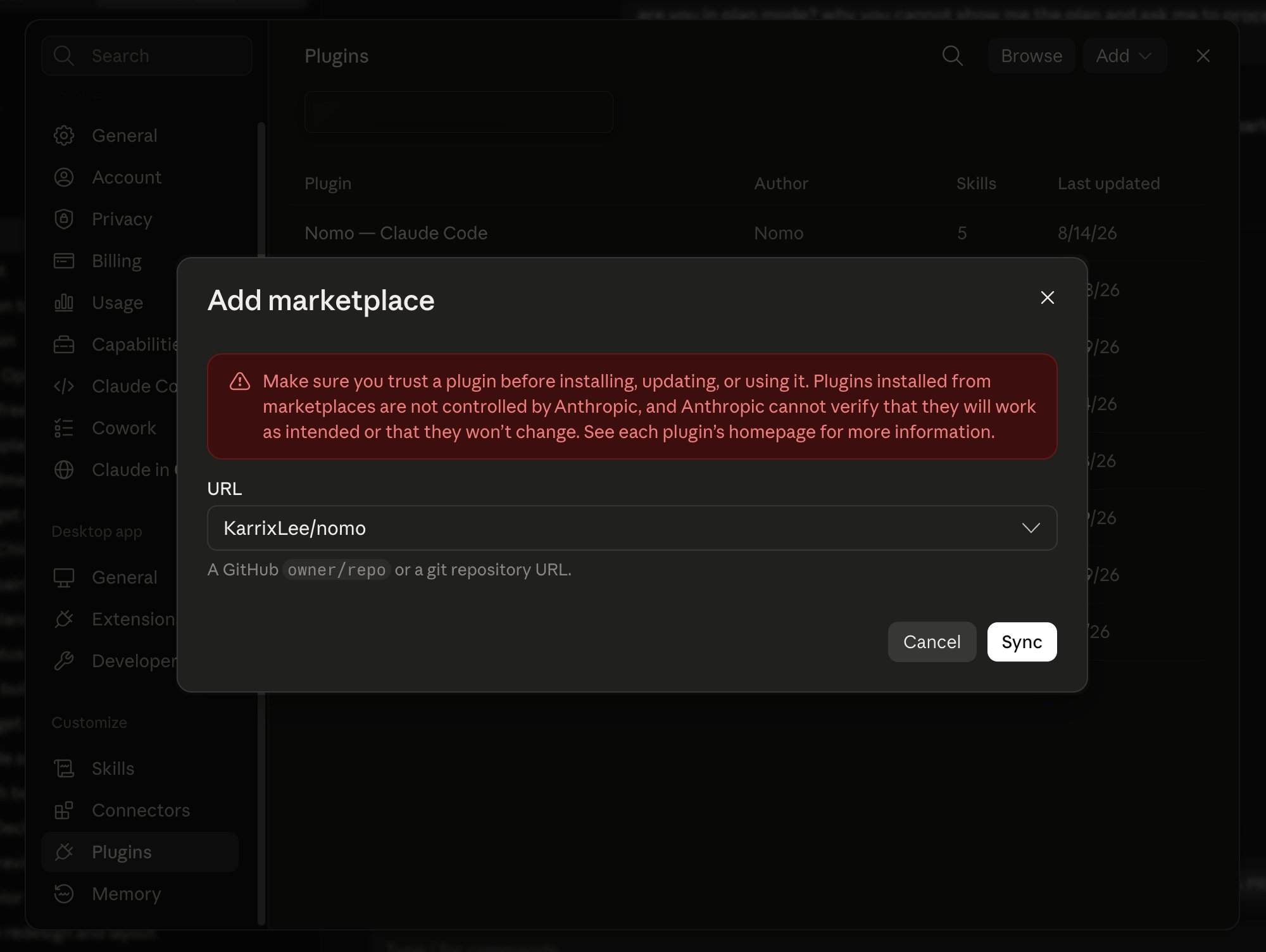
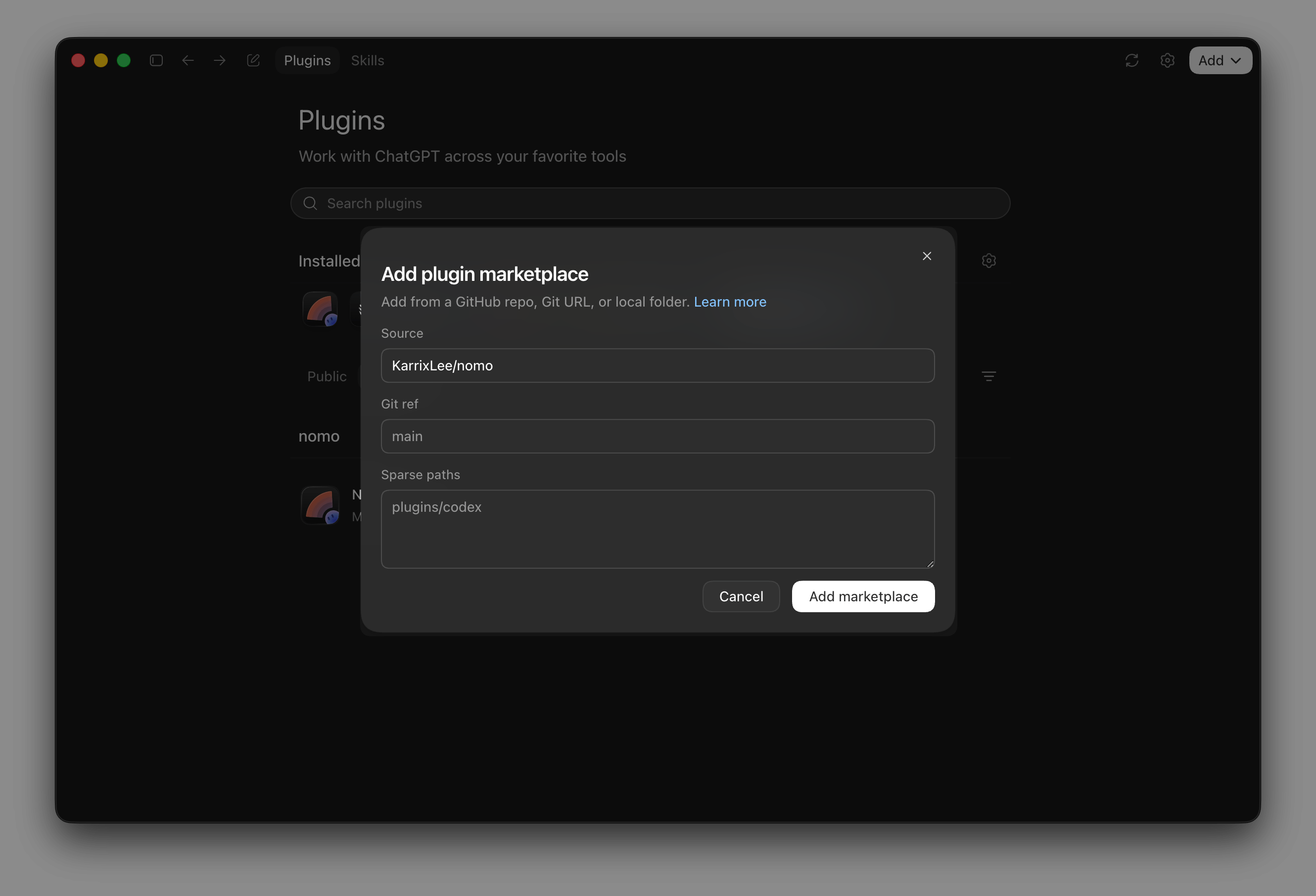
Nomo 플러그인을 에이전트별로 설치합니다. Claude Code나 Codex의 플러그인 마켓플레이스에서, 또는 OpenCode, Cursor, Antigravity, Devin에서 설치합니다.
컴퓨터마다 한 번씩 설치합니다. bun 또는 node 18 이상이 필요합니다 — 플러그인에는 npm 의존성이 없으며 Node 내장 기능만으로 동작합니다. bun은 1.4.4 이상, Node.js 22는 22.23.4 이상으로 유지하십시오. 그보다 오래된 버전이면 status 명령이 경고합니다.명령 한 줄과 같은 일을 에이전트별로 직접 합니다. 에이전트 자체의 플러그인 스토어를 쓰고 싶거나 설치 도구를 실행할 수 없을 때 사용하십시오. 사용하는 에이전트를 고르십시오.
설치 한 번으로 Cursor 데스크톱 앱의 에이전트와 cursor-agent CLI가 모두
처리됩니다. 이 버전에서 Cursor 세션은 읽기 전용입니다 — 그것이 무슨 뜻인지는
Cursor 사용하기에 있습니다.
1
설치 도구 실행
bunx nomo-ai --cursor
npx nomo-ai --cursor
다음 세 가지를 합니다.
플러그인을 ~/.nomo에 클론합니다.
~/.cursor/hooks.json에 Nomo의 Hook 항목을 추가합니다. 이미 있는
내용과 병합하며 다른 도구의 항목은 건드리지 않습니다.
~/.cursor/skills/ 아래에 Skill 네 개를 설치합니다.
2
Cursor 재시작 — 필수
Cursor는 시작할 때에만 Hook을 읽어 들입니다. Cursor를 종료했다가 다시
열고, 열려 있는 cursor-agent 세션도 재시작하십시오. 그러기 전까지
플러그인은 설치만 되어 있고 아무 일도 하지 않습니다.
3
페어링
Cursor에서 /를 입력해 Skill을 고르고 다음을 실행합니다.
/nomo-pair
QR 코드가 표시되면 Nomo 앱으로 스캔합니다. 브라우저를 열 수 없는
환경에서는 /nomo-pair code가 대신 입력할 짧은 코드를 줍니다. 두 방법
모두 페어링에 단계별로 설명되어 있습니다.페어링은 한 Mac의 에이전트들이 공유합니다. 이미 Claude Code, Codex 또는
OpenCode용으로 페어링한 컴퓨터는 Cursor를 위해 다시 페어링할 필요가
없습니다 — 설치만으로 충분하며, 이 단계는 건너뛰어도 됩니다.
4
Cursor 탭 표시
앱에서 컴퓨터를 엽니다. Cursor 세션은 세션 드로어의 Cursor 탭 아래에
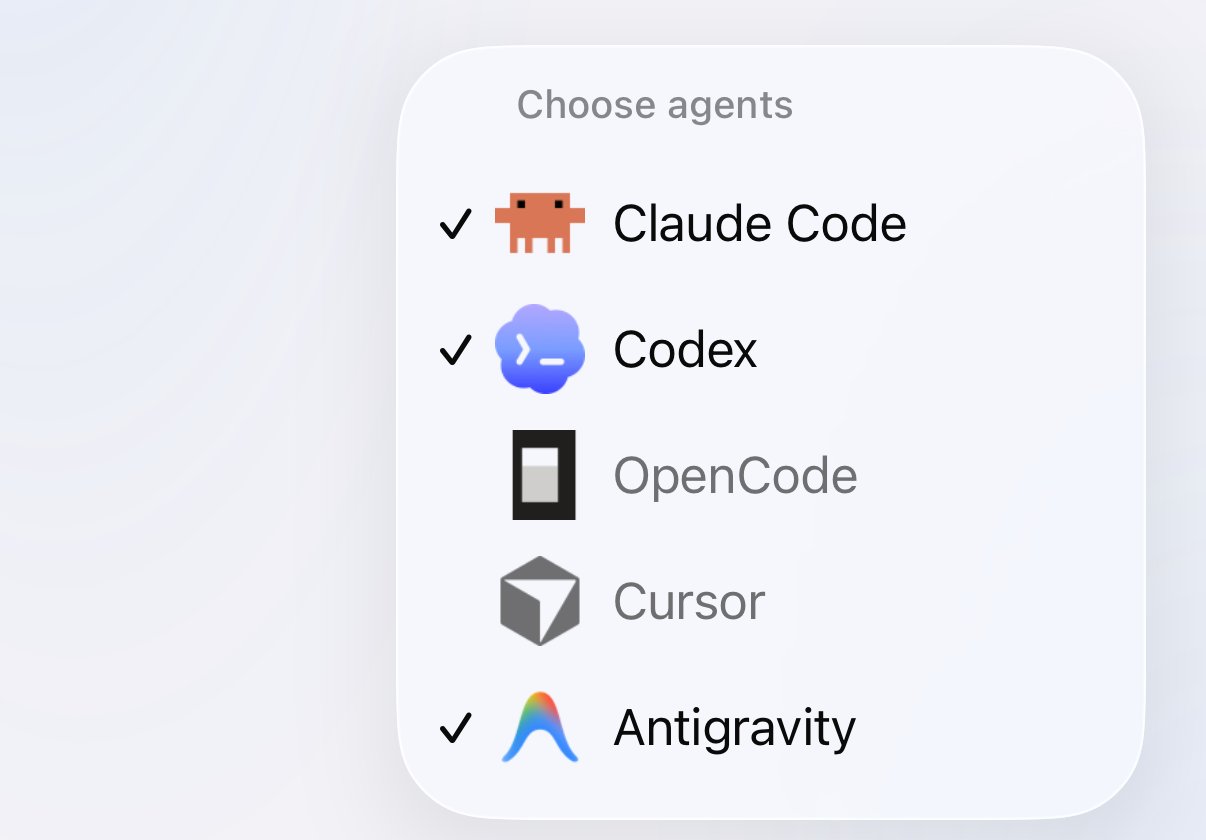
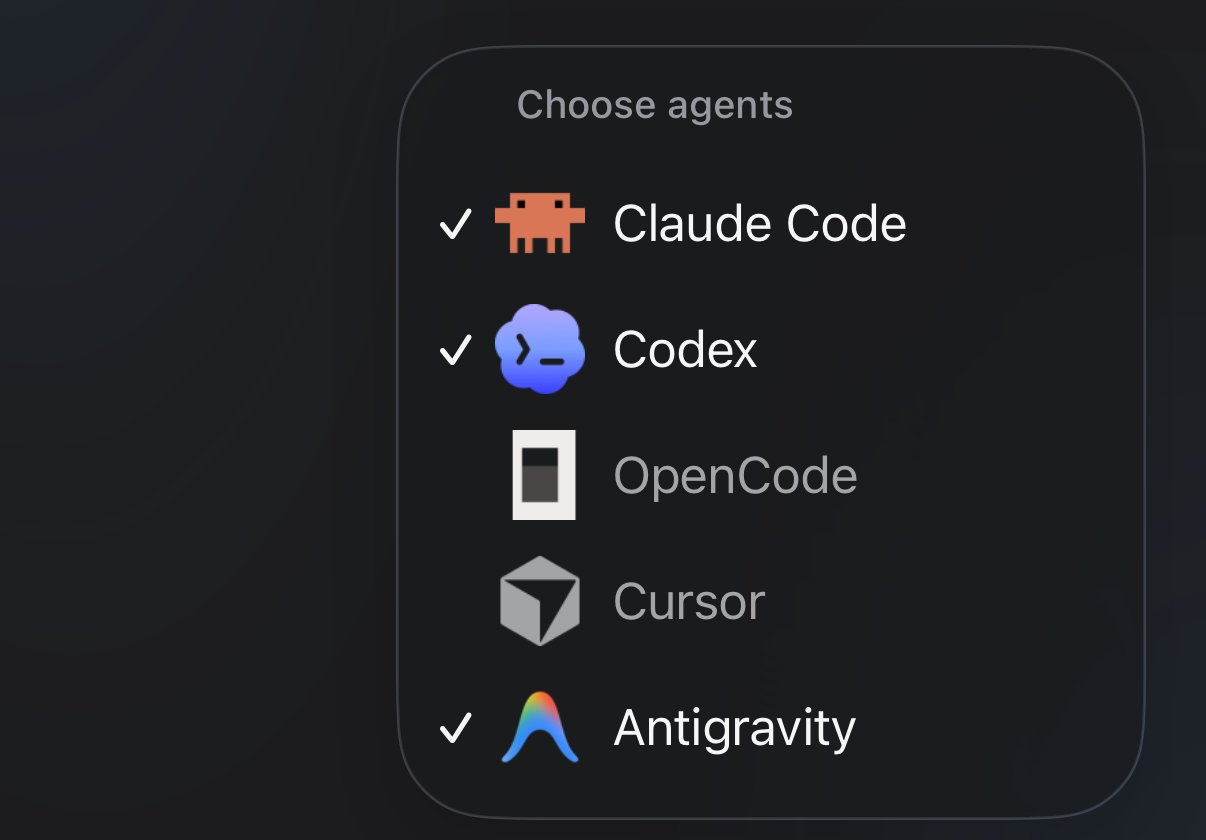
있습니다.드로어에는 에이전트 탭이 최대 세 개까지 표시됩니다. Cursor가 그중에
없으면 + 버튼(에이전트 선택)을 탭해 켭니다.
Nomo의 Cursor 명령은 접두사가 없는 Skill입니다 — /nomo-pair,
/nomo-status, /nomo-reset, /nomo-unpair. 네 개 전부
명령에 있습니다.
설치 한 번으로 Antigravity 데스크톱 앱과 agy CLI가 모두 처리됩니다. 셸
명령과 파일 쓰기에는 휴대폰에서 답할 수 있습니다 — 자세한 내용은
Antigravity 사용하기에 있습니다.
1
설치 도구 실행
터미널에 붙여 넣고 Return 키를 누릅니다.
bunx nomo-ai --antigravity
npx nomo-ai --antigravity
다음과 같이 표시됩니다.
✅ Antigravity is connected to Nomo. Restart Antigravity, then type /nomo-pair.
2
Antigravity 재시작 — 필수
Antigravity를 완전히 종료한 다음 다시 여십시오. agy를 사용한다면
그것도 재시작하십시오. 그러기 전까지 Nomo는 동작하지 않습니다.
3
/nomo-pair 입력
Antigravity 채팅에 /nomo-pair를 입력해 보냅니다. Antigravity가 Nomo
명령을 실행할지 물으면 Allow를 선택합니다. 그런 다음 iPhone의
Nomo로 QR 코드를 스캔합니다.Antigravity에 “Done! This computer is connected to your phone.”(완료! 이
컴퓨터가 휴대폰에 연결되었습니다)이 표시됩니다.Antigravity 데스크톱 앱에서는 첫 Nomo 명령에서 operation not permitted라는
줄이 한 줄 표시될 수 있습니다. 정상입니다. Antigravity가 샌드박스 밖에서
알아서 다시 시도하므로 그대로 기다리십시오.다른 에이전트에서 이미 페어링했다면 대신 /nomo-status를 입력해
확인합니다.
4
Antigravity에서 메시지 보내기
채팅을 시작하고 아무 메시지나 보냅니다.Nomo에서 컴퓨터의 Antigravity 탭 아래에 세션이 나타납니다.
Antigravity 탭이 없다면 + 버튼(에이전트 선택)을 탭해
Antigravity를 켭니다.
버튼에서 여는 에이전트 선택. Antigravity가 선택되어 있어 자체 탭이 생깁니다.
Nomo의 Claude Code 플러그인을 Antigravity로 가져오지 마십시오(예:
agy plugin import claude). 모든 세션이 두 번씩 표시됩니다. 이미
가져왔다면 설치 도구가 다음과 같이 경고합니다.
⚠️ Antigravity also has the Claude Code version of Nomo ("nomo-cc") imported. It would show every session twice — please remove it by running: agy plugin uninstall nomo-cc
Devin CLI와 Devin Desktop용입니다. Devin의 권한 요청과 질문에는 휴대폰에서
답할 수 있습니다 — 자세한 내용은 Devin 사용하기에
있습니다.Devin에 Nomo를 추가하는 방법은 Devin 플러그인과 Nomo 설치 도구 두
가지입니다. 둘 중 하나만 설치하십시오. 둘 다 설치하면 Nomo는 설치 도구 쪽을
사용하고, 플러그인은 아무것도 하지 않습니다.아직 Devin CLI가 없나요? Mac에서 터미널 앱을 엽니다
(응용 프로그램 > 유틸리티에 있습니다). 아래 줄을 복사해 터미널에 붙여
넣고 Return 키를 누릅니다.
brew install --cask devin-cli
Homebrew가 없다면 대신 다음을 사용하십시오.
curl -fsSL https://cli.devin.ai/install.sh | bash
그런 다음 devin을 입력하고 Return 키를 누릅니다. Devin이 로그인을 요청하면
안내에 따릅니다.
Devin 플러그인
Nomo 설치 도구
1
Nomo 플러그인 설치
Devin 안이 아니라 터미널에 입력합니다. Devin이 열려 있다면 먼저 새
터미널 창을 엽니다(⌘N을 누릅니다).아래 줄을 복사해 터미널에 붙여 넣고 Return 키를 누릅니다.
iPhone에서 Nomo를 엽니다. 홈에서 Mac 페어링을 탭합니다(또는
시작하기에서 Mac 연결). 세션에서 **+**를 탭해도 됩니다.
QR 코드를 스캔합니다.
5
확인
devin에 다음을 입력해 보냅니다.
/nomo:status
!로 시작하는 줄이 있으면 그 아래 → 줄의 안내를 따릅니다.
6
Devin에서 메시지 보내기
devin에서 아무 메시지나 보냅니다.Nomo에서 컴퓨터의 Devin 탭 아래에 세션이 나타납니다. Devin 탭이
없다면 + 버튼(에이전트 선택)을 탭해 Devin을 켭니다.
1
설치 도구 실행
아래 줄을 복사해 터미널에 붙여 넣고 Return 키를 누릅니다.
bunx nomo-ai --devin
npx nomo-ai --devin
출력되는 줄 가운데 다음 줄이 보여야 합니다.
devin-install: Devin sessions will now show in Nomo — restart devin (and Devin Desktop)
2
Devin 재시작 — 필수
열려 있는 devin을 모두 닫은 다음 다시 시작합니다. Devin Desktop을
사용한다면 Devin Desktop도 종료한 다음 다시 엽니다.
이 단계를 건너뛰지 마십시오. Devin을 재시작하기 전까지 Nomo는
동작하지 않습니다.
3
/nomo-pair 입력
devin에 다음을 입력해 보냅니다.
/nomo-pair
Devin이 Nomo 명령을 실행할지 물으면 허용하십시오. Devin이 브라우저에
QR 코드가 있는 페이지를 엽니다.
4
QR 코드 스캔
iPhone에서 Nomo를 엽니다. 홈에서 Mac 페어링을 탭합니다(또는
시작하기에서 Mac 연결). 세션에서 **+**를 탭해도 됩니다.
QR 코드를 스캔합니다.
5
확인
devin에 다음을 입력해 보냅니다.
/nomo-status
!로 시작하는 줄이 있으면 그 아래 → 줄의 안내를 따릅니다.
6
Devin에서 메시지 보내기
devin에서 아무 메시지나 보냅니다.Nomo에서 컴퓨터의 Devin 탭 아래에 세션이 나타납니다. Devin 탭이
없다면 + 버튼(에이전트 선택)을 탭해 Devin을 켭니다.
~/.config/devin/config.json에 Nomo 항목을 추가하고(다른 Devin 설정은
그대로 둡니다), /nomo-* 명령을 Devin Skill로 추가합니다.
다른 에이전트에서 이미 페어링했나요? 페어링 한 번이 컴퓨터 전체에
적용되므로 페어링 단계는 건너뛰십시오. 이 컴퓨터에 브라우저가 없나요?
/nomo-pair code(플러그인을 쓴다면 /nomo:pair code)를 사용하십시오 —
페어링을 참고하십시오.
다음 단계
컴퓨터 페어링
QR 코드를 스캔하거나, 브라우저를 열 수 없다면 일회용 코드를 입력합니다.
{"docsConfig":{"theme":"mint","$schema":"https://mintlify.com/docs.json","name":"Nomo","colors":{"primary":"#b06046","light":"#E5A184","dark":"#B85C3C"},"logo":{"light":"https://mintcdn.com/nomo-ba73b2e6/B8lnfV2-X-SiJ_Mh/logo/nomo-light.png?fit=max\u0026auto=format\u0026n=B8lnfV2-X-SiJ_Mh\u0026q=85\u0026s=eb24034083d203ddcd8cff61362ad027","dark":"https://mintcdn.com/nomo-ba73b2e6/B8lnfV2-X-SiJ_Mh/logo/nomo-dark.png?fit=max\u0026auto=format\u0026n=B8lnfV2-X-SiJ_Mh\u0026q=85\u0026s=07564fea64f841b07410ab591bf386b9"},"favicon":"https://mintcdn.com/nomo-ba73b2e6/hbuxw4SRwGZPNbZt/favicon.png?fit=max\u0026auto=format\u0026n=hbuxw4SRwGZPNbZt\u0026q=85\u0026s=d3460ddcc84f7bed1e819e7666cbed31","background":{"image":{"light":"https://mintcdn.com/nomo-ba73b2e6/is0xw5H7aRJmL22l/images/bg-light.svg?fit=max\u0026auto=format\u0026n=is0xw5H7aRJmL22l\u0026q=85\u0026s=a8999fea4d8c4ae29c297ed138ce614e","dark":"https://mintcdn.com/nomo-ba73b2e6/is0xw5H7aRJmL22l/images/bg-dark.svg?fit=max\u0026auto=format\u0026n=is0xw5H7aRJmL22l\u0026q=85\u0026s=b1d6b1803b2b96981bd51fc224ae75a5"}},"navbar":{"links":[{"href":"https://github.com/KarrixLee/nomo","type":"github"}]},"footer":{"socials":{"x":"https://x.com/karrixthediv","github":"https://github.com/karrixlee/nomo","reddit":"https://www.reddit.com/user/Trick_Term_3131","website":"https://nomo.gg"}},"seo":{"metatags":{"author":"Karrix Lee","robots":"index, follow","og:site_name":"Nomo","og:type":"website","og:locale":"en_US","twitter:card":"summary","twitter:site":"@karrixthediv","apple-mobile-web-app-title":"Nomo"},"organization":{"name":"Nomo","url":"https://nomo.gg","sameAs":["https://github.com/karrixlee/nomo","https://x.com/karrixthediv","https://apps.apple.com/app/nomo-ai-status-usage/id6779366830"]},"indexing":"all"},"contextual":{"options":["copy","chatgpt","claude"],"display":"header"},"styling":{"latex":false},"navigation":{"languages":[{"language":"en","default":true,"href":""},{"language":"es","href":"es"},{"language":"ja","href":"ja"},{"language":"ko","href":"ko"},{"language":"zh-Hans","href":"zh-Hans"},{"language":"zh-Hant","href":"zh-Hant"}]}},"deployment":{"deploymentMetadataValue":{"subdomain":"nomo-ba73b2e6","hasAudioNarration":false,"actualSubdomain":"nomo-ba73b2e6","customDomains":["docs.nomo.gg"],"gitSource":{"type":"github","owner":"karrixlee","repo":"nomo-docs","deployBranch":"main","contentDirectory":"","isPrivate":false,"mountPath":"","label":""},"entitlements":{"AI_CHAT":{"status":"DISABLED"}},"buildId":"6b04fce53ed8e1223eeb7a91","clientVersion":"0.0.4286","searchFilterCounts":[{"language":"en","tag":"Sessions","count":16},{"language":"es","tag":"Sesiones","count":16},{"language":"ja","tag":"セッション","count":16},{"language":"ko","tag":"세션","count":16},{"language":"zh-Hans","tag":"会话","count":16},{"language":"zh-Hant","tag":"Sessions","count":16},{"language":"en","tag":"Guide","count":12},{"language":"es","tag":"Guía","count":12},{"language":"ja","tag":"ガイド","count":12},{"language":"ko","tag":"가이드","count":12},{"language":"zh-Hans","tag":"指南","count":12},{"language":"zh-Hant","tag":"指南","count":12},{"language":"en","tag":"Status \u0026 Usage","count":7},{"language":"es","tag":"Estado y uso","count":7},{"language":"ja","tag":"ステータスと使用量","count":7},{"language":"ko","tag":"상태와 사용량","count":7},{"language":"zh-Hans","tag":"状态与用量","count":7},{"language":"zh-Hant","tag":"狀態與用量","count":7},{"language":"en","tag":"On your computer","count":6},{"language":"es","tag":"En tu ordenador","count":6},{"language":"ja","tag":"コンピュータ側","count":6},{"language":"ko","tag":"컴퓨터에서","count":6},{"language":"zh-Hans","tag":"在电脑上","count":6},{"language":"zh-Hant","tag":"在電腦上","count":6},{"language":"en","tag":"On your phone","count":5},{"language":"es","tag":"En tu iPhone","count":5},{"language":"ja","tag":"iPhone 側","count":5},{"language":"ko","tag":"iPhone에서","count":5},{"language":"zh-Hans","tag":"在手机上","count":5},{"language":"zh-Hant","tag":"在手機上","count":5},{"language":"en","tag":"Getting started","count":3},{"language":"en","tag":"Widget","count":3},{"language":"en","tag":"Setup","count":3},{"language":"es","tag":"Primeros pasos","count":3},{"language":"es","tag":"Widget","count":3},{"language":"es","tag":"Configuración","count":3},{"language":"ja","tag":"はじめに","count":3},{"language":"ja","tag":"ウィジェット","count":3},{"language":"ja","tag":"セットアップ","count":3},{"language":"ko","tag":"시작하기","count":3},{"language":"ko","tag":"위젯","count":3},{"language":"ko","tag":"설정","count":3},{"language":"zh-Hans","tag":"开始使用","count":3},{"language":"zh-Hans","tag":"小组件","count":3},{"language":"zh-Hans","tag":"设置","count":3},{"language":"zh-Hant","tag":"開始使用","count":3},{"language":"zh-Hant","tag":"小工具","count":3},{"language":"zh-Hant","tag":"設定","count":3},{"language":"en","tag":"Install by hand \u0026 pairing","count":2},{"language":"es","tag":"Instalación manual y vinculación","count":2},{"language":"ja","tag":"手動インストールとペアリング","count":2},{"language":"ko","tag":"수동 설치와 페어링","count":2},{"language":"zh-Hans","tag":"手动安装与配对","count":2},{"language":"zh-Hant","tag":"手動安裝與配對","count":2},{"language":"en","tag":"Activity","count":1},{"language":"es","tag":"Actividad","count":1},{"language":"ja","tag":"アクティビティ","count":1},{"language":"ko","tag":"활동","count":1},{"language":"zh-Hans","tag":"活动","count":1},{"language":"zh-Hant","tag":"活動","count":1}]},"assistantConfig":{"enableAskAiButton":false,"enableStarterQuestions":false,"enableContextualStarterQuestions":false,"enableAskAiSearchBar":true},"basePath":"","hasChatPermissions":false,"hasWebMcpPermissions":false,"toggles":[{"name":"kill-isr","enabled":true,"variant":{"name":"disabled","enabled":false,"feature_enabled":true},"impressionData":false},{"name":"custom-rbac-roles","enabled":true,"variant":{"name":"disabled","enabled":false,"feature_enabled":true},"impressionData":false},{"name":"agent-mintlify-slack","enabled":true,"variant":{"name":"disabled","enabled":false,"feature_enabled":true},"impressionData":false},{"name":"agent-integrations-settings","enabled":true,"variant":{"name":"disabled","enabled":false,"feature_enabled":true},"impressionData":false},{"name":"rbac-expansion","enabled":true,"variant":{"name":"disabled","enabled":false,"feature_enabled":true},"impressionData":false},{"name":"automations-pr-grouping","enabled":true,"variant":{"name":"disabled","enabled":false,"feature_enabled":true},"impressionData":false},{"name":"custom-prefix","enabled":true,"variant":{"name":"disabled","enabled":false,"feature_enabled":true},"impressionData":false},{"name":"analytics-v7","enabled":true,"variant":{"name":"disabled","enabled":false,"feature_enabled":true},"impressionData":false},{"name":"user-flows-analytics","enabled":true,"variant":{"name":"disabled","enabled":false,"feature_enabled":true},"impressionData":false},{"name":"no-publish-flow","enabled":true,"variant":{"name":"disabled","enabled":false,"feature_enabled":true},"impressionData":false},{"name":"workos-onboarding","enabled":true,"variant":{"name":"disabled","enabled":false,"feature_enabled":true},"impressionData":false},{"name":"snapshot-serving-live","enabled":true,"variant":{"name":"disabled","enabled":false,"feature_enabled":true},"impressionData":false},{"name":"stripTemperatureMiddleware","enabled":true,"variant":{"name":"disabled","enabled":false,"feature_enabled":true},"impressionData":false},{"name":"support-platform-pylon-zendesk","enabled":true,"variant":{"name":"disabled","enabled":false,"feature_enabled":true},"impressionData":false},{"name":"snapshot-serving","enabled":true,"variant":{"name":"disabled","enabled":false,"feature_enabled":true},"impressionData":false},{"name":"instant-rollback","enabled":true,"variant":{"name":"disabled","enabled":false,"feature_enabled":true},"impressionData":false},{"name":"granular-notifications-server","enabled":true,"variant":{"name":"disabled","enabled":false,"feature_enabled":true},"impressionData":false},{"name":"granular-notifications","enabled":true,"variant":{"name":"disabled","enabled":false,"feature_enabled":true},"impressionData":false},{"name":"automations-fable","enabled":true,"variant":{"name":"disabled","enabled":false,"feature_enabled":true},"impressionData":false},{"name":"fixed-ai-action-pricing","enabled":true,"variant":{"name":"disabled","enabled":false,"feature_enabled":true},"impressionData":false},{"name":"site-roles","enabled":true,"variant":{"name":"disabled","enabled":false,"feature_enabled":true},"impressionData":false},{"name":"automation-resolve-merge-conflict","enabled":true,"variant":{"name":"disabled","enabled":false,"feature_enabled":true},"impressionData":false},{"name":"scoped-publishing","enabled":true,"variant":{"name":"disabled","enabled":false,"feature_enabled":true},"impressionData":false},{"name":"mintql","enabled":true,"variant":{"name":"disabled","enabled":false,"feature_enabled":true},"impressionData":false},{"name":"page-level-analytics","enabled":true,"variant":{"name":"disabled","enabled":false,"feature_enabled":true},"impressionData":false},{"name":"editor-version-history-v2","enabled":true,"variant":{"name":"disabled","enabled":false,"feature_enabled":true},"impressionData":false},{"name":"billing-page-v2","enabled":true,"variant":{"name":"disabled","enabled":false,"feature_enabled":true},"impressionData":false},{"name":"full-page-search","enabled":true,"variant":{"name":"disabled","enabled":false,"feature_enabled":true},"impressionData":false},{"name":"workspace-projects","enabled":true,"variant":{"name":"disabled","enabled":false,"feature_enabled":true},"impressionData":false},{"name":"assistant-v5","enabled":true,"variant":{"name":"disabled","enabled":false,"feature_enabled":true},"impressionData":false},{"name":"fork-pr-previews","enabled":true,"variant":{"name":"disabled","enabled":false,"feature_enabled":true},"impressionData":false},{"name":"revalidation-jwt","enabled":true,"variant":{"name":"disabled","enabled":false,"feature_enabled":true},"impressionData":false},{"name":"workos-sso-scim","enabled":true,"variant":{"name":"disabled","enabled":false,"feature_enabled":true},"impressionData":false},{"name":"hobby-abuse-scan","enabled":true,"variant":{"name":"disabled","enabled":false,"feature_enabled":true},"impressionData":false},{"name":"dashboard-inbox","enabled":true,"variant":{"name":"disabled","enabled":false,"feature_enabled":true},"impressionData":false},{"name":"workos-signup","enabled":true,"variant":{"name":"disabled","enabled":false,"feature_enabled":true},"impressionData":false},{"name":"turbopuffer-dual-write","enabled":true,"variant":{"name":"disabled","enabled":false,"feature_enabled":true},"impressionData":false},{"name":"workos-enabled","enabled":true,"variant":{"name":"disabled","enabled":false,"feature_enabled":true},"impressionData":false},{"name":"approve-review-flow","enabled":true,"variant":{"name":"disabled","enabled":false,"feature_enabled":true},"impressionData":false},{"name":"editor-metadata","enabled":true,"variant":{"name":"disabled","enabled":false,"feature_enabled":true},"impressionData":false},{"name":"sso-setup-deadline-banner","enabled":true,"variant":{"name":"disabled","enabled":false,"feature_enabled":true},"impressionData":false},{"name":"turbopuffer-serve","enabled":true,"variant":{"name":"disabled","enabled":false,"feature_enabled":true},"impressionData":false},{"name":"live-agents","enabled":true,"variant":{"name":"disabled","enabled":false,"feature_enabled":true},"impressionData":false},{"name":"starter-pricing","enabled":true,"variant":{"name":"treatment","enabled":true,"payload":{"type":"string","value":"treatment"},"feature_enabled":true},"impressionData":false},{"name":"llms-txt-v2","enabled":true,"variant":{"name":"disabled","enabled":false,"feature_enabled":true},"impressionData":false},{"name":"wildcard-email-auth","enabled":true,"variant":{"name":"disabled","enabled":false,"feature_enabled":true},"impressionData":false}],"googleFontsInlined":false},"customCss":[{"filePath":"style.css","content":":root{--nomo-coral: #d97757;--nomo-violet: #7a5cf0}.dark{--nomo-coral: #e5a184;--nomo-violet: #9b83f5}span.fixed.inset-0{background-size:cover!important;background-position:center top!important}#content-area a[href$=\"/sessions/overview\"]:not(:has([data-component-part=\"card-title\"]))::after,#content-area a[href$=\"/sessions/overview\"] [data-component-part=\"card-title\"]::after,a[class*=\"nav-tabs-item\"][href*=\"/sessions/\"]::after,a[class*=\"nav-tabs-item\"][href*=\"/setup/\"]::after,[aria-label=\"Navigation\"]:has(a[href*=\"/setup/\"]) button[id^=\"base-ui-\"]::after,.pro-pill::after{content:\"PRO\";font-size:0.625rem;font-weight:600;letter-spacing:0.04em;line-height:1;display:inline-block;align-self:center;vertical-align:middle;margin-left:0.5rem;padding:0.2em 0.45em;border-radius:0.35em;color:#fff;background:linear-gradient(\n 120deg,\n var(--nomo-coral) 0%,\n var(--nomo-violet) 100%\n )}.nav-tag-pill-text{color:#fff!important;background:linear-gradient(\n 120deg,\n var(--nomo-coral) 0%,\n var(--nomo-violet) 100%\n )!important;font-size:0.625rem!important;font-weight:600!important;letter-spacing:0.04em;line-height:1!important;padding:0.2em 0.45em!important;border-radius:0.35em!important}a[class*=\"nav-tabs-item\"][href*=\"/sessions/\"]::after,a[class*=\"nav-tabs-item\"][href*=\"/setup/\"]::after{margin-left:0}a[class*=\"mobile-nav-tabs-item\"][href*=\"/sessions/\"]::after,a[class*=\"mobile-nav-tabs-item\"][href*=\"/setup/\"]::after,[aria-label=\"Navigation\"]:has(a[href*=\"/setup/\"]) button[id^=\"base-ui-\"]::after{margin-right:auto}a[class*=\"mobile-nav-tabs-item\"][href*=\"/sessions/\"]>*,a[class*=\"mobile-nav-tabs-item\"][href*=\"/setup/\"]>*,[aria-label=\"Navigation\"]:has(a[href*=\"/setup/\"]) button[id^=\"base-ui-\"]>svg{order:1}.provider-row{display:flex;flex-wrap:wrap;gap:0.625rem 1.5rem;margin:1rem 0 1.75rem}.provider-row>span{display:inline-flex;align-items:center;gap:0.5rem}.provider-row img{width:1.125rem;height:1.125rem;flex:none;object-fit:contain;margin:0}.dark .provider-row img.invert-dark,.dark img.agent-mark.invert-dark,.dark img[src*=\"/providers/cursor.svg\"],.dark img[src*=\"/providers/devin.svg\"]{filter:invert(1)}.dark .provider-row img[src*=\"/providers/kimi.svg\"]{filter:invert(1) hue-rotate(180deg)}.device-frame{width:100%;max-width:18rem;margin:1.25rem auto;padding:0.4rem;border-radius:2.6rem;background:linear-gradient(155deg, #4a4a4e 0%, #202023 35%, #1a1a1c 70%, #35353a 100%);box-shadow:inset 0 0 0 1px rgb(255 255 255 / 0.14),\n 0 1rem 2.5rem rgb(0 0 0 / 0.32)}.device-frame img{display:block;width:100%;margin:0;border-radius:2.2rem}.device-frame img.only-dark,.dark .device-frame img.only-light{display:none}.dark .device-frame img.only-dark{display:block}.widget-shot img{display:block;width:100%;margin:0}.widget-shot img.only-dark,.dark .widget-shot img.only-light{display:none}.dark .widget-shot img.only-dark{display:block}.widget-shot.narrow{max-width:26rem;margin-inline:auto}.tutorial-clip{display:block;width:100%;max-width:22rem;margin-inline:auto;border-radius:0.75rem}.carousel{margin:2rem 0}.carousel-viewport{overflow:hidden;padding:0.5rem 0}.carousel-track{display:flex;justify-content:center;transition:transform 0.45s cubic-bezier(0.22, 0.61, 0.36, 1);will-change:transform}.carousel-slide{flex:none;padding:0;border:0;background:none;opacity:0.4;transform:scale(0.88);transition:transform 0.45s cubic-bezier(0.22, 0.61, 0.36, 1),\n opacity 0.45s ease}.carousel-slide.is-active{opacity:1;transform:scale(1)}.carousel-slide img{display:block;width:100%;height:auto;margin:0;border-radius:1rem;box-shadow:0 0.75rem 2rem rgb(0 0 0 / 0.18)}.carousel-controls{display:flex;align-items:center;justify-content:center;gap:1rem;margin-top:1.25rem}.carousel-controls>button{display:flex;align-items:center;justify-content:center;width:2rem;height:2rem;padding:0;border:1px solid rgb(0 0 0 / 0.12);border-radius:999px;background:none;color:inherit}.carousel-controls>button:disabled{opacity:0.3}.dark .carousel-controls>button{border-color:rgb(255 255 255 / 0.16)}.carousel-dots{display:flex;gap:0.5rem}.carousel-dots button{width:0.5rem;height:0.5rem;padding:0;border:0;border-radius:999px;background:rgb(0 0 0 / 0.2);transition:background 0.2s ease}.dark .carousel-dots button{background:rgb(255 255 255 / 0.25)}.carousel-dots button.is-active{background:var(--nomo-coral)}.carousel-lightbox{position:fixed;inset:0;z-index:9999;display:flex;align-items:center;justify-content:center;padding:1rem;background:rgb(0 0 0 / 0.82);backdrop-filter:blur(4px)}body:has(.carousel-lightbox) #content{z-index:40}.carousel-lightbox img{max-height:min(90vh, 1440px);max-width:100%;width:auto;margin:0;border-radius:1rem}.carousel-lightbox button{display:flex;align-items:center;justify-content:center;flex:none;padding:0;border:1px solid rgb(255 255 255 / 0.25);border-radius:999px;background:rgb(0 0 0 / 0.4);color:#fff}.carousel-lightbox button:disabled{opacity:0.25}.carousel-lightbox-step{position:absolute;top:50%;width:2.5rem;height:2.5rem;transform:translateY(-50%);background:rgb(0 0 0 / 0.55)}.carousel-lightbox-step.is-prev{left:0.75rem}.carousel-lightbox-step.is-next{right:0.75rem}.carousel-lightbox-close{position:absolute;top:1rem;right:1rem;width:2.25rem;height:2.25rem}@media (prefers-reduced-motion: reduce){.carousel-track,.carousel-slide{transition:none}}h1{background:linear-gradient(\n 120deg,\n var(--nomo-coral) 0%,\n var(--nomo-violet) 100%\n );-webkit-background-clip:text;background-clip:text;color:transparent}@media (forced-colors: active){h1{background:none;color:CanvasText}}.device-frame.crop-top{max-width:22rem;padding-bottom:0;border-bottom-left-radius:0;border-bottom-right-radius:0}.device-frame.crop-top img{border-bottom-left-radius:0;border-bottom-right-radius:0}.agent-mark{width:1.125rem;height:1.125rem;display:inline-block;margin:0 0.25rem 0 0;vertical-align:-0.2em;object-fit:contain}.beta-pill{display:inline-block;vertical-align:0.05em;margin-right:0.5rem;padding:0.2em 0.45em;border-radius:0.35em;font-size:0.625rem;font-weight:600;letter-spacing:0.04em;line-height:1;text-transform:uppercase;color:#8a5b00;background:rgb(234 168 42 / 0.16);box-shadow:inset 0 0 0 1px rgb(234 168 42 / 0.45)}.dark .beta-pill{color:#eaa82a;background:rgb(234 168 42 / 0.14)}.feature-table th{white-space:nowrap}.feature-table .feature-note{display:block;margin-top:0.125rem;font-size:0.8125rem;line-height:1.4;opacity:0.7}.feature-table th:first-child,.feature-table td:first-child{width:34%;min-width:11rem}.feature-table td:not(:first-child){font-size:0.8125rem}"}]}
{"page":{"pagePath":"ko/setup/manual","slug":"/ko/setup/manual","pageMetadata":{"title":"Claude Code나 Codex 플러그인 마켓플레이스에서 Nomo 추가하기","sidebarTitle":"수동 설치","description":"Nomo 플러그인을 에이전트별로 설치합니다. Claude Code나 Codex의 플러그인 마켓플레이스에서, 또는 OpenCode, Cursor, Antigravity, Devin에서 설치합니다.","icon":"screwdriver-wrench","href":"/ko/setup/manual"},"description":{"compiledSource":"\"use strict\";\nconst {jsx: _jsx} = arguments[0];\nconst {useMDXComponents: _provideComponents} = arguments[0];\nfunction _createMdxContent(props) {\n const _components = {\n p: \"p\",\n ..._provideComponents(),\n ...props.components\n };\n return _jsx(_components.p, {\n children: \"Nomo 플러그인을 에이전트별로 설치합니다. Claude Code나 Codex의 플러그인 마켓플레이스에서, 또는 OpenCode, Cursor, Antigravity, Devin에서 설치합니다.\"\n });\n}\nfunction MDXContent(props = {}) {\n const {wrapper: MDXLayout} = {\n ..._provideComponents(),\n ...props.components\n };\n return MDXLayout ? _jsx(MDXLayout, {\n ...props,\n children: _jsx(_createMdxContent, {\n ...props\n })\n }) : _createMdxContent(props);\n}\nreturn {\n default: MDXContent\n};\n","frontmatter":{},"scope":{}},"pageType":"default","mdx":{"mdxSource":{"compiledSource":"\"use strict\";const{Fragment:_Fragment,jsx:_jsx,jsxs:_jsxs}=arguments[0];const{useMDXComponents:_provideComponents}=arguments[0];function _createMdxContent(props){const _components={a:`a`,code:`code`,li:`li`,p:`p`,pre:`pre`,span:`span`,strong:`strong`,ul:`ul`,..._provideComponents(),...props.components},{Card,CodeBlock,CodeGroup,Frame,Heading,Note,OptimizedImage,Step,Steps,Tab,Tabs,Tip,Warning}=_components;if(!Card)_missingMdxReference(`Card`,true);if(!CodeBlock)_missingMdxReference(`CodeBlock`,true);if(!CodeGroup)_missingMdxReference(`CodeGroup`,true);if(!Frame)_missingMdxReference(`Frame`,true);if(!Heading)_missingMdxReference(`Heading`,true);if(!Note)_missingMdxReference(`Note`,true);if(!OptimizedImage)_missingMdxReference(`OptimizedImage`,true);if(!Step)_missingMdxReference(`Step`,true);if(!Steps)_missingMdxReference(`Steps`,true);if(!Tab)_missingMdxReference(`Tab`,true);if(!Tabs)_missingMdxReference(`Tabs`,true);if(!Tip)_missingMdxReference(`Tip`,true);if(!Warning)_missingMdxReference(`Warning`,true);return _jsxs(_Fragment,{children:[_jsxs(_components.p,{children:[`컴퓨터마다 한 번씩 설치합니다. `,_jsx(_components.strong,{children:`bun`}),` 또는 `,_jsx(_components.strong,{children:`node 18 이상`}),`이 필요합니다 — 플러그인에는 npm 의존성이 없으며 Node 내장 기능만으로 동작합니다. bun은 `,_jsx(_components.strong,{children:`1.4.4`}),` 이상, Node.js 22는 `,_jsx(_components.strong,{children:`22.23.4`}),` 이상으로 유지하십시오. 그보다 오래된 버전이면 status 명령이 경고합니다.`]}),`\n`,_jsxs(_components.p,{children:[_jsx(_components.a,{href:`/ko/setup/install`,children:`명령 한 줄`}),`과 같은 일을 에이전트별로 직접 합니다. 에이전트 자체의 플러그인 스토어를 쓰고 싶거나 설치 도구를 실행할 수 없을 때 사용하십시오. 사용하는 에이전트를 고르십시오.`]}),`\n`,_jsxs(Tabs,{children:[_jsxs(Tab,{title:`Claude Code`,icon:`https://mintcdn.com/nomo-ba73b2e6/MPK4SXS3xULAM_00/images/claude-code.svg?fit=max\u0026auto=format\u0026n=MPK4SXS3xULAM_00\u0026q=85\u0026s=8fda5e5cc7b39669577504edfaecfeed`,\"data-og-width\":`1200`,width:`1200`,\"data-og-height\":`799`,height:`799`,\"data-path\":`images/claude-code.svg`,\"data-optimize\":`true`,\"data-opv\":`3`,srcset:`https://mintcdn.com/nomo-ba73b2e6/MPK4SXS3xULAM_00/images/claude-code.svg?w=280\u0026fit=max\u0026auto=format\u0026n=MPK4SXS3xULAM_00\u0026q=85\u0026s=62955809c879b0b56fb1901cf1148343 280w, https://mintcdn.com/nomo-ba73b2e6/MPK4SXS3xULAM_00/images/claude-code.svg?w=560\u0026fit=max\u0026auto=format\u0026n=MPK4SXS3xULAM_00\u0026q=85\u0026s=15541dd04eedbd2d9d1f74457eb03000 560w, https://mintcdn.com/nomo-ba73b2e6/MPK4SXS3xULAM_00/images/claude-code.svg?w=840\u0026fit=max\u0026auto=format\u0026n=MPK4SXS3xULAM_00\u0026q=85\u0026s=2282b645f5527cf246b7511f1fa11aff 840w, https://mintcdn.com/nomo-ba73b2e6/MPK4SXS3xULAM_00/images/claude-code.svg?w=1100\u0026fit=max\u0026auto=format\u0026n=MPK4SXS3xULAM_00\u0026q=85\u0026s=0c775a91be4acfb2b100d7cecf12033d 1100w, https://mintcdn.com/nomo-ba73b2e6/MPK4SXS3xULAM_00/images/claude-code.svg?w=1650\u0026fit=max\u0026auto=format\u0026n=MPK4SXS3xULAM_00\u0026q=85\u0026s=c35d371153e67c80c2f0124ab474b6b8 1650w, https://mintcdn.com/nomo-ba73b2e6/MPK4SXS3xULAM_00/images/claude-code.svg?w=2500\u0026fit=max\u0026auto=format\u0026n=MPK4SXS3xULAM_00\u0026q=85\u0026s=c4f1f2473055173a14cb0a70522a4bea 2500w`,id:`claude-code`,\"data-child-tab-ids\":`[\"%ED%84%B0%EB%AF%B8%EB%84%90\",\"%EB%8D%B0%EC%8A%A4%ED%81%AC%ED%86%B1-%EC%95%B1\"]`,children:[_jsxs(Tabs,{children:[_jsxs(Tab,{title:`터미널`,icon:`terminal`,id:`%ED%84%B0%EB%AF%B8%EB%84%90`,children:[_jsx(_components.p,{children:`Claude Code 세션 안에서 실행합니다.`}),_jsx(CodeBlock,{numberOfLines:`3`,language:`text`,children:_jsx(_components.pre,{className:`shiki shiki-themes github-light-default dark-plus`,style:{backgroundColor:`#ffffff`,\"--shiki-dark-bg\":`#0B0C0E`,color:`#1f2328`,\"--shiki-dark\":`#D4D4D4`},language:`text`,children:_jsxs(_components.code,{language:`text`,numberOfLines:`3`,children:[_jsx(_components.span,{className:`line`,children:_jsx(_components.span,{children:`/plugin marketplace add KarrixLee/nomo`})}),`\n`,_jsx(_components.span,{className:`line`,children:_jsx(_components.span,{children:`/plugin install nomo-cc@nomo`})}),`\n`,_jsx(_components.span,{className:`line`,children:_jsx(_components.span,{})})]})})})]}),_jsxs(Tab,{title:`데스크톱 앱`,icon:`window`,id:`%EB%8D%B0%EC%8A%A4%ED%81%AC%ED%86%B1-%EC%95%B1`,children:[_jsxs(_components.p,{children:[_jsx(_components.strong,{children:`Settings`}),` → `,_jsx(_components.strong,{children:`Plugins`}),` → `,_jsx(_components.strong,{children:`Add`}),` → `,_jsx(_components.strong,{children:`Add marketplace`}),`로 이동한 다음, `,_jsx(_components.strong,{children:`URL`}),`에 저장소를 입력합니다.`]}),_jsx(CodeBlock,{numberOfLines:`2`,language:`text`,children:_jsx(_components.pre,{className:`shiki shiki-themes github-light-default dark-plus`,style:{backgroundColor:`#ffffff`,\"--shiki-dark-bg\":`#0B0C0E`,color:`#1f2328`,\"--shiki-dark\":`#D4D4D4`},language:`text`,children:_jsxs(_components.code,{language:`text`,numberOfLines:`2`,children:[_jsx(_components.span,{className:`line`,children:_jsx(_components.span,{children:`KarrixLee/nomo`})}),`\n`,_jsx(_components.span,{className:`line`,children:_jsx(_components.span,{})})]})})}),_jsxs(_components.p,{children:[`그런 다음 `,_jsx(_components.strong,{children:`Sync`}),`를 누르고 목록에서 `,_jsx(_components.strong,{children:`Nomo — Claude Code`}),`를 설치합니다.`]}),_jsx(Frame,{caption:`GitHub의 owner/repo만 있으면 됩니다. Nomo의 저장소 자체가 마켓플레이스입니다.`,children:_jsx(OptimizedImage,{src:`https://mintcdn.com/nomo-ba73b2e6/GUmKMT8RxGgGMYuD/images/claude-desktop-add-marketplace.png?fit=max\u0026auto=format\u0026n=GUmKMT8RxGgGMYuD\u0026q=85\u0026s=0e70de8c4ec9c7ccb5661d9d4b90e74f`,alt:`Claude 데스크톱 앱의 Add marketplace 대화상자. URL에 KarrixLee/nomo가 입력되어 있습니다`,\"data-og-width\":`2000`,width:`2000`,\"data-og-height\":`1504`,height:`1504`,\"data-path\":`images/claude-desktop-add-marketplace.png`,\"data-optimize\":`true`,\"data-opv\":`3`,srcset:`https://mintcdn.com/nomo-ba73b2e6/GUmKMT8RxGgGMYuD/images/claude-desktop-add-marketplace.png?w=280\u0026fit=max\u0026auto=format\u0026n=GUmKMT8RxGgGMYuD\u0026q=85\u0026s=6760e7b1ad24e28ca5c1862e1609cc09 280w, https://mintcdn.com/nomo-ba73b2e6/GUmKMT8RxGgGMYuD/images/claude-desktop-add-marketplace.png?w=560\u0026fit=max\u0026auto=format\u0026n=GUmKMT8RxGgGMYuD\u0026q=85\u0026s=7bc2a4bc2fe0f36308acfa0ecb5b2c06 560w, https://mintcdn.com/nomo-ba73b2e6/GUmKMT8RxGgGMYuD/images/claude-desktop-add-marketplace.png?w=840\u0026fit=max\u0026auto=format\u0026n=GUmKMT8RxGgGMYuD\u0026q=85\u0026s=c15ee8a7237dd819b9243642c82f3d58 840w, https://mintcdn.com/nomo-ba73b2e6/GUmKMT8RxGgGMYuD/images/claude-desktop-add-marketplace.png?w=1100\u0026fit=max\u0026auto=format\u0026n=GUmKMT8RxGgGMYuD\u0026q=85\u0026s=d0cc79abf7ab2f4ab0f49ab63612e007 1100w, https://mintcdn.com/nomo-ba73b2e6/GUmKMT8RxGgGMYuD/images/claude-desktop-add-marketplace.png?w=1650\u0026fit=max\u0026auto=format\u0026n=GUmKMT8RxGgGMYuD\u0026q=85\u0026s=d365081c3bbb4b0b125f88a94246105e 1650w, https://mintcdn.com/nomo-ba73b2e6/GUmKMT8RxGgGMYuD/images/claude-desktop-add-marketplace.png?w=2500\u0026fit=max\u0026auto=format\u0026n=GUmKMT8RxGgGMYuD\u0026q=85\u0026s=eaa86fb77705c87b64ec3b1b60c14f5f 2500w`})})]})]}),_jsx(_components.p,{children:`플러그인의 Hook이 로드되도록 이후 Claude Code를 재시작합니다.`}),_jsx(_components.p,{children:`설치됐는지 확인합니다:`}),_jsx(CodeBlock,{numberOfLines:`2`,language:`text`,children:_jsx(_components.pre,{className:`shiki shiki-themes github-light-default dark-plus`,style:{backgroundColor:`#ffffff`,\"--shiki-dark-bg\":`#0B0C0E`,color:`#1f2328`,\"--shiki-dark\":`#D4D4D4`},language:`text`,children:_jsxs(_components.code,{language:`text`,numberOfLines:`2`,children:[_jsx(_components.span,{className:`line`,children:_jsx(_components.span,{children:`/nomo-cc:status`})}),`\n`,_jsx(_components.span,{className:`line`,children:_jsx(_components.span,{})})]})})}),_jsx(Tip,{children:_jsxs(_components.p,{children:[`Claude Code의 모든 Nomo 명령은 `,_jsx(_components.code,{children:`nomo-cc:`}),` 네임스페이스를 사용합니다 —\n`,_jsx(_components.code,{children:`/nomo-cc:`}),`를 입력하면 목록이 표시됩니다.`]})})]}),_jsxs(Tab,{title:`Codex`,icon:`https://mintcdn.com/nomo-ba73b2e6/MPK4SXS3xULAM_00/images/codex.svg?fit=max\u0026auto=format\u0026n=MPK4SXS3xULAM_00\u0026q=85\u0026s=68f540059c9a6b314ba97f7a9ea43c62`,\"data-og-width\":`1024`,width:`1024`,\"data-og-height\":`1024`,height:`1024`,\"data-path\":`images/codex.svg`,\"data-optimize\":`true`,\"data-opv\":`3`,srcset:`https://mintcdn.com/nomo-ba73b2e6/MPK4SXS3xULAM_00/images/codex.svg?w=280\u0026fit=max\u0026auto=format\u0026n=MPK4SXS3xULAM_00\u0026q=85\u0026s=3ea697e2b163e6bfea1eaf398f197f6c 280w, https://mintcdn.com/nomo-ba73b2e6/MPK4SXS3xULAM_00/images/codex.svg?w=560\u0026fit=max\u0026auto=format\u0026n=MPK4SXS3xULAM_00\u0026q=85\u0026s=0438bb28b23e372b07089a7b4f2327b2 560w, https://mintcdn.com/nomo-ba73b2e6/MPK4SXS3xULAM_00/images/codex.svg?w=840\u0026fit=max\u0026auto=format\u0026n=MPK4SXS3xULAM_00\u0026q=85\u0026s=ce01d4dce306bb6ffd5d638a02f0df1c 840w, https://mintcdn.com/nomo-ba73b2e6/MPK4SXS3xULAM_00/images/codex.svg?w=1100\u0026fit=max\u0026auto=format\u0026n=MPK4SXS3xULAM_00\u0026q=85\u0026s=a587c48e3ec88611dbbfac2196a90a59 1100w, https://mintcdn.com/nomo-ba73b2e6/MPK4SXS3xULAM_00/images/codex.svg?w=1650\u0026fit=max\u0026auto=format\u0026n=MPK4SXS3xULAM_00\u0026q=85\u0026s=5cfd392b64c2da5b665231d5ae653522 1650w, https://mintcdn.com/nomo-ba73b2e6/MPK4SXS3xULAM_00/images/codex.svg?w=2500\u0026fit=max\u0026auto=format\u0026n=MPK4SXS3xULAM_00\u0026q=85\u0026s=f540aa13bc151871ecb743e00905cb62 2500w`,id:`codex`,\"data-child-tab-ids\":`[\"%ED%84%B0%EB%AF%B8%EB%84%90-2\",\"%EB%8D%B0%EC%8A%A4%ED%81%AC%ED%86%B1-%EC%95%B1-2\",\"%ED%84%B0%EB%AF%B8%EB%84%90-3\",\"%EB%8D%B0%EC%8A%A4%ED%81%AC%ED%86%B1-%EC%95%B1-3\"]`,children:[_jsxs(_components.p,{children:[`Codex `,_jsx(_components.strong,{children:`0.142 이상`}),`에는 자체 플러그인 시스템이 포함되어 있어, Nomo를 독립적인\nCodex 플러그인으로 설치합니다. Claude Code는 필요하지 않습니다.`]}),_jsxs(Steps,{children:[_jsxs(Step,{title:`플러그인 설치`,children:[_jsxs(Tabs,{children:[_jsxs(Tab,{title:`터미널`,icon:`terminal`,id:`%ED%84%B0%EB%AF%B8%EB%84%90-2`,children:[_jsx(CodeBlock,{numberOfLines:`3`,language:`text`,children:_jsx(_components.pre,{className:`shiki shiki-themes github-light-default dark-plus`,style:{backgroundColor:`#ffffff`,\"--shiki-dark-bg\":`#0B0C0E`,color:`#1f2328`,\"--shiki-dark\":`#D4D4D4`},language:`text`,children:_jsxs(_components.code,{language:`text`,numberOfLines:`3`,children:[_jsx(_components.span,{className:`line`,children:_jsx(_components.span,{children:`codex plugin marketplace add KarrixLee/nomo`})}),`\n`,_jsx(_components.span,{className:`line`,children:_jsx(_components.span,{children:`codex plugin add nomo@nomo`})}),`\n`,_jsx(_components.span,{className:`line`,children:_jsx(_components.span,{})})]})})}),_jsx(_components.p,{children:`입력하는 편이 빠르다면 데스크톱 앱의 내장 터미널에서도 됩니다.`})]}),_jsxs(Tab,{title:`데스크톱 앱`,icon:`window`,id:`%EB%8D%B0%EC%8A%A4%ED%81%AC%ED%86%B1-%EC%95%B1-2`,children:[_jsxs(_components.p,{children:[_jsx(_components.strong,{children:`플러그인`}),` → `,_jsx(_components.strong,{children:`추가`}),` → `,_jsx(_components.strong,{children:`마켓플레이스 추가`}),`로 이동한 다음, `,_jsx(_components.strong,{children:`Source`}),`에 저장소를 입력합니다.`]}),_jsx(CodeBlock,{numberOfLines:`2`,language:`text`,children:_jsx(_components.pre,{className:`shiki shiki-themes github-light-default dark-plus`,style:{backgroundColor:`#ffffff`,\"--shiki-dark-bg\":`#0B0C0E`,color:`#1f2328`,\"--shiki-dark\":`#D4D4D4`},language:`text`,children:_jsxs(_components.code,{language:`text`,numberOfLines:`2`,children:[_jsx(_components.span,{className:`line`,children:_jsx(_components.span,{children:`KarrixLee/nomo`})}),`\n`,_jsx(_components.span,{className:`line`,children:_jsx(_components.span,{})})]})})}),_jsxs(_components.p,{children:[_jsx(_components.strong,{children:`Git ref`}),`와 `,_jsx(_components.strong,{children:`Sparse paths`}),`는 그대로 두십시오 — 회색 글자는 플레이스홀더이지 입력해야 할 값이 아닙니다. 그런 다음 `,_jsx(_components.strong,{children:`마켓플레이스 추가`}),`를 누르고 목록에서 `,_jsx(_components.strong,{children:`nomo`}),`를 설치합니다.`]}),_jsx(Frame,{caption:`Nomo의 저장소 자체가 마켓플레이스입니다. 둘러볼 목록도, 제출 절차도 없습니다.`,children:_jsx(OptimizedImage,{src:`https://mintcdn.com/nomo-ba73b2e6/bdaj8OSQp4Gbm8Pb/images/codex-app-add-marketplace.png?fit=max\u0026auto=format\u0026n=bdaj8OSQp4Gbm8Pb\u0026q=85\u0026s=acea59864739f22e809e3a8ccb3db0ce`,alt:`Codex 데스크톱 앱의 마켓플레이스 추가 대화상자. Source에 KarrixLee/nomo가 입력되어 있습니다`,\"data-og-width\":`2660`,width:`2660`,\"data-og-height\":`1812`,height:`1812`,\"data-path\":`images/codex-app-add-marketplace.png`,\"data-optimize\":`true`,\"data-opv\":`3`,srcset:`https://mintcdn.com/nomo-ba73b2e6/bdaj8OSQp4Gbm8Pb/images/codex-app-add-marketplace.png?w=280\u0026fit=max\u0026auto=format\u0026n=bdaj8OSQp4Gbm8Pb\u0026q=85\u0026s=dcb9a1959853f9698e68904fb3bed183 280w, https://mintcdn.com/nomo-ba73b2e6/bdaj8OSQp4Gbm8Pb/images/codex-app-add-marketplace.png?w=560\u0026fit=max\u0026auto=format\u0026n=bdaj8OSQp4Gbm8Pb\u0026q=85\u0026s=22b9a9cff29ba8aa885db62c705a4cd3 560w, https://mintcdn.com/nomo-ba73b2e6/bdaj8OSQp4Gbm8Pb/images/codex-app-add-marketplace.png?w=840\u0026fit=max\u0026auto=format\u0026n=bdaj8OSQp4Gbm8Pb\u0026q=85\u0026s=c19e5b28ef55b994c75d19c189059e82 840w, https://mintcdn.com/nomo-ba73b2e6/bdaj8OSQp4Gbm8Pb/images/codex-app-add-marketplace.png?w=1100\u0026fit=max\u0026auto=format\u0026n=bdaj8OSQp4Gbm8Pb\u0026q=85\u0026s=7427da2a4662863e520a0706cd624f09 1100w, https://mintcdn.com/nomo-ba73b2e6/bdaj8OSQp4Gbm8Pb/images/codex-app-add-marketplace.png?w=1650\u0026fit=max\u0026auto=format\u0026n=bdaj8OSQp4Gbm8Pb\u0026q=85\u0026s=10efe3aba7299a493515a0d9c1821194 1650w, https://mintcdn.com/nomo-ba73b2e6/bdaj8OSQp4Gbm8Pb/images/codex-app-add-marketplace.png?w=2500\u0026fit=max\u0026auto=format\u0026n=bdaj8OSQp4Gbm8Pb\u0026q=85\u0026s=e8822e77cab1c933447b4e8b65c95051 2500w`})})]})]}),_jsx(Note,{children:_jsx(_components.p,{children:`여기서 말하는 “마켓플레이스”는 둘러보는 스토어가 아닙니다. GitHub 저장소 — Nomo 자신의 저장소 — 를 가리키는 레지스트리입니다. 그래서 저장소를 먼저 추가하고, 거기서 플러그인을 설치합니다.`})})]}),_jsxs(Step,{title:`Hook 신뢰 — 필수`,children:[_jsxs(Tabs,{children:[_jsxs(Tab,{title:`터미널`,icon:`terminal`,id:`%ED%84%B0%EB%AF%B8%EB%84%90-3`,children:[_jsx(CodeBlock,{numberOfLines:`2`,language:`text`,children:_jsx(_components.pre,{className:`shiki shiki-themes github-light-default dark-plus`,style:{backgroundColor:`#ffffff`,\"--shiki-dark-bg\":`#0B0C0E`,color:`#1f2328`,\"--shiki-dark\":`#D4D4D4`},language:`text`,children:_jsxs(_components.code,{language:`text`,numberOfLines:`2`,children:[_jsx(_components.span,{className:`line`,children:_jsx(_components.span,{children:`/hooks`})}),`\n`,_jsx(_components.span,{className:`line`,children:_jsx(_components.span,{})})]})})}),_jsxs(_components.p,{children:[_jsx(_components.strong,{children:`Nomo 항목`}),`을 신뢰합니다. 터미널에서는 영어로 “trust”라고 표시됩니다.`]})]}),_jsx(Tab,{title:`데스크톱 앱`,icon:`window`,id:`%EB%8D%B0%EC%8A%A4%ED%81%AC%ED%86%B1-%EC%95%B1-3`,children:_jsxs(_components.p,{children:[`톱니바퀴 아이콘에서 `,_jsx(_components.strong,{children:`Hooks`}),` → `,_jsx(_components.strong,{children:`Nomo`}),`로 이동해 켭니다.`]})})]}),_jsx(Warning,{children:_jsxs(_components.p,{children:[`이 단계를 건너뛰지 마십시오. Nomo의 Hook은 플러그인과 함께 설치되지만\n`,_jsx(_components.strong,{children:`신뢰하기 전까지는 동작하지 않습니다`}),`. 신뢰하기 전에는 플러그인이\n설치만 되어 있고 아무 일도 하지 않습니다 — 세션이 휴대폰에 도달하지\n않으며, 오류도 보고되지 않습니다.`]})}),_jsx(_components.p,{children:`이것은 Codex 자체의 안전 장치이며, Nomo가 미리 승인할 수 없습니다. Hook\n명령줄은 릴리스 간에 바이트 단위로 동일하므로, 한 번 신뢰하면 업데이트\n후에도 유지됩니다 — Hook 명령줄이 바뀐 경우에만 검토가 다시 열립니다.`})]}),_jsxs(Step,{title:`확인`,children:[_jsx(CodeBlock,{numberOfLines:`2`,language:`text`,children:_jsx(_components.pre,{className:`shiki shiki-themes github-light-default dark-plus`,style:{backgroundColor:`#ffffff`,\"--shiki-dark-bg\":`#0B0C0E`,color:`#1f2328`,\"--shiki-dark\":`#D4D4D4`},language:`text`,children:_jsxs(_components.code,{language:`text`,numberOfLines:`2`,children:[_jsx(_components.span,{className:`line`,children:_jsx(_components.span,{children:`$nomo-status`})}),`\n`,_jsx(_components.span,{className:`line`,children:_jsx(_components.span,{})})]})})}),_jsxs(_components.p,{children:[`페어링, 워치독, `,_jsx(_components.strong,{children:`Hook 신뢰`}),`, 마지막 전달 상태를 보고합니다 — 따라서 신뢰\n단계가 실제로 적용됐는지 확인하는 방법이기도 합니다.`]})]})]}),_jsx(Tip,{children:_jsxs(_components.p,{children:[`Codex 스킬은 슬래시 대신 `,_jsx(_components.code,{children:`$`}),` 접두사를 사용합니다 — `,_jsx(_components.code,{children:`$nomo-pair`}),`,\n`,_jsx(_components.code,{children:`$nomo-status`}),`, `,_jsx(_components.code,{children:`$nomo-reset`}),`, `,_jsx(_components.code,{children:`$nomo-unpair`}),`.`]})})]}),_jsxs(Tab,{title:`OpenCode`,icon:`https://mintcdn.com/nomo-ba73b2e6/qLXcYtE_rBCPJFSp/images/opencode.svg?fit=max\u0026auto=format\u0026n=qLXcYtE_rBCPJFSp\u0026q=85\u0026s=9bde7f9db968930145db457c3787bc3a`,\"data-og-width\":`300`,width:`300`,\"data-og-height\":`300`,height:`300`,\"data-path\":`images/opencode.svg`,\"data-optimize\":`true`,\"data-opv\":`3`,srcset:`https://mintcdn.com/nomo-ba73b2e6/qLXcYtE_rBCPJFSp/images/opencode.svg?w=280\u0026fit=max\u0026auto=format\u0026n=qLXcYtE_rBCPJFSp\u0026q=85\u0026s=7697041d4cfcdffc12752c93fee52afd 280w, https://mintcdn.com/nomo-ba73b2e6/qLXcYtE_rBCPJFSp/images/opencode.svg?w=560\u0026fit=max\u0026auto=format\u0026n=qLXcYtE_rBCPJFSp\u0026q=85\u0026s=f21861c9b05c24378e31357197a6d26f 560w, https://mintcdn.com/nomo-ba73b2e6/qLXcYtE_rBCPJFSp/images/opencode.svg?w=840\u0026fit=max\u0026auto=format\u0026n=qLXcYtE_rBCPJFSp\u0026q=85\u0026s=a3d81218517d79b42173e871cc9175ba 840w, https://mintcdn.com/nomo-ba73b2e6/qLXcYtE_rBCPJFSp/images/opencode.svg?w=1100\u0026fit=max\u0026auto=format\u0026n=qLXcYtE_rBCPJFSp\u0026q=85\u0026s=78bafe8bce87a3e9ef1699ce63331414 1100w, https://mintcdn.com/nomo-ba73b2e6/qLXcYtE_rBCPJFSp/images/opencode.svg?w=1650\u0026fit=max\u0026auto=format\u0026n=qLXcYtE_rBCPJFSp\u0026q=85\u0026s=c01b24f8355218725df089f7f8fe4445 1650w, https://mintcdn.com/nomo-ba73b2e6/qLXcYtE_rBCPJFSp/images/opencode.svg?w=2500\u0026fit=max\u0026auto=format\u0026n=qLXcYtE_rBCPJFSp\u0026q=85\u0026s=ca435b20e5fc6edc4c7b7c0c7c8d9184 2500w`,id:`opencode`,children:[_jsx(_components.p,{children:`OpenCode에는 마켓플레이스도 플러그인 명령도 없습니다 — 자체 설정 폴더에서\n발견한 것을 그대로 가져다 씁니다. 그래서 Nomo는 클론에서 설치하며, 스크립트\n하나가 OpenCode가 이미 들여다보는 위치에 파일을 놓아 줍니다.`}),_jsxs(Steps,{children:[_jsxs(Step,{title:`클론하고 설치 스크립트 실행`,children:[_jsx(CodeBlock,{filename:``,numberOfLines:`2`,language:`shellscript`,children:_jsx(_components.pre,{className:`shiki shiki-themes github-light-default dark-plus`,style:{backgroundColor:`#ffffff`,\"--shiki-dark-bg\":`#0B0C0E`,color:`#1f2328`,\"--shiki-dark\":`#D4D4D4`},language:`shellscript`,children:_jsxs(_components.code,{language:`shellscript`,numberOfLines:`2`,children:[_jsxs(_components.span,{className:`line`,children:[_jsx(_components.span,{style:{color:`#953800`,\"--shiki-dark\":`#DCDCAA`},children:`git`}),_jsx(_components.span,{style:{color:`#0A3069`,\"--shiki-dark\":`#CE9178`},children:` clone`}),_jsx(_components.span,{style:{color:`#0A3069`,\"--shiki-dark\":`#CE9178`},children:` https://github.com/KarrixLee/nomo.git`}),_jsx(_components.span,{style:{color:`#0A3069`,\"--shiki-dark\":`#CE9178`},children:` ~/.nomo`})]}),`\n`,_jsxs(_components.span,{className:`line`,children:[_jsx(_components.span,{style:{color:`#CF222E`,\"--shiki-dark\":`#D4D4D4`},children:`~`}),_jsx(_components.span,{style:{color:`#1F2328`,\"--shiki-dark\":`#D4D4D4`},children:`/.nomo/plugin/scripts/opencode-install.sh`})]}),`\n`]})})}),_jsx(_components.p,{children:`클론 위치는 어디든 상관없습니다 — 스크립트가 자기 위치를 스스로\n알아내므로 찾아볼 경로도, 손으로 고칠 것도 없습니다. 무엇을 썼는지는\n그대로 출력합니다.`}),_jsxs(_components.ul,{children:[`\n`,_jsxs(_components.li,{children:[_jsx(_components.code,{children:`~/.config/opencode/plugins/nomo.js`}),` — 클론을 가리키는 한 줄짜리 스텁.`]}),`\n`,_jsxs(_components.li,{children:[_jsx(_components.code,{children:`~/.config/opencode/commands/nomo-*.md`}),` — 명령 여섯 개.`]}),`\n`]}),_jsxs(_components.p,{children:[`Claude Code나 Codex용으로 Nomo를 이미 설치했습니까? 두 번 클론하지 말고\n스크립트를 그 사본으로 가리키십시오 — `,_jsx(_components.code,{children:`claude plugin list`}),` 또는\n`,_jsx(_components.code,{children:`codex plugin list`}),`가 위치를 알려 줍니다.`]}),_jsx(Tip,{children:_jsxs(_components.p,{children:[_jsx(_components.code,{children:`--project`}),`를 주면 전역 대신 저장소 하나의 `,_jsx(_components.code,{children:`./.opencode`}),`에 설치합니다.\n다시 실행해도 안전하며, 클론을 옮길 때도 이 방법을 씁니다. 새 위치에서\n한 번 더 실행하면 됩니다.`]})})]}),_jsxs(Step,{title:`OpenCode 재시작 — 필수`,children:[_jsx(Warning,{children:_jsx(_components.p,{children:`OpenCode는 서버가 시작될 때 플러그인을 한 번만 불러오며, 핫 리로드가\n없습니다. 종료했다가 다시 열기 전까지 플러그인은 설치만 되어 있고 아무\n일도 하지 않습니다. 데스크톱 앱도 같은 서버를 실행하므로 같은 재시작이\n필요합니다.`})}),_jsxs(_components.p,{children:[`OpenCode 2.x에서는 종료만으로는 부족합니다. 터미널에서 다음을 실행한 뒤 OpenCode를 여세요(`,_jsx(_components.a,{href:`/ko/sessions/opencode#opencode-2x`,children:`이유`}),`).`]}),_jsx(CodeBlock,{filename:``,numberOfLines:`1`,language:`shellscript`,children:_jsx(_components.pre,{className:`shiki shiki-themes github-light-default dark-plus`,style:{backgroundColor:`#ffffff`,\"--shiki-dark-bg\":`#0B0C0E`,color:`#1f2328`,\"--shiki-dark\":`#D4D4D4`},language:`shellscript`,children:_jsxs(_components.code,{language:`shellscript`,numberOfLines:`1`,children:[_jsxs(_components.span,{className:`line`,children:[_jsx(_components.span,{style:{color:`#953800`,\"--shiki-dark\":`#DCDCAA`},children:`opencode`}),_jsx(_components.span,{style:{color:`#0A3069`,\"--shiki-dark\":`#CE9178`},children:` service`}),_jsx(_components.span,{style:{color:`#0A3069`,\"--shiki-dark\":`#CE9178`},children:` restart`})]}),`\n`]})})})]}),_jsx(Step,{title:`확인`,children:_jsx(CodeBlock,{numberOfLines:`2`,language:`text`,children:_jsx(_components.pre,{className:`shiki shiki-themes github-light-default dark-plus`,style:{backgroundColor:`#ffffff`,\"--shiki-dark-bg\":`#0B0C0E`,color:`#1f2328`,\"--shiki-dark\":`#D4D4D4`},language:`text`,children:_jsxs(_components.code,{language:`text`,numberOfLines:`2`,children:[_jsx(_components.span,{className:`line`,children:_jsx(_components.span,{children:`/nomo-status`})}),`\n`,_jsx(_components.span,{className:`line`,children:_jsx(_components.span,{})})]})})})})]}),_jsx(_components.p,{children:`이 설치 한 번이 OpenCode 데스크톱 앱까지 함께 처리합니다. 앱은 OpenCode\n자체 서버를 실행하고, 그 서버가 같은 플러그인 폴더를 읽습니다.`}),_jsx(Note,{children:_jsxs(_components.p,{children:[`나중에 업데이트하는 것은 OpenCode 안에서 명령 하나면 됩니다.\n`,_jsx(_components.code,{children:`/nomo-update`}),`는 먼저 확인한 다음 받아 오고, 이 설치 스크립트를 다시\n실행합니다 — `,_jsx(_components.a,{href:`/ko/sessions/commands#update`,children:`무엇을 하고 언제 거부하는지`}),`.`]})}),_jsx(Tip,{children:_jsxs(_components.p,{children:[`OpenCode의 명령 이름은 전역에 평평하게 놓이므로 Nomo 명령에도 접두사가\n전혀 붙지 않습니다. `,_jsx(_components.code,{children:`/nomo-cc:pair`}),`나 `,_jsx(_components.code,{children:`$nomo-pair`}),`가 아니라\n`,_jsx(_components.code,{children:`/nomo-pair`}),`입니다. 여섯 개 전부 `,_jsx(_components.a,{href:`/ko/sessions/commands`,children:`명령`}),`에 있습니다.`]})}),_jsxs(_components.p,{children:[`휴대폰에서 다르게 나타나는 것은\n`,_jsx(_components.a,{href:`/ko/sessions/opencode`,children:`OpenCode 사용하기`}),`에 정리되어 있습니다.`]})]}),_jsxs(Tab,{title:`Cursor`,icon:`https://mintcdn.com/nomo-ba73b2e6/E9qWCA0MYZuhukCS/images/providers/cursor.svg?fit=max\u0026auto=format\u0026n=E9qWCA0MYZuhukCS\u0026q=85\u0026s=04617f79e74ce043b19b52f24f7e0b10`,\"data-og-width\":`467`,width:`467`,\"data-og-height\":`532`,height:`532`,\"data-path\":`images/providers/cursor.svg`,\"data-optimize\":`true`,\"data-opv\":`3`,srcset:`https://mintcdn.com/nomo-ba73b2e6/E9qWCA0MYZuhukCS/images/providers/cursor.svg?w=280\u0026fit=max\u0026auto=format\u0026n=E9qWCA0MYZuhukCS\u0026q=85\u0026s=e1acfe944f8f791f54d19d13857e7454 280w, https://mintcdn.com/nomo-ba73b2e6/E9qWCA0MYZuhukCS/images/providers/cursor.svg?w=560\u0026fit=max\u0026auto=format\u0026n=E9qWCA0MYZuhukCS\u0026q=85\u0026s=a4f0ccd0f4cddc88d7082b0451195282 560w, https://mintcdn.com/nomo-ba73b2e6/E9qWCA0MYZuhukCS/images/providers/cursor.svg?w=840\u0026fit=max\u0026auto=format\u0026n=E9qWCA0MYZuhukCS\u0026q=85\u0026s=2553efd9c90223eeca052a9bfc631e77 840w, https://mintcdn.com/nomo-ba73b2e6/E9qWCA0MYZuhukCS/images/providers/cursor.svg?w=1100\u0026fit=max\u0026auto=format\u0026n=E9qWCA0MYZuhukCS\u0026q=85\u0026s=10d0e80452696ebadad92a7371d4b257 1100w, https://mintcdn.com/nomo-ba73b2e6/E9qWCA0MYZuhukCS/images/providers/cursor.svg?w=1650\u0026fit=max\u0026auto=format\u0026n=E9qWCA0MYZuhukCS\u0026q=85\u0026s=98ca477febf8eb806ccfe12710719af1 1650w, https://mintcdn.com/nomo-ba73b2e6/E9qWCA0MYZuhukCS/images/providers/cursor.svg?w=2500\u0026fit=max\u0026auto=format\u0026n=E9qWCA0MYZuhukCS\u0026q=85\u0026s=3d3045f4db842b79fad5a3bae8660af1 2500w`,id:`cursor`,children:[_jsxs(_components.p,{children:[`설치 한 번으로 Cursor 데스크톱 앱의 에이전트와 `,_jsx(_components.code,{children:`cursor-agent`}),` CLI가 모두\n처리됩니다. 이 버전에서 Cursor 세션은 읽기 전용입니다 — 그것이 무슨 뜻인지는\n`,_jsx(_components.a,{href:`/ko/sessions/cursor`,children:`Cursor 사용하기`}),`에 있습니다.`]}),_jsxs(Steps,{children:[_jsxs(Step,{title:`설치 도구 실행`,children:[_jsxs(CodeGroup,{children:[_jsx(CodeBlock,{filename:`bunx`,icon:`terminal`,numberOfLines:`1`,language:`shellscript`,children:_jsx(_components.pre,{className:`shiki shiki-themes github-light-default dark-plus`,style:{backgroundColor:`#ffffff`,\"--shiki-dark-bg\":`#0B0C0E`,color:`#1f2328`,\"--shiki-dark\":`#D4D4D4`},language:`shellscript`,children:_jsxs(_components.code,{language:`shellscript`,numberOfLines:`1`,children:[_jsxs(_components.span,{className:`line`,children:[_jsx(_components.span,{style:{color:`#953800`,\"--shiki-dark\":`#DCDCAA`},children:`bunx`}),_jsx(_components.span,{style:{color:`#0A3069`,\"--shiki-dark\":`#CE9178`},children:` nomo-ai`}),_jsx(_components.span,{style:{color:`#0550AE`,\"--shiki-dark\":`#569CD6`},children:` --cursor`})]}),`\n`]})})}),_jsx(CodeBlock,{filename:`npx`,icon:`terminal`,numberOfLines:`1`,language:`shellscript`,children:_jsx(_components.pre,{className:`shiki shiki-themes github-light-default dark-plus`,style:{backgroundColor:`#ffffff`,\"--shiki-dark-bg\":`#0B0C0E`,color:`#1f2328`,\"--shiki-dark\":`#D4D4D4`},language:`shellscript`,children:_jsxs(_components.code,{language:`shellscript`,numberOfLines:`1`,children:[_jsxs(_components.span,{className:`line`,children:[_jsx(_components.span,{style:{color:`#953800`,\"--shiki-dark\":`#DCDCAA`},children:`npx`}),_jsx(_components.span,{style:{color:`#0A3069`,\"--shiki-dark\":`#CE9178`},children:` nomo-ai`}),_jsx(_components.span,{style:{color:`#0550AE`,\"--shiki-dark\":`#569CD6`},children:` --cursor`})]}),`\n`]})})})]}),_jsx(_components.p,{children:`다음 세 가지를 합니다.`}),_jsxs(_components.ul,{children:[`\n`,_jsxs(_components.li,{children:[`플러그인을 `,_jsx(_components.code,{children:`~/.nomo`}),`에 클론합니다.`]}),`\n`,_jsxs(_components.li,{children:[_jsx(_components.code,{children:`~/.cursor/hooks.json`}),`에 Nomo의 Hook 항목을 추가합니다. 이미 있는\n내용과 병합하며 다른 도구의 항목은 건드리지 않습니다.`]}),`\n`,_jsxs(_components.li,{children:[_jsx(_components.code,{children:`~/.cursor/skills/`}),` 아래에 Skill 네 개를 설치합니다.`]}),`\n`]})]}),_jsx(Step,{title:`Cursor 재시작 — 필수`,children:_jsx(Warning,{children:_jsxs(_components.p,{children:[`Cursor는 시작할 때에만 Hook을 읽어 들입니다. Cursor를 종료했다가 다시\n열고, 열려 있는 `,_jsx(_components.code,{children:`cursor-agent`}),` 세션도 재시작하십시오. 그러기 전까지\n플러그인은 설치만 되어 있고 아무 일도 하지 않습니다.`]})})}),_jsxs(Step,{title:`페어링`,children:[_jsxs(_components.p,{children:[`Cursor에서 `,_jsx(_components.code,{children:`/`}),`를 입력해 Skill을 고르고 다음을 실행합니다.`]}),_jsx(CodeBlock,{numberOfLines:`2`,language:`text`,children:_jsx(_components.pre,{className:`shiki shiki-themes github-light-default dark-plus`,style:{backgroundColor:`#ffffff`,\"--shiki-dark-bg\":`#0B0C0E`,color:`#1f2328`,\"--shiki-dark\":`#D4D4D4`},language:`text`,children:_jsxs(_components.code,{language:`text`,numberOfLines:`2`,children:[_jsx(_components.span,{className:`line`,children:_jsx(_components.span,{children:`/nomo-pair`})}),`\n`,_jsx(_components.span,{className:`line`,children:_jsx(_components.span,{})})]})})}),_jsxs(_components.p,{children:[`QR 코드가 표시되면 Nomo 앱으로 스캔합니다. 브라우저를 열 수 없는\n환경에서는 `,_jsx(_components.code,{children:`/nomo-pair code`}),`가 대신 입력할 짧은 코드를 줍니다. 두 방법\n모두 `,_jsx(_components.a,{href:`/ko/setup/pairing`,children:`페어링`}),`에 단계별로 설명되어 있습니다.`]}),_jsx(_components.p,{children:`페어링은 한 Mac의 에이전트들이 공유합니다. 이미 Claude Code, Codex 또는\nOpenCode용으로 페어링한 컴퓨터는 Cursor를 위해 다시 페어링할 필요가\n없습니다 — 설치만으로 충분하며, 이 단계는 건너뛰어도 됩니다.`})]}),_jsxs(Step,{title:`Cursor 탭 표시`,children:[_jsxs(_components.p,{children:[`앱에서 컴퓨터를 엽니다. Cursor 세션은 세션 드로어의 `,_jsx(_components.strong,{children:`Cursor`}),` 탭 아래에\n있습니다.`]}),_jsxs(_components.p,{children:[`드로어에는 에이전트 탭이 최대 세 개까지 표시됩니다. Cursor가 그중에\n없으면 `,_jsx(_components.strong,{children:`+`}),` 버튼(`,_jsx(_components.strong,{children:`에이전트 선택`}),`)을 탭해 켭니다.`]})]})]}),_jsx(Tip,{children:_jsxs(_components.p,{children:[`Nomo의 Cursor 명령은 접두사가 없는 Skill입니다 — `,_jsx(_components.code,{children:`/nomo-pair`}),`,\n`,_jsx(_components.code,{children:`/nomo-status`}),`, `,_jsx(_components.code,{children:`/nomo-reset`}),`, `,_jsx(_components.code,{children:`/nomo-unpair`}),`. 네 개 전부\n`,_jsx(_components.a,{href:`/ko/sessions/commands`,children:`명령`}),`에 있습니다.`]})})]}),_jsxs(Tab,{title:`Antigravity`,icon:`https://mintcdn.com/nomo-ba73b2e6/EK8D_l1uf40p60ST/images/providers/antigravity.png?fit=max\u0026auto=format\u0026n=EK8D_l1uf40p60ST\u0026q=85\u0026s=37743a3116e79cbbe6ee6ab855aa7705`,\"data-og-width\":`120`,width:`120`,\"data-og-height\":`120`,height:`120`,\"data-path\":`images/providers/antigravity.png`,\"data-optimize\":`true`,\"data-opv\":`3`,srcset:`https://mintcdn.com/nomo-ba73b2e6/EK8D_l1uf40p60ST/images/providers/antigravity.png?w=280\u0026fit=max\u0026auto=format\u0026n=EK8D_l1uf40p60ST\u0026q=85\u0026s=f507b6671eb556fe2ac0850a83c94b5e 280w, https://mintcdn.com/nomo-ba73b2e6/EK8D_l1uf40p60ST/images/providers/antigravity.png?w=560\u0026fit=max\u0026auto=format\u0026n=EK8D_l1uf40p60ST\u0026q=85\u0026s=90b0980d655af84ebbfa0edfac90236b 560w, https://mintcdn.com/nomo-ba73b2e6/EK8D_l1uf40p60ST/images/providers/antigravity.png?w=840\u0026fit=max\u0026auto=format\u0026n=EK8D_l1uf40p60ST\u0026q=85\u0026s=dd01b8ce4b2000da28a9197a16144cff 840w, https://mintcdn.com/nomo-ba73b2e6/EK8D_l1uf40p60ST/images/providers/antigravity.png?w=1100\u0026fit=max\u0026auto=format\u0026n=EK8D_l1uf40p60ST\u0026q=85\u0026s=0465419a203978c2ad57847f27d7efbe 1100w, https://mintcdn.com/nomo-ba73b2e6/EK8D_l1uf40p60ST/images/providers/antigravity.png?w=1650\u0026fit=max\u0026auto=format\u0026n=EK8D_l1uf40p60ST\u0026q=85\u0026s=c09d6b14208c3a53d2ffbbc013c3c1f3 1650w, https://mintcdn.com/nomo-ba73b2e6/EK8D_l1uf40p60ST/images/providers/antigravity.png?w=2500\u0026fit=max\u0026auto=format\u0026n=EK8D_l1uf40p60ST\u0026q=85\u0026s=4d86dbf4731588bde8ec239059989a96 2500w`,id:`antigravity`,children:[_jsxs(_components.p,{children:[`설치 한 번으로 Antigravity 데스크톱 앱과 `,_jsx(_components.code,{children:`agy`}),` CLI가 모두 처리됩니다. 셸\n명령과 파일 쓰기에는 휴대폰에서 답할 수 있습니다 — 자세한 내용은\n`,_jsx(_components.a,{href:`/ko/sessions/antigravity`,children:`Antigravity 사용하기`}),`에 있습니다.`]}),_jsxs(Steps,{children:[_jsxs(Step,{title:`설치 도구 실행`,children:[_jsx(_components.p,{children:`터미널에 붙여 넣고 Return 키를 누릅니다.`}),_jsxs(CodeGroup,{children:[_jsx(CodeBlock,{filename:`bunx`,icon:`terminal`,numberOfLines:`1`,language:`shellscript`,children:_jsx(_components.pre,{className:`shiki shiki-themes github-light-default dark-plus`,style:{backgroundColor:`#ffffff`,\"--shiki-dark-bg\":`#0B0C0E`,color:`#1f2328`,\"--shiki-dark\":`#D4D4D4`},language:`shellscript`,children:_jsxs(_components.code,{language:`shellscript`,numberOfLines:`1`,children:[_jsxs(_components.span,{className:`line`,children:[_jsx(_components.span,{style:{color:`#953800`,\"--shiki-dark\":`#DCDCAA`},children:`bunx`}),_jsx(_components.span,{style:{color:`#0A3069`,\"--shiki-dark\":`#CE9178`},children:` nomo-ai`}),_jsx(_components.span,{style:{color:`#0550AE`,\"--shiki-dark\":`#569CD6`},children:` --antigravity`})]}),`\n`]})})}),_jsx(CodeBlock,{filename:`npx`,icon:`terminal`,numberOfLines:`1`,language:`shellscript`,children:_jsx(_components.pre,{className:`shiki shiki-themes github-light-default dark-plus`,style:{backgroundColor:`#ffffff`,\"--shiki-dark-bg\":`#0B0C0E`,color:`#1f2328`,\"--shiki-dark\":`#D4D4D4`},language:`shellscript`,children:_jsxs(_components.code,{language:`shellscript`,numberOfLines:`1`,children:[_jsxs(_components.span,{className:`line`,children:[_jsx(_components.span,{style:{color:`#953800`,\"--shiki-dark\":`#DCDCAA`},children:`npx`}),_jsx(_components.span,{style:{color:`#0A3069`,\"--shiki-dark\":`#CE9178`},children:` nomo-ai`}),_jsx(_components.span,{style:{color:`#0550AE`,\"--shiki-dark\":`#569CD6`},children:` --antigravity`})]}),`\n`]})})})]}),_jsx(_components.p,{children:`다음과 같이 표시됩니다.`}),_jsx(CodeBlock,{numberOfLines:`2`,language:`text`,children:_jsx(_components.pre,{className:`shiki shiki-themes github-light-default dark-plus`,style:{backgroundColor:`#ffffff`,\"--shiki-dark-bg\":`#0B0C0E`,color:`#1f2328`,\"--shiki-dark\":`#D4D4D4`},language:`text`,children:_jsxs(_components.code,{language:`text`,numberOfLines:`2`,children:[_jsx(_components.span,{className:`line`,children:_jsx(_components.span,{children:`✅ Antigravity is connected to Nomo. Restart Antigravity, then type /nomo-pair.`})}),`\n`,_jsx(_components.span,{className:`line`,children:_jsx(_components.span,{})})]})})})]}),_jsx(Step,{title:`Antigravity 재시작 — 필수`,children:_jsx(Warning,{children:_jsxs(_components.p,{children:[`Antigravity를 완전히 종료한 다음 다시 여십시오. `,_jsx(_components.code,{children:`agy`}),`를 사용한다면\n그것도 재시작하십시오. 그러기 전까지 Nomo는 동작하지 않습니다.`]})})}),_jsxs(Step,{title:`/nomo-pair 입력`,children:[_jsxs(_components.p,{children:[`Antigravity 채팅에 `,_jsx(_components.code,{children:`/nomo-pair`}),`를 입력해 보냅니다. Antigravity가 Nomo\n명령을 실행할지 물으면 `,_jsx(_components.strong,{children:`Allow`}),`를 선택합니다. 그런 다음 iPhone의\nNomo로 QR 코드를 스캔합니다.`]}),_jsx(_components.p,{children:`Antigravity에 “Done! This computer is connected to your phone.”(완료! 이\n컴퓨터가 휴대폰에 연결되었습니다)이 표시됩니다.`}),_jsxs(_components.p,{children:[`Antigravity 데스크톱 앱에서는 첫 Nomo 명령에서 `,_jsx(_components.code,{children:`operation not permitted`}),`라는\n줄이 한 줄 표시될 수 있습니다. 정상입니다. Antigravity가 샌드박스 밖에서\n알아서 다시 시도하므로 그대로 기다리십시오.`]}),_jsxs(_components.p,{children:[`다른 에이전트에서 이미 페어링했다면 대신 `,_jsx(_components.code,{children:`/nomo-status`}),`를 입력해\n확인합니다.`]})]}),_jsxs(Step,{title:`Antigravity에서 메시지 보내기`,children:[_jsx(_components.p,{children:`채팅을 시작하고 아무 메시지나 보냅니다.`}),_jsxs(_components.p,{children:[`Nomo에서 컴퓨터의 `,_jsx(_components.strong,{children:`Antigravity`}),` 탭 아래에 세션이 나타납니다.\nAntigravity 탭이 없다면 `,_jsx(_components.strong,{children:`+`}),` 버튼(`,_jsx(_components.strong,{children:`에이전트 선택`}),`)을 탭해\nAntigravity를 켭니다.`]}),_jsx(Frame,{caption:`+ 버튼에서 여는 에이전트 선택. Antigravity가 선택되어 있어 자체 탭이 생깁니다.`,children:_jsxs(`div`,{className:`device-frame`,children:[_jsx(OptimizedImage,{className:`only-light`,src:`https://mintcdn.com/nomo-ba73b2e6/HJUMQrMIl3MpghxG/images/agent-chooser-antigravity.png?fit=max\u0026auto=format\u0026n=HJUMQrMIl3MpghxG\u0026q=85\u0026s=ab74b8032196071cf1d9440a4533eb24`,alt:`에이전트 선택 메뉴. Claude Code, Codex, Antigravity는 선택되어 있고 OpenCode와 Cursor는 선택되어 있지 않음`,\"data-og-width\":`1206`,width:`1206`,\"data-og-height\":`840`,height:`840`,\"data-path\":`images/agent-chooser-antigravity.png`,\"data-optimize\":`true`,\"data-opv\":`3`,srcset:`https://mintcdn.com/nomo-ba73b2e6/HJUMQrMIl3MpghxG/images/agent-chooser-antigravity.png?w=280\u0026fit=max\u0026auto=format\u0026n=HJUMQrMIl3MpghxG\u0026q=85\u0026s=e8777b07fb442a4a68f77aa825620d85 280w, https://mintcdn.com/nomo-ba73b2e6/HJUMQrMIl3MpghxG/images/agent-chooser-antigravity.png?w=560\u0026fit=max\u0026auto=format\u0026n=HJUMQrMIl3MpghxG\u0026q=85\u0026s=bc1f0c454d903f7d6ddd601e77fe7365 560w, https://mintcdn.com/nomo-ba73b2e6/HJUMQrMIl3MpghxG/images/agent-chooser-antigravity.png?w=840\u0026fit=max\u0026auto=format\u0026n=HJUMQrMIl3MpghxG\u0026q=85\u0026s=c5f4afd9d532761f860fca518ed1b872 840w, https://mintcdn.com/nomo-ba73b2e6/HJUMQrMIl3MpghxG/images/agent-chooser-antigravity.png?w=1100\u0026fit=max\u0026auto=format\u0026n=HJUMQrMIl3MpghxG\u0026q=85\u0026s=b925d690442b4dae70daeb4f835501e4 1100w, https://mintcdn.com/nomo-ba73b2e6/HJUMQrMIl3MpghxG/images/agent-chooser-antigravity.png?w=1650\u0026fit=max\u0026auto=format\u0026n=HJUMQrMIl3MpghxG\u0026q=85\u0026s=b00504b82e3d992a737402f80019f7fe 1650w, https://mintcdn.com/nomo-ba73b2e6/HJUMQrMIl3MpghxG/images/agent-chooser-antigravity.png?w=2500\u0026fit=max\u0026auto=format\u0026n=HJUMQrMIl3MpghxG\u0026q=85\u0026s=f3c9402dfe53f0456e26da239f63bbd6 2500w`}),_jsx(OptimizedImage,{className:`only-dark`,src:`https://mintcdn.com/nomo-ba73b2e6/HJUMQrMIl3MpghxG/images/agent-chooser-antigravity-dark.png?fit=max\u0026auto=format\u0026n=HJUMQrMIl3MpghxG\u0026q=85\u0026s=4bd4ead034460b3f0e88379704e07878`,alt:`에이전트 선택 메뉴. Claude Code, Codex, Antigravity는 선택되어 있고 OpenCode와 Cursor는 선택되어 있지 않음`,\"data-og-width\":`1206`,width:`1206`,\"data-og-height\":`840`,height:`840`,\"data-path\":`images/agent-chooser-antigravity-dark.png`,\"data-optimize\":`true`,\"data-opv\":`3`,srcset:`https://mintcdn.com/nomo-ba73b2e6/HJUMQrMIl3MpghxG/images/agent-chooser-antigravity-dark.png?w=280\u0026fit=max\u0026auto=format\u0026n=HJUMQrMIl3MpghxG\u0026q=85\u0026s=d0d721e4100a9e715f5102c49e2266f1 280w, https://mintcdn.com/nomo-ba73b2e6/HJUMQrMIl3MpghxG/images/agent-chooser-antigravity-dark.png?w=560\u0026fit=max\u0026auto=format\u0026n=HJUMQrMIl3MpghxG\u0026q=85\u0026s=c9c1ee014713bb969f11755fbc48d876 560w, https://mintcdn.com/nomo-ba73b2e6/HJUMQrMIl3MpghxG/images/agent-chooser-antigravity-dark.png?w=840\u0026fit=max\u0026auto=format\u0026n=HJUMQrMIl3MpghxG\u0026q=85\u0026s=5f4145f11c83726a34bec3bbb0bd264b 840w, https://mintcdn.com/nomo-ba73b2e6/HJUMQrMIl3MpghxG/images/agent-chooser-antigravity-dark.png?w=1100\u0026fit=max\u0026auto=format\u0026n=HJUMQrMIl3MpghxG\u0026q=85\u0026s=b38bf1623bc544b820a41be276e9bd77 1100w, https://mintcdn.com/nomo-ba73b2e6/HJUMQrMIl3MpghxG/images/agent-chooser-antigravity-dark.png?w=1650\u0026fit=max\u0026auto=format\u0026n=HJUMQrMIl3MpghxG\u0026q=85\u0026s=acd5cd8e6ba4392dc0dd00ae62549cbc 1650w, https://mintcdn.com/nomo-ba73b2e6/HJUMQrMIl3MpghxG/images/agent-chooser-antigravity-dark.png?w=2500\u0026fit=max\u0026auto=format\u0026n=HJUMQrMIl3MpghxG\u0026q=85\u0026s=52a537b7203b4bd217736fc06a4ef33d 2500w`})]})})]})]}),_jsxs(Warning,{children:[_jsxs(_components.p,{children:[`Nomo의 Claude Code 플러그인을 Antigravity로 가져오지 마십시오(예:\n`,_jsx(_components.code,{children:`agy plugin import claude`}),`). 모든 세션이 두 번씩 표시됩니다. 이미\n가져왔다면 설치 도구가 다음과 같이 경고합니다.`]}),_jsx(CodeBlock,{numberOfLines:`2`,language:`text`,children:_jsx(_components.pre,{className:`shiki shiki-themes github-light-default dark-plus`,style:{backgroundColor:`#ffffff`,\"--shiki-dark-bg\":`#0B0C0E`,color:`#1f2328`,\"--shiki-dark\":`#D4D4D4`},language:`text`,children:_jsxs(_components.code,{language:`text`,numberOfLines:`2`,children:[_jsx(_components.span,{className:`line`,children:_jsx(_components.span,{children:`⚠️ Antigravity also has the Claude Code version of Nomo (\"nomo-cc\") imported. It would show every session twice — please remove it by running: agy plugin uninstall nomo-cc`})}),`\n`,_jsx(_components.span,{className:`line`,children:_jsx(_components.span,{})})]})})}),_jsxs(_components.p,{children:[`고치려면 `,_jsx(_components.code,{children:`agy plugin uninstall nomo-cc`}),`를 실행하고 Antigravity를\n재시작하십시오.`]})]})]}),_jsxs(Tab,{title:`Devin`,icon:`https://mintcdn.com/nomo-ba73b2e6/qHAMC8USRPrsDSRM/images/providers/devin.svg?fit=max\u0026auto=format\u0026n=qHAMC8USRPrsDSRM\u0026q=85\u0026s=e0b03895bdd425967572581d49a5b02c`,\"data-og-width\":`128`,width:`128`,\"data-og-height\":`128`,height:`128`,\"data-path\":`images/providers/devin.svg`,\"data-optimize\":`true`,\"data-opv\":`3`,srcset:`https://mintcdn.com/nomo-ba73b2e6/qHAMC8USRPrsDSRM/images/providers/devin.svg?w=280\u0026fit=max\u0026auto=format\u0026n=qHAMC8USRPrsDSRM\u0026q=85\u0026s=ecd2f0475c68a25508285ab50cb1fa98 280w, https://mintcdn.com/nomo-ba73b2e6/qHAMC8USRPrsDSRM/images/providers/devin.svg?w=560\u0026fit=max\u0026auto=format\u0026n=qHAMC8USRPrsDSRM\u0026q=85\u0026s=10c5ea3a75efd5ad6f48640501341795 560w, https://mintcdn.com/nomo-ba73b2e6/qHAMC8USRPrsDSRM/images/providers/devin.svg?w=840\u0026fit=max\u0026auto=format\u0026n=qHAMC8USRPrsDSRM\u0026q=85\u0026s=4ca6c81af67d1d4f25673e72241a7e9e 840w, https://mintcdn.com/nomo-ba73b2e6/qHAMC8USRPrsDSRM/images/providers/devin.svg?w=1100\u0026fit=max\u0026auto=format\u0026n=qHAMC8USRPrsDSRM\u0026q=85\u0026s=3d0bc4e2a70746b7f3321a65f76065f3 1100w, https://mintcdn.com/nomo-ba73b2e6/qHAMC8USRPrsDSRM/images/providers/devin.svg?w=1650\u0026fit=max\u0026auto=format\u0026n=qHAMC8USRPrsDSRM\u0026q=85\u0026s=a8949da49bbaa0f3180ac62327f4cc18 1650w, https://mintcdn.com/nomo-ba73b2e6/qHAMC8USRPrsDSRM/images/providers/devin.svg?w=2500\u0026fit=max\u0026auto=format\u0026n=qHAMC8USRPrsDSRM\u0026q=85\u0026s=95dd01d0f49d06090cb6a4130115b824 2500w`,id:`devin`,\"data-child-tab-ids\":`[\"devin-%ED%94%8C%EB%9F%AC%EA%B7%B8%EC%9D%B8\",\"nomo-%EC%84%A4%EC%B9%98-%EB%8F%84%EA%B5%AC\"]`,children:[_jsxs(_components.p,{children:[`Devin CLI와 Devin Desktop용입니다. Devin의 권한 요청과 질문에는 휴대폰에서\n답할 수 있습니다 — 자세한 내용은 `,_jsx(_components.a,{href:`/ko/sessions/devin`,children:`Devin 사용하기`}),`에\n있습니다.`]}),_jsxs(_components.p,{children:[`Devin에 Nomo를 추가하는 방법은 `,_jsx(_components.strong,{children:`Devin 플러그인`}),`과 `,_jsx(_components.strong,{children:`Nomo 설치 도구`}),` 두\n가지입니다. 둘 중 하나만 설치하십시오. 둘 다 설치하면 Nomo는 설치 도구 쪽을\n사용하고, 플러그인은 아무것도 하지 않습니다.`]}),_jsxs(_components.p,{children:[_jsx(_components.strong,{children:`아직 Devin CLI가 없나요?`}),` Mac에서 `,_jsx(_components.strong,{children:`터미널`}),` 앱을 엽니다\n(`,_jsx(_components.strong,{children:`응용 프로그램 > 유틸리티`}),`에 있습니다). 아래 줄을 복사해 터미널에 붙여\n넣고 Return 키를 누릅니다.`]}),_jsx(CodeBlock,{filename:``,numberOfLines:`1`,language:`shellscript`,children:_jsx(_components.pre,{className:`shiki shiki-themes github-light-default dark-plus`,style:{backgroundColor:`#ffffff`,\"--shiki-dark-bg\":`#0B0C0E`,color:`#1f2328`,\"--shiki-dark\":`#D4D4D4`},language:`shellscript`,children:_jsxs(_components.code,{language:`shellscript`,numberOfLines:`1`,children:[_jsxs(_components.span,{className:`line`,children:[_jsx(_components.span,{style:{color:`#953800`,\"--shiki-dark\":`#DCDCAA`},children:`brew`}),_jsx(_components.span,{style:{color:`#0A3069`,\"--shiki-dark\":`#CE9178`},children:` install`}),_jsx(_components.span,{style:{color:`#0550AE`,\"--shiki-dark\":`#569CD6`},children:` --cask`}),_jsx(_components.span,{style:{color:`#0A3069`,\"--shiki-dark\":`#CE9178`},children:` devin-cli`})]}),`\n`]})})}),_jsx(_components.p,{children:`Homebrew가 없다면 대신 다음을 사용하십시오.`}),_jsx(CodeBlock,{filename:``,numberOfLines:`1`,language:`shellscript`,children:_jsx(_components.pre,{className:`shiki shiki-themes github-light-default dark-plus`,style:{backgroundColor:`#ffffff`,\"--shiki-dark-bg\":`#0B0C0E`,color:`#1f2328`,\"--shiki-dark\":`#D4D4D4`},language:`shellscript`,children:_jsxs(_components.code,{language:`shellscript`,numberOfLines:`1`,children:[_jsxs(_components.span,{className:`line`,children:[_jsx(_components.span,{style:{color:`#953800`,\"--shiki-dark\":`#DCDCAA`},children:`curl`}),_jsx(_components.span,{style:{color:`#0550AE`,\"--shiki-dark\":`#569CD6`},children:` -fsSL`}),_jsx(_components.span,{style:{color:`#0A3069`,\"--shiki-dark\":`#CE9178`},children:` https://cli.devin.ai/install.sh`}),_jsx(_components.span,{style:{color:`#CF222E`,\"--shiki-dark\":`#D4D4D4`},children:` |`}),_jsx(_components.span,{style:{color:`#953800`,\"--shiki-dark\":`#DCDCAA`},children:` bash`})]}),`\n`]})})}),_jsxs(_components.p,{children:[`그런 다음 `,_jsx(_components.code,{children:`devin`}),`을 입력하고 Return 키를 누릅니다. Devin이 로그인을 요청하면\n안내에 따릅니다.`]}),_jsxs(Tabs,{children:[_jsx(Tab,{title:`Devin 플러그인`,icon:`puzzle-piece`,id:`devin-%ED%94%8C%EB%9F%AC%EA%B7%B8%EC%9D%B8`,children:_jsxs(Steps,{children:[_jsxs(Step,{title:`Nomo 플러그인 설치`,children:[_jsxs(_components.p,{children:[`Devin 안이 아니라 터미널에 입력합니다. Devin이 열려 있다면 먼저 새\n터미널 창을 엽니다(`,_jsx(_components.strong,{children:`⌘N`}),`을 누릅니다).`]}),_jsx(_components.p,{children:`아래 줄을 복사해 터미널에 붙여 넣고 Return 키를 누릅니다.`}),_jsx(CodeBlock,{filename:``,numberOfLines:`1`,language:`shellscript`,children:_jsx(_components.pre,{className:`shiki shiki-themes github-light-default dark-plus`,style:{backgroundColor:`#ffffff`,\"--shiki-dark-bg\":`#0B0C0E`,color:`#1f2328`,\"--shiki-dark\":`#D4D4D4`},language:`shellscript`,children:_jsxs(_components.code,{language:`shellscript`,numberOfLines:`1`,children:[_jsxs(_components.span,{className:`line`,children:[_jsx(_components.span,{style:{color:`#953800`,\"--shiki-dark\":`#DCDCAA`},children:`devin`}),_jsx(_components.span,{style:{color:`#0A3069`,\"--shiki-dark\":`#CE9178`},children:` plugins`}),_jsx(_components.span,{style:{color:`#0A3069`,\"--shiki-dark\":`#CE9178`},children:` install`}),_jsx(_components.span,{style:{color:`#0A3069`,\"--shiki-dark\":`#CE9178`},children:` KarrixLee/nomo`})]}),`\n`]})})}),_jsxs(_components.p,{children:[`Devin Desktop을 사용한다면 `,_jsx(_components.strong,{children:`Customize → Plugins → From\nrepository`}),`로 이동해 `,_jsx(_components.code,{children:`KarrixLee/nomo`}),`를 입력합니다.`]})]}),_jsx(Step,{title:`Devin 시작`,children:_jsxs(_components.p,{children:[`터미널에 `,_jsx(_components.code,{children:`devin`}),`을 입력하고 Return 키를 누릅니다.`]})}),_jsxs(Step,{title:`/nomo:pair 입력`,children:[_jsxs(_components.p,{children:[_jsx(_components.code,{children:`devin`}),`에 다음을 입력해 보냅니다.`]}),_jsx(CodeBlock,{numberOfLines:`2`,language:`text`,children:_jsx(_components.pre,{className:`shiki shiki-themes github-light-default dark-plus`,style:{backgroundColor:`#ffffff`,\"--shiki-dark-bg\":`#0B0C0E`,color:`#1f2328`,\"--shiki-dark\":`#D4D4D4`},language:`text`,children:_jsxs(_components.code,{language:`text`,numberOfLines:`2`,children:[_jsx(_components.span,{className:`line`,children:_jsx(_components.span,{children:`/nomo:pair`})}),`\n`,_jsx(_components.span,{className:`line`,children:_jsx(_components.span,{})})]})})}),_jsx(_components.p,{children:`Devin이 브라우저에 QR 코드가 있는 페이지를 엽니다.`})]}),_jsx(Step,{title:`QR 코드 스캔`,children:_jsxs(_components.p,{children:[`iPhone에서 Nomo를 엽니다. `,_jsx(_components.strong,{children:`홈`}),`에서 `,_jsx(_components.strong,{children:`Mac 페어링`}),`을 탭합니다(또는\n`,_jsx(_components.strong,{children:`시작하기`}),`에서 `,_jsx(_components.strong,{children:`Mac 연결`}),`). `,_jsx(_components.strong,{children:`세션`}),`에서 **+**를 탭해도 됩니다.\nQR 코드를 스캔합니다.`]})}),_jsxs(Step,{title:`확인`,children:[_jsxs(_components.p,{children:[_jsx(_components.code,{children:`devin`}),`에 다음을 입력해 보냅니다.`]}),_jsx(CodeBlock,{numberOfLines:`2`,language:`text`,children:_jsx(_components.pre,{className:`shiki shiki-themes github-light-default dark-plus`,style:{backgroundColor:`#ffffff`,\"--shiki-dark-bg\":`#0B0C0E`,color:`#1f2328`,\"--shiki-dark\":`#D4D4D4`},language:`text`,children:_jsxs(_components.code,{language:`text`,numberOfLines:`2`,children:[_jsx(_components.span,{className:`line`,children:_jsx(_components.span,{children:`/nomo:status`})}),`\n`,_jsx(_components.span,{className:`line`,children:_jsx(_components.span,{})})]})})}),_jsxs(_components.p,{children:[_jsx(_components.code,{children:`!`}),`로 시작하는 줄이 있으면 그 아래 `,_jsx(_components.code,{children:`→`}),` 줄의 안내를 따릅니다.`]})]}),_jsxs(Step,{title:`Devin에서 메시지 보내기`,children:[_jsxs(_components.p,{children:[_jsx(_components.code,{children:`devin`}),`에서 아무 메시지나 보냅니다.`]}),_jsxs(_components.p,{children:[`Nomo에서 컴퓨터의 `,_jsx(_components.strong,{children:`Devin`}),` 탭 아래에 세션이 나타납니다. Devin 탭이\n없다면 `,_jsx(_components.strong,{children:`+`}),` 버튼(`,_jsx(_components.strong,{children:`에이전트 선택`}),`)을 탭해 Devin을 켭니다.`]})]})]})}),_jsxs(Tab,{title:`Nomo 설치 도구`,icon:`terminal`,id:`nomo-%EC%84%A4%EC%B9%98-%EB%8F%84%EA%B5%AC`,children:[_jsxs(Steps,{children:[_jsxs(Step,{title:`설치 도구 실행`,children:[_jsx(_components.p,{children:`아래 줄을 복사해 터미널에 붙여 넣고 Return 키를 누릅니다.`}),_jsxs(CodeGroup,{children:[_jsx(CodeBlock,{filename:`bunx`,icon:`terminal`,numberOfLines:`1`,language:`shellscript`,children:_jsx(_components.pre,{className:`shiki shiki-themes github-light-default dark-plus`,style:{backgroundColor:`#ffffff`,\"--shiki-dark-bg\":`#0B0C0E`,color:`#1f2328`,\"--shiki-dark\":`#D4D4D4`},language:`shellscript`,children:_jsxs(_components.code,{language:`shellscript`,numberOfLines:`1`,children:[_jsxs(_components.span,{className:`line`,children:[_jsx(_components.span,{style:{color:`#953800`,\"--shiki-dark\":`#DCDCAA`},children:`bunx`}),_jsx(_components.span,{style:{color:`#0A3069`,\"--shiki-dark\":`#CE9178`},children:` nomo-ai`}),_jsx(_components.span,{style:{color:`#0550AE`,\"--shiki-dark\":`#569CD6`},children:` --devin`})]}),`\n`]})})}),_jsx(CodeBlock,{filename:`npx`,icon:`terminal`,numberOfLines:`1`,language:`shellscript`,children:_jsx(_components.pre,{className:`shiki shiki-themes github-light-default dark-plus`,style:{backgroundColor:`#ffffff`,\"--shiki-dark-bg\":`#0B0C0E`,color:`#1f2328`,\"--shiki-dark\":`#D4D4D4`},language:`shellscript`,children:_jsxs(_components.code,{language:`shellscript`,numberOfLines:`1`,children:[_jsxs(_components.span,{className:`line`,children:[_jsx(_components.span,{style:{color:`#953800`,\"--shiki-dark\":`#DCDCAA`},children:`npx`}),_jsx(_components.span,{style:{color:`#0A3069`,\"--shiki-dark\":`#CE9178`},children:` nomo-ai`}),_jsx(_components.span,{style:{color:`#0550AE`,\"--shiki-dark\":`#569CD6`},children:` --devin`})]}),`\n`]})})})]}),_jsx(_components.p,{children:`출력되는 줄 가운데 다음 줄이 보여야 합니다.`}),_jsx(CodeBlock,{numberOfLines:`2`,language:`text`,children:_jsx(_components.pre,{className:`shiki shiki-themes github-light-default dark-plus`,style:{backgroundColor:`#ffffff`,\"--shiki-dark-bg\":`#0B0C0E`,color:`#1f2328`,\"--shiki-dark\":`#D4D4D4`},language:`text`,children:_jsxs(_components.code,{language:`text`,numberOfLines:`2`,children:[_jsx(_components.span,{className:`line`,children:_jsx(_components.span,{children:`devin-install: Devin sessions will now show in Nomo — restart devin (and Devin Desktop)`})}),`\n`,_jsx(_components.span,{className:`line`,children:_jsx(_components.span,{})})]})})})]}),_jsxs(Step,{title:`Devin 재시작 — 필수`,children:[_jsxs(_components.p,{children:[`열려 있는 `,_jsx(_components.code,{children:`devin`}),`을 모두 닫은 다음 다시 시작합니다. Devin Desktop을\n사용한다면 Devin Desktop도 종료한 다음 다시 엽니다.`]}),_jsx(Warning,{children:_jsx(_components.p,{children:`이 단계를 건너뛰지 마십시오. Devin을 재시작하기 전까지 Nomo는\n동작하지 않습니다.`})})]}),_jsxs(Step,{title:`/nomo-pair 입력`,children:[_jsxs(_components.p,{children:[_jsx(_components.code,{children:`devin`}),`에 다음을 입력해 보냅니다.`]}),_jsx(CodeBlock,{numberOfLines:`2`,language:`text`,children:_jsx(_components.pre,{className:`shiki shiki-themes github-light-default dark-plus`,style:{backgroundColor:`#ffffff`,\"--shiki-dark-bg\":`#0B0C0E`,color:`#1f2328`,\"--shiki-dark\":`#D4D4D4`},language:`text`,children:_jsxs(_components.code,{language:`text`,numberOfLines:`2`,children:[_jsx(_components.span,{className:`line`,children:_jsx(_components.span,{children:`/nomo-pair`})}),`\n`,_jsx(_components.span,{className:`line`,children:_jsx(_components.span,{})})]})})}),_jsx(_components.p,{children:`Devin이 Nomo 명령을 실행할지 물으면 허용하십시오. Devin이 브라우저에\nQR 코드가 있는 페이지를 엽니다.`})]}),_jsx(Step,{title:`QR 코드 스캔`,children:_jsxs(_components.p,{children:[`iPhone에서 Nomo를 엽니다. `,_jsx(_components.strong,{children:`홈`}),`에서 `,_jsx(_components.strong,{children:`Mac 페어링`}),`을 탭합니다(또는\n`,_jsx(_components.strong,{children:`시작하기`}),`에서 `,_jsx(_components.strong,{children:`Mac 연결`}),`). `,_jsx(_components.strong,{children:`세션`}),`에서 **+**를 탭해도 됩니다.\nQR 코드를 스캔합니다.`]})}),_jsxs(Step,{title:`확인`,children:[_jsxs(_components.p,{children:[_jsx(_components.code,{children:`devin`}),`에 다음을 입력해 보냅니다.`]}),_jsx(CodeBlock,{numberOfLines:`2`,language:`text`,children:_jsx(_components.pre,{className:`shiki shiki-themes github-light-default dark-plus`,style:{backgroundColor:`#ffffff`,\"--shiki-dark-bg\":`#0B0C0E`,color:`#1f2328`,\"--shiki-dark\":`#D4D4D4`},language:`text`,children:_jsxs(_components.code,{language:`text`,numberOfLines:`2`,children:[_jsx(_components.span,{className:`line`,children:_jsx(_components.span,{children:`/nomo-status`})}),`\n`,_jsx(_components.span,{className:`line`,children:_jsx(_components.span,{})})]})})}),_jsxs(_components.p,{children:[_jsx(_components.code,{children:`!`}),`로 시작하는 줄이 있으면 그 아래 `,_jsx(_components.code,{children:`→`}),` 줄의 안내를 따릅니다.`]})]}),_jsxs(Step,{title:`Devin에서 메시지 보내기`,children:[_jsxs(_components.p,{children:[_jsx(_components.code,{children:`devin`}),`에서 아무 메시지나 보냅니다.`]}),_jsxs(_components.p,{children:[`Nomo에서 컴퓨터의 `,_jsx(_components.strong,{children:`Devin`}),` 탭 아래에 세션이 나타납니다. Devin 탭이\n없다면 `,_jsx(_components.strong,{children:`+`}),` 버튼(`,_jsx(_components.strong,{children:`에이전트 선택`}),`)을 탭해 Devin을 켭니다.`]})]})]}),_jsxs(_components.p,{children:[_jsx(_components.code,{children:`~/.config/devin/config.json`}),`에 Nomo 항목을 추가하고(다른 Devin 설정은\n그대로 둡니다), `,_jsx(_components.code,{children:`/nomo-*`}),` 명령을 Devin Skill로 추가합니다.`]})]})]}),_jsxs(_components.p,{children:[`다른 에이전트에서 이미 페어링했나요? 페어링 한 번이 컴퓨터 전체에\n적용되므로 페어링 단계는 건너뛰십시오. 이 컴퓨터에 브라우저가 없나요?\n`,_jsx(_components.code,{children:`/nomo-pair code`}),`(플러그인을 쓴다면 `,_jsx(_components.code,{children:`/nomo:pair code`}),`)를 사용하십시오 —\n`,_jsx(_components.a,{href:`/ko/setup/pairing`,children:`페어링`}),`을 참고하십시오.`]})]})]}),`\n`,_jsx(Heading,{level:`2`,id:`다음-단계`,children:`다음 단계`}),`\n`,_jsx(Card,{title:`컴퓨터 페어링`,href:`/ko/setup/pairing`,icon:`qrcode-read`,children:_jsx(_components.p,{children:`QR 코드를 스캔하거나, 브라우저를 열 수 없다면 일회용 코드를 입력합니다.`})})]})}function MDXContent(props={}){const{wrapper:MDXLayout}={..._provideComponents(),...props.components};return MDXLayout?_jsx(MDXLayout,{...props,children:_jsx(_createMdxContent,{...props})}):_createMdxContent(props)}return{default:MDXContent};function _missingMdxReference(id,component){throw new Error(`Expected `+(component?`component`:`object`)+\" `\"+id+\"` to be defined: you likely forgot to import, pass, or provide it.\")}","frontmatter":{},"scope":{"config":{},"pageMetadata":{"title":"Claude Code나 Codex 플러그인 마켓플레이스에서 Nomo 추가하기","sidebarTitle":"수동 설치","description":"Nomo 플러그인을 에이전트별로 설치합니다. Claude Code나 Codex의 플러그인 마켓플레이스에서, 또는 OpenCode, Cursor, Antigravity, Devin에서 설치합니다.","icon":"screwdriver-wrench","href":"/ko/setup/manual"}}},"mdxSourceWithNoJs":null},"mdxExtracts":{"tableOfContents":[{"title":"다음 단계","slug":"다음-단계","depth":2,"children":[]}],"codeExamples":{}},"jsLinks":["/_mintlify/custom/nomo-ba73b2e6/7cb827c727ec9628/cf-analytics.js"],"subdomain":"nomo-ba73b2e6","siteName":"Nomo","title":"Claude Code나 Codex 플러그인 마켓플레이스에서 Nomo 추가하기 - Nomo","navMaps":{"firstHrefInVersion":{},"firstHrefInLanguage":{"en":{"href":"/setup/manual","matchLevel":1},"es":{"href":"/es/setup/manual","matchLevel":1},"ja":{"href":"/ja/setup/manual","matchLevel":1},"ko":{"href":"/ko/setup/manual","matchLevel":0},"zh-Hans":{"href":"/zh-Hans/setup/manual","matchLevel":1},"zh-Hant":{"href":"/zh-Hant/setup/manual","matchLevel":1}}},"lastModified":"2026-11-24T02:56:41.715Z","originalFileLocation":"ko/setup/manual.mdx","locale":"ko"},"headHtml":"\u003cscript data-mint-head>(function(){var d=document.documentElement,p=null;if(!p){try{p=localStorage.getItem(\"isDarkMode\")}catch(e){}if(p==='true')p='dark';else if(p==='false')p='light';if(p!=='light'\u0026\u0026p!=='dark'\u0026\u0026p!=='system')p=\"system\"}var r=p==='system'?(matchMedia(\"(prefers-color-scheme: dark)\").matches?'dark':'light'):p;d.classList.remove(r==='dark'?'light':'dark');d.classList.add(r);d.setAttribute(\"data-theme-preference\",p)})();\u003c/script>\u003cmeta data-mint-head name=\"description\" content=\"Nomo 플러그인을 에이전트별로 설치합니다. Claude Code나 Codex의 플러그인 마켓플레이스에서, 또는 OpenCode, Cursor, Antigravity, Devin에서 설치합니다.\">\u003cmeta data-mint-head name=\"application-name\" content=\"Nomo\">\u003cmeta data-mint-head name=\"generator\" content=\"Mintlify\">\u003cmeta data-mint-head name=\"robots\" content=\"index, follow\">\u003clink data-mint-head rel=\"icon\" type=\"image/png\" sizes=\"192x192\" href=\"/mintlify-assets/_mintlify/favicons/nomo-ba73b2e6/giTYKf7aVr7ZsCBm/_generated/favicon/android-chrome-192x192.png\" media=\"(prefers-color-scheme: light)\">\u003clink data-mint-head rel=\"apple-touch-icon\" type=\"image/png\" sizes=\"180x180\" href=\"/mintlify-assets/_mintlify/favicons/nomo-ba73b2e6/giTYKf7aVr7ZsCBm/_generated/favicon/apple-touch-icon.png\">\u003clink data-mint-head rel=\"icon\" type=\"image/png\" sizes=\"16x16\" href=\"/mintlify-assets/_mintlify/favicons/nomo-ba73b2e6/giTYKf7aVr7ZsCBm/_generated/favicon/favicon-16x16.png\" media=\"(prefers-color-scheme: light)\">\u003clink data-mint-head rel=\"icon\" type=\"image/png\" sizes=\"32x32\" href=\"/mintlify-assets/_mintlify/favicons/nomo-ba73b2e6/giTYKf7aVr7ZsCBm/_generated/favicon/favicon-32x32.png\" media=\"(prefers-color-scheme: light)\">\u003clink data-mint-head rel=\"shortcut icon\" type=\"image/x-icon\" href=\"/mintlify-assets/_mintlify/favicons/nomo-ba73b2e6/giTYKf7aVr7ZsCBm/_generated/favicon/favicon.ico\" media=\"(prefers-color-scheme: light)\">\u003clink data-mint-head rel=\"icon\" type=\"image/png\" sizes=\"192x192\" href=\"/mintlify-assets/_mintlify/favicons/nomo-ba73b2e6/giTYKf7aVr7ZsCBm/_generated/favicon-dark/android-chrome-192x192.png\" media=\"(prefers-color-scheme: dark)\">\u003clink data-mint-head rel=\"icon\" type=\"image/png\" sizes=\"16x16\" href=\"/mintlify-assets/_mintlify/favicons/nomo-ba73b2e6/giTYKf7aVr7ZsCBm/_generated/favicon-dark/favicon-16x16.png\" media=\"(prefers-color-scheme: dark)\">\u003clink data-mint-head rel=\"icon\" type=\"image/png\" sizes=\"32x32\" href=\"/mintlify-assets/_mintlify/favicons/nomo-ba73b2e6/giTYKf7aVr7ZsCBm/_generated/favicon-dark/favicon-32x32.png\" media=\"(prefers-color-scheme: dark)\">\u003clink data-mint-head rel=\"shortcut icon\" type=\"image/x-icon\" href=\"/mintlify-assets/_mintlify/favicons/nomo-ba73b2e6/giTYKf7aVr7ZsCBm/_generated/favicon-dark/favicon.ico\" media=\"(prefers-color-scheme: dark)\">\u003cmeta data-mint-head property=\"og:title\" content=\"Claude Code나 Codex 플러그인 마켓플레이스에서 Nomo 추가하기 - Nomo\">\u003cmeta data-mint-head property=\"og:description\" content=\"Nomo 플러그인을 에이전트별로 설치합니다. Claude Code나 Codex의 플러그인 마켓플레이스에서, 또는 OpenCode, Cursor, Antigravity, Devin에서 설치합니다.\">\u003cmeta data-mint-head property=\"og:site_name\" content=\"Nomo\">\u003cmeta data-mint-head property=\"og:url\" content=\"https://docs.nomo.gg/ko/setup/manual\">\u003cmeta data-mint-head property=\"og:type\" content=\"website\">\u003cmeta data-mint-head property=\"og:image\" content=\"https://nomo-ba73b2e6.mintlify.site/_mintlify/api/og/v2?division=%EC%88%98%EB%8F%99+%EC%84%A4%EC%B9%98%EC%99%80+%ED%8E%98%EC%96%B4%EB%A7%81\u0026amp;title=Claude+Code%EB%82%98+Codex+%ED%94%8C%EB%9F%AC%EA%B7%B8%EC%9D%B8+%EB%A7%88%EC%BC%93%ED%94%8C%EB%A0%88%EC%9D%B4%EC%8A%A4%EC%97%90%EC%84%9C+Nomo+%EC%B6%94%EA%B0%80%ED%95%98%EA%B8%B0\u0026amp;description=Nomo+%ED%94%8C%EB%9F%AC%EA%B7%B8%EC%9D%B8%EC%9D%84+%EC%97%90%EC%9D%B4%EC%A0%84%ED%8A%B8%EB%B3%84%EB%A1%9C+%EC%84%A4%EC%B9%98%ED%95%A9%EB%8B%88%EB%8B%A4.+Claude+Code%EB%82%98+Codex%EC%9D%98+%ED%94%8C%EB%9F%AC%EA%B7%B8%EC%9D%B8+%EB%A7%88%EC%BC%93%ED%94%8C%EB%A0%88%EC%9D%B4%EC%8A%A4%EC%97%90%EC%84%9C%2C+%EB%98%90%EB%8A%94+OpenCode%2C+Cursor%2C+Antigravity%2C+Devin%EC%97%90%EC%84%9C+%EC%84%A4%EC%B9%98%ED%95%A9%EB%8B%88%EB%8B%A4.\u0026amp;theme=95ec250f52aecf60f8038923\u0026amp;signature=6d265394f87e098bfb16b325609b7810cdefc31546081dd3e474440ddaed8a84\">\u003cmeta data-mint-head property=\"og:image:width\" content=\"1200\">\u003cmeta data-mint-head property=\"og:image:height\" content=\"630\">\u003cmeta data-mint-head name=\"twitter:card\" content=\"summary_large_image\">\u003cmeta data-mint-head name=\"twitter:title\" content=\"Claude Code나 Codex 플러그인 마켓플레이스에서 Nomo 추가하기 - Nomo\">\u003cmeta data-mint-head name=\"twitter:description\" content=\"Nomo 플러그인을 에이전트별로 설치합니다. Claude Code나 Codex의 플러그인 마켓플레이스에서, 또는 OpenCode, Cursor, Antigravity, Devin에서 설치합니다.\">\u003cmeta data-mint-head name=\"twitter:image\" content=\"https://nomo-ba73b2e6.mintlify.site/_mintlify/api/og/v2?division=%EC%88%98%EB%8F%99+%EC%84%A4%EC%B9%98%EC%99%80+%ED%8E%98%EC%96%B4%EB%A7%81\u0026amp;title=Claude+Code%EB%82%98+Codex+%ED%94%8C%EB%9F%AC%EA%B7%B8%EC%9D%B8+%EB%A7%88%EC%BC%93%ED%94%8C%EB%A0%88%EC%9D%B4%EC%8A%A4%EC%97%90%EC%84%9C+Nomo+%EC%B6%94%EA%B0%80%ED%95%98%EA%B8%B0\u0026amp;description=Nomo+%ED%94%8C%EB%9F%AC%EA%B7%B8%EC%9D%B8%EC%9D%84+%EC%97%90%EC%9D%B4%EC%A0%84%ED%8A%B8%EB%B3%84%EB%A1%9C+%EC%84%A4%EC%B9%98%ED%95%A9%EB%8B%88%EB%8B%A4.+Claude+Code%EB%82%98+Codex%EC%9D%98+%ED%94%8C%EB%9F%AC%EA%B7%B8%EC%9D%B8+%EB%A7%88%EC%BC%93%ED%94%8C%EB%A0%88%EC%9D%B4%EC%8A%A4%EC%97%90%EC%84%9C%2C+%EB%98%90%EB%8A%94+OpenCode%2C+Cursor%2C+Antigravity%2C+Devin%EC%97%90%EC%84%9C+%EC%84%A4%EC%B9%98%ED%95%A9%EB%8B%88%EB%8B%A4.\u0026amp;theme=95ec250f52aecf60f8038923\u0026amp;signature=6d265394f87e098bfb16b325609b7810cdefc31546081dd3e474440ddaed8a84\">\u003cmeta data-mint-head name=\"twitter:image:width\" content=\"1200\">\u003cmeta data-mint-head name=\"twitter:image:height\" content=\"630\">\u003cmeta data-mint-head name=\"msapplication-config\" content=\"/mintlify-assets/_mintlify/favicons/nomo-ba73b2e6/giTYKf7aVr7ZsCBm/_generated/favicon/browserconfig.xml\">\u003cmeta data-mint-head name=\"apple-mobile-web-app-title\" content=\"Nomo\">\u003cmeta data-mint-head name=\"msapplication-TileColor\" content=\"#b06046\">\u003cmeta data-mint-head name=\"og:locale\" content=\"en_US\">\u003cmeta data-mint-head name=\"author\" content=\"Karrix Lee\">\u003clink data-mint-head rel=\"canonical\" href=\"https://docs.nomo.gg/ko/setup/manual\">\u003clink data-mint-head rel=\"alternate\" type=\"application/xml\" href=\"/sitemap.xml\">\u003clink data-mint-head rel=\"alternate\" type=\"text/markdown\" href=\"/ko/setup/manual.md\">\u003clink data-mint-head rel=\"alternate\" hreflang=\"ko\" href=\"https://docs.nomo.gg/ko/setup/manual\">\u003clink data-mint-head rel=\"alternate\" hreflang=\"en\" href=\"https://docs.nomo.gg/setup/manual\">\u003clink data-mint-head rel=\"alternate\" hreflang=\"es\" href=\"https://docs.nomo.gg/es/setup/manual\">\u003clink data-mint-head rel=\"alternate\" hreflang=\"ja\" href=\"https://docs.nomo.gg/ja/setup/manual\">\u003clink data-mint-head rel=\"alternate\" hreflang=\"zh-Hans\" href=\"https://docs.nomo.gg/zh-Hans/setup/manual\">\u003clink data-mint-head rel=\"alternate\" hreflang=\"zh-Hant\" href=\"https://docs.nomo.gg/zh-Hant/setup/manual\">\u003clink data-mint-head rel=\"alternate\" hreflang=\"x-default\" href=\"https://docs.nomo.gg/setup/manual\">\u003cscript data-mint-head type=\"application/ld+json\">{\"@context\":\"https://schema.org\",\"@graph\":[{\"@type\":\"Organization\",\"@id\":\"https://nomo.gg/#organization\",\"name\":\"Nomo\",\"url\":\"https://nomo.gg\",\"logo\":{\"@type\":\"ImageObject\",\"url\":\"https://mintcdn.com/nomo-ba73b2e6/B8lnfV2-X-SiJ_Mh/logo/nomo-light.png?fit=max\u0026auto=format\u0026n=B8lnfV2-X-SiJ_Mh\u0026q=85\u0026s=eb24034083d203ddcd8cff61362ad027\"},\"sameAs\":[\"https://github.com/karrixlee/nomo\",\"https://x.com/karrixthediv\",\"https://apps.apple.com/app/nomo-ai-status-usage/id6779366830\"]},{\"@type\":\"WebSite\",\"@id\":\"https://docs.nomo.gg#website\",\"name\":\"Nomo\",\"url\":\"https://docs.nomo.gg\",\"publisher\":{\"@id\":\"https://nomo.gg/#organization\"}},{\"@type\":\"WebPage\",\"@id\":\"https://docs.nomo.gg/ko/setup/manual#webpage\",\"url\":\"https://docs.nomo.gg/ko/setup/manual\",\"name\":\"Claude Code나 Codex 플러그인 마켓플레이스에서 Nomo 추가하기\",\"description\":\"Nomo 플러그인을 에이전트별로 설치합니다. Claude Code나 Codex의 플러그인 마켓플레이스에서, 또는 OpenCode, Cursor, Antigravity, Devin에서 설치합니다.\",\"dateModified\":\"2026-11-24T02:56:41.715Z\",\"isPartOf\":{\"@id\":\"https://docs.nomo.gg#website\"},\"breadcrumb\":{\"@id\":\"https://docs.nomo.gg/ko/setup/manual#breadcrumb\"}},{\"@type\":\"BreadcrumbList\",\"@id\":\"https://docs.nomo.gg/ko/setup/manual#breadcrumb\",\"itemListElement\":[{\"@type\":\"ListItem\",\"position\":1,\"name\":\"설정\",\"item\":\"https://docs.nomo.gg/ko/setup/install\"},{\"@type\":\"ListItem\",\"position\":2,\"name\":\"Claude Code나 Codex 플러그인 마켓플레이스에서 Nomo 추가하기\",\"item\":\"https://docs.nomo.gg/ko/setup/manual\"}]},{\"@type\":[\"Article\",\"TechArticle\"],\"@id\":\"https://docs.nomo.gg/ko/setup/manual#article\",\"headline\":\"Claude Code나 Codex 플러그인 마켓플레이스에서 Nomo 추가하기\",\"name\":\"Claude Code나 Codex 플러그인 마켓플레이스에서 Nomo 추가하기\",\"description\":\"Nomo 플러그인을 에이전트별로 설치합니다. Claude Code나 Codex의 플러그인 마켓플레이스에서, 또는 OpenCode, Cursor, Antigravity, Devin에서 설치합니다.\",\"url\":\"https://docs.nomo.gg/ko/setup/manual\",\"mainEntityOfPage\":{\"@id\":\"https://docs.nomo.gg/ko/setup/manual#webpage\"},\"dateModified\":\"2026-11-24T02:56:41.715Z\",\"publisher\":{\"@id\":\"https://nomo.gg/#organization\"},\"isPartOf\":{\"@id\":\"https://docs.nomo.gg#website\"}}]}\u003c/script>\u003cscript data-mint-head type=\"application/ld+json\">{\"@context\":\"https://schema.org\",\"@type\":\"WebSite\",\"name\":\"Nomo\",\"publisher\":{\"@type\":\"Organization\",\"name\":\"Nomo\"},\"provider\":{\"@type\":\"Organization\",\"name\":\"Mintlify\",\"url\":\"https://mintlify.com\"}}\u003c/script>","agentPointerHref":"/ko/setup/manual.md","siteName":"Nomo","nav":{"global":null,"languages":[{"language":"en","default":true,"pages":[{"title":"en","href":"/setup/manual"}]},{"language":"es","pages":[{"title":"es","href":"/es/setup/manual"}]},{"language":"ja","pages":[{"title":"ja","href":"/ja/setup/manual"}]},{"language":"ko","tabs":[{"tab":"가이드","pages":[{"title":"가이드","href":"/ko"}]},{"tab":"세션","groups":[{"group":"설정","pages":[{"title":"Claude Code와 Codex에 Nomo 플러그인 설치하기","sidebarTitle":"명령 한 줄","description":"Mac에서 명령 한 줄(npx nomo-ai)로 Claude Code, Codex, OpenCode, Cursor, Antigravity 또는 Devin에 Nomo 플러그인을 추가하고 iPhone과 페어링합니다.","icon":"puzzle-piece","href":"/ko/setup/install"},{"group":"수동 설치와 페어링","pages":[{"title":"Claude Code나 Codex 플러그인 마켓플레이스에서 Nomo 추가하기","sidebarTitle":"수동 설치","icon":"screwdriver-wrench","href":"/ko/setup/manual"},{"title":"페어링","description":"QR 코드를 스캔하거나, 브라우저를 열 수 없을 때는 일회용 코드를 입력해 컴퓨터를 Nomo 앱에 연결합니다.","icon":"qrcode-read","href":"/ko/setup/pairing"}]}]},{"group":"iPhone에서","pages":[{"title":"할 수 있는 일","icon":"star","href":"/ko/sessions/features"},{"title":"컴퓨터와 세션","icon":"list","href":"/ko/sessions/list"},{"title":"Dynamic Island","icon":"circle-dot","href":"/ko/sessions/island"},{"title":"휴대폰에서 답변하기","icon":"hand","href":"/ko/sessions/approvals"},{"title":"설정","icon":"sliders","href":"/ko/sessions/settings"}]},{"group":"컴퓨터에서","pages":[{"title":"명령","icon":"terminal","href":"/ko/sessions/commands"},{"title":"Codex 사용하기","href":"/ko/sessions/codex"},{"title":"OpenCode 사용하기","href":"/ko/sessions/opencode"},{"title":"Cursor 사용하기","href":"/ko/sessions/cursor"},{"title":"iPhone에서 Antigravity 세션 확인하고 승인하고 답장하기","sidebarTitle":"Antigravity 사용하기","href":"/ko/sessions/antigravity"},{"title":"iPhone에서 Devin 세션 확인하고 승인하기","sidebarTitle":"Devin 사용하기","href":"/ko/sessions/devin"}]},{"group":"도움말","pages":[{"title":"문제 해결","icon":"wrench","href":"/ko/sessions/troubleshooting"}]}]}]},{"language":"zh-Hans","pages":[{"title":"zh-Hans","href":"/zh-Hans/setup/manual"}]},{"language":"zh-Hant","pages":[{"title":"zh-Hant","href":"/zh-Hant/setup/manual"}]}]},"basePath":"","title":"Claude Code나 Codex 플러그인 마켓플레이스에서 Nomo 추가하기 - Nomo","deploymentId":"dpl_G6E2ur2Zjq51xGTVZPSFXsWoTxCu","buildId":"dpl_G6E2ur2Zjq51xGTVZPSFXsWoTxCu","dynamics":["07c022d89b","a74be98ba7","a9bb46feb3"],"chunks":["Frame-2hRFysAg.js","DynamicMarkdown-Bg54PExR.js","zoom-image-lightbox-D1ofL3wq.js","lightbox-handle-r17bVUz3.js","Markdown-CYkmN8yk.js","AssistantPageLink-BZUrxqjy.js","dist-C-58LlaB.js","lib-DMeTj1gb.js","lib-B8HbPgcC.js","katex-Dbtb6Wk7.js","html-void-elements-mCSPHezU.js","marked.esm-CZWythHk.js"]}
 Claude Code
 Codex
 OpenCode
 Cursor
 Antigravity
 Devin