> ## Documentation Index
> Fetch the complete documentation index at: https://docs.nomo.gg/llms.txt
> Use this file to discover all available pages before exploring further.
# Usage
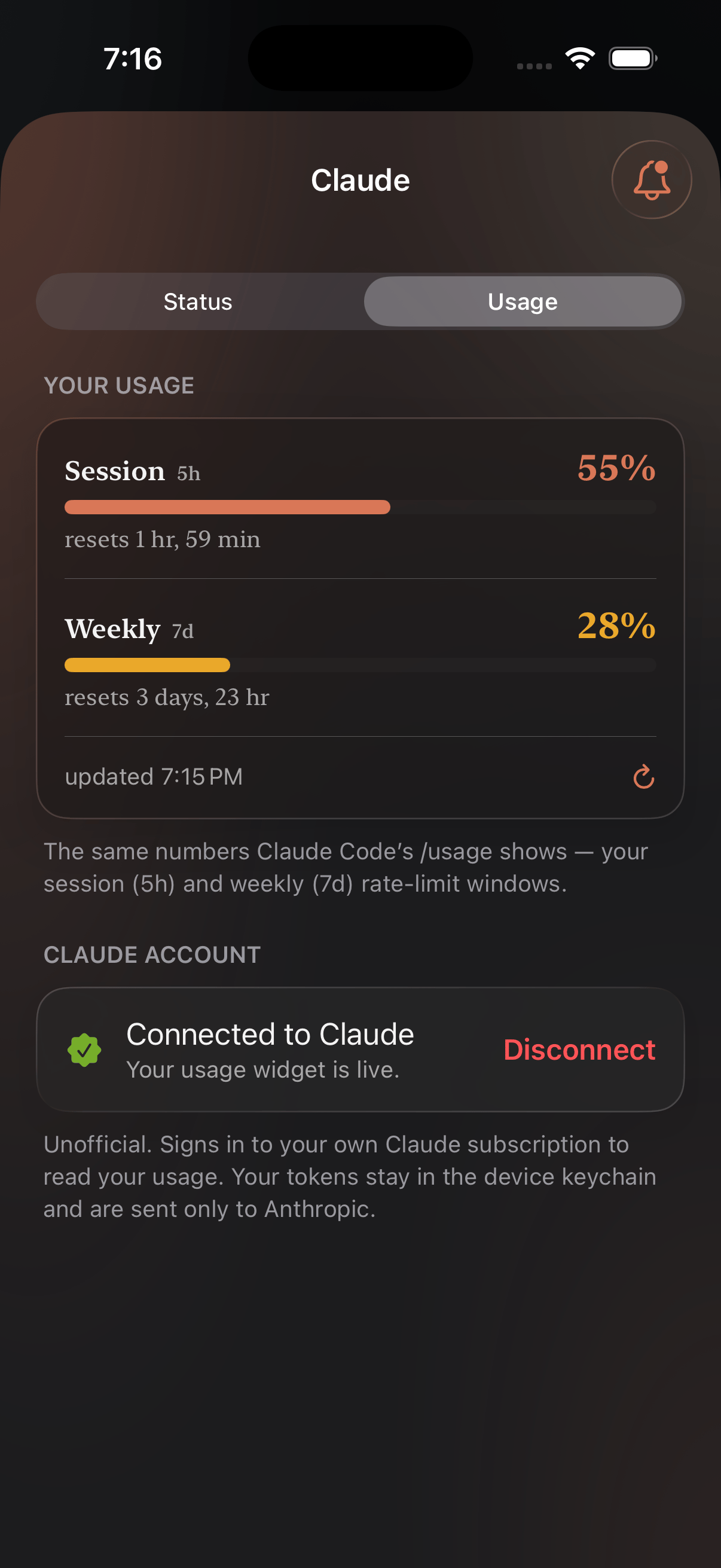
> Track how much of your plan is left, with alerts at 70%, 90%, and 100%.
Usage works like [Status](/status) — a widget plus notifications — with one
extra step: it reads numbers off your account, so it needs a sign-in. Still no
Mac plugin; this one is phone-only.
## Signing in
Open the provider from the **Providers** tab and connect the account you
already pay for. Nomo reads the same numbers that account can see about itself
— it isn't an API key and there's nothing to paste.
**Your login stays on your phone.** Tokens are held in the device keychain
and go only to the provider they belong to — your Claude token to Anthropic,
your OpenAI token to OpenAI. Usage is fetched on-device and never passes
through Nomo's servers.
Nomo is unofficial and not affiliated with any provider it reads.
## Widget
Two short clips — putting it on your Home Screen, then pointing it at a
service.
## Notifications
Notify you when a provider's usage hits 70%, 90%, or 100%.