> ## Documentation Index
> Fetch the complete documentation index at: https://docs.nomo.gg/llms.txt
> Use this file to discover all available pages before exploring further.
# Notifications
> Alerts when a service goes down or comes back, and when you're closing in on a usage limit.
Everything here lives in one place in the app: **Settings → Alerts**.
Both kinds are off until you turn them on, and flipping any switch asks for
notification permission once, then runs a check straight away — so anything
already down or already over a threshold tells you immediately rather than
waiting for the next poll.
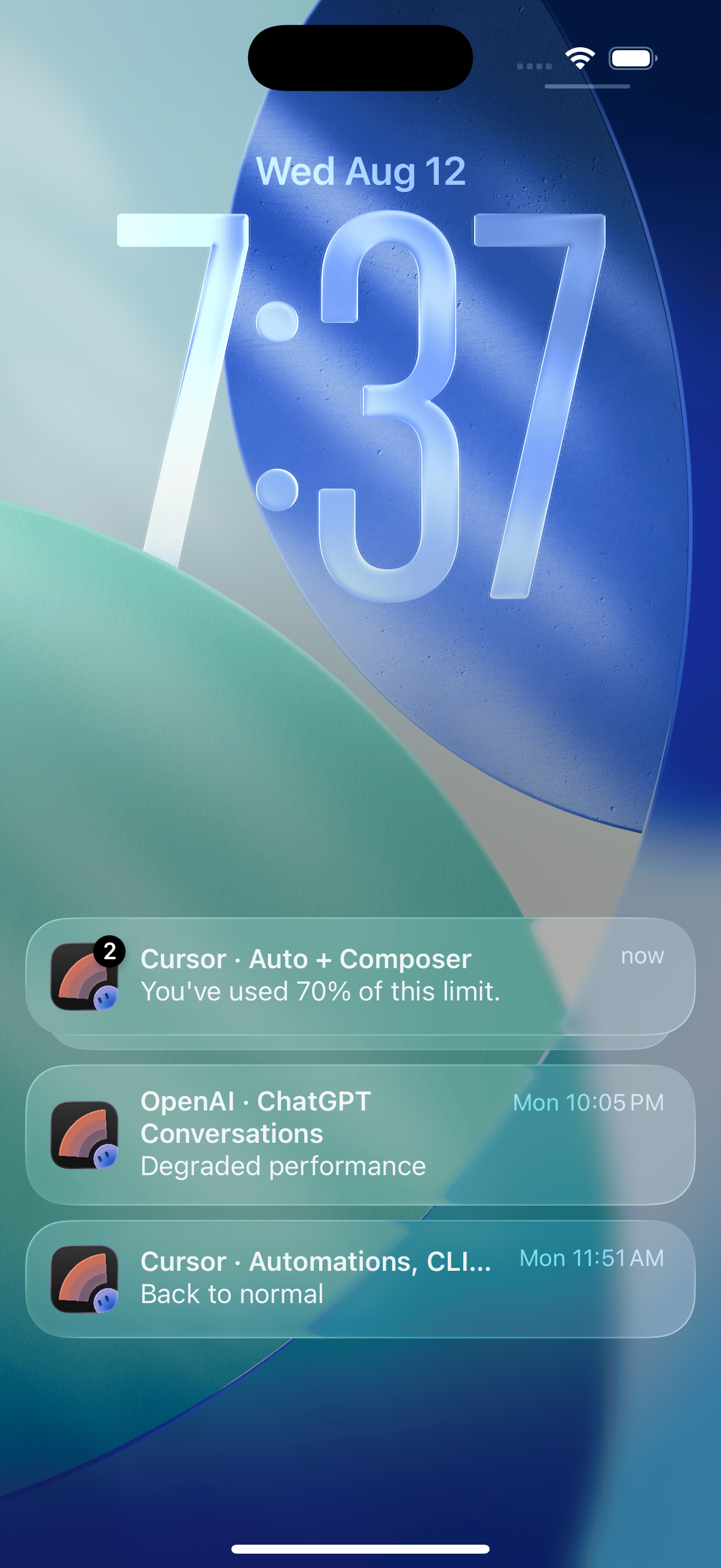
Each one names the provider and the exact thing affected — **Cursor · Auto +
Composer**, **OpenAI · ChatGPT Conversations** — so a glance at the Lock Screen
tells you which limit you hit or which service is struggling, without opening
anything.
## Status alerts
One master switch, then a second row once it's on:
| | |
| ------------------------- | -------------------------------------------------- |
| **Status alerts** | Tells you when a service is degraded or down. |
| **Notify when recovered** | Tells you again when it comes back. On by default. |
Status comes from each provider's public status page, so this needs no account.
### Choosing services
With the master switch on, a **Services** section appears below it — Claude,
OpenAI, Cursor, xAI, and Gemini, each a collapsible group of that provider's
individual services. Every service starts on.
Groups are collapsed by default and the header shows how many are enabled out
of the total, so you can see what you've changed without opening anything. It's
worth pruning: a provider's status page lists a lot more than the one thing you
actually use.
## Usage alerts
A heads-up at **70%**, **90%**, and **100%** — of the 5-hour window *and* the
weekly one, so a long afternoon and a heavy week each get their own warning.
Toggle these per account, and only for accounts you've signed in to. Three
providers support usage alerts today:
xAI and Gemini show usage in the [widget](/usage), but don't have alerts yet.
Usage is checked on your phone. Your login never leaves the device and is
never sent to Nomo's servers — see [Signing in](/usage#signing-in).
## If alerts go quiet
Leave Nomo in the background rather than swiping it away. iOS stops waking a
force-quit app, so alerts can pause until you next open it.
 Claude
 OpenAI
 Cursor